
The Ultimate Guide to Customizing Your Android Device: Best Widgets For a Smooth Experience
Are you tired of scrolling through endless home screens on your Android device? Do you want to make the most out of your smartphone or tablet’s capabilities? Look no further! In this comprehensive guide, we’ll explore the best widgets for Android that will take your device to the next level.
Why Use Widgets?
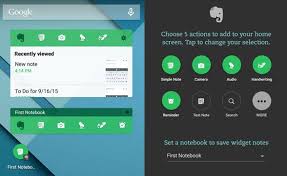
Widgets are small applications that provide a quick glance at important information, allowing you to stay on top of things without having to launch separate apps. With the right widgets, you can access vital data, control various aspects of your device, and even enhance your productivity.
Top Widget Categories For Android
To make it easier for you to find the perfect widget, we’ve categorized them into several groups:
- Clock And Calendar Widgets
- Weather And Meteorological Widgets
- Social Media And Messaging Widgets
- Music And Internet Widgets
- Productivity And News Widgets
Best Clock And Calendar Widgets For Android
- Google Clock: A simple yet effective clock widget that integrates perfectly with your device.
- Digital Clock Widget: A customizable clock widget with various styles and layouts to choose from.
- Calendar Widget: A comprehensive calendar widget that allows you to schedule events, set reminders, and more.
Top Weather And Meteorological Widgets For Android
- 1Weather: A popular weather app that includes a customizable widget with current conditions, forecasts, and alerts.
- Amber Meteo: A user-friendly widget that provides detailed weather information, including temperature, humidity, and wind speed.
- Yahoo Weather: A robust weather widget that offers accurate forecasts, current conditions, and severe weather alerts.
Best Social Media And Messaging Widgets For Android
- Facebook Widget: A convenient way to stay connected with friends and family, featuring a customizable feed and messaging interface.
- Tiktok Widget: A fun and engaging widget that allows you to create and share short videos, interact with others, and discover new content.
- Whatsapp Widget: A popular messaging app that includes a widget for quick access to conversations, contacts, and media sharing.
Top Music And Internet Widgets For Android
- Spotify Widget: A music streaming service that offers a customizable widget for easy access to your playlists, radio stations, and podcasts.
- Google Chrome Widget: A powerful browser widget that allows you to quickly access your favorite websites, bookmarks, and browsing history.
- Youtube Music Widget: A comprehensive music widget that enables you to discover new artists, browse through playlists, and control playback.
Best Productivity And News Widgets For Android
- Google Keep Widget: A note-taking app that includes a customizable widget for quick access to your notes, reminders, and tasks.
- Feedly Widget: A news aggregator app that offers a widget for staying up-to-date with the latest articles, blogs, and news sources.
- Sky News Widget: A comprehensive news widget that provides real-time updates on global events, politics, and entertainment.
How to Install And Customize Widgets on Your Android Device
Installing widgets is a straightforward process:
- Long press on an empty area of your home screen.
- Tap the “Widgets” option in the pop-up menu.
- Select the desired widget from the list.
- Drag the widget to the desired location on your home screen.
Customizing widgets involves adjusting their settings, such as layout, design, and functionality. Refer to each widget’s documentation for specific instructions.
Conclusion
By incorporating these top-notch widgets into your Android device, you’ll be able to enhance your productivity, stay connected with friends and family, and enjoy a more seamless user experience. Remember to choose the widgets that best fit your needs and preferences, and don’t hesitate to explore other categories and options.
Frequently Asked Questions (FAQs)
- What Are The Benefits of Using Widgets on my Android Device?
Widgets provide quick access to important information, allowing you to stay organized and focused. - How do I Install Widgets on my Android Device?
To install a widget, long press on an empty area of your home screen, tap “Widgets,” and select the desired widget from the list. - Can I Customize Widgets on my Android Device?
Yes, most widgets can be customized to suit your preferences, such as layout, design, and functionality. - What Are Some Popular Social Media And Messaging Widgets For Android?
Facebook, TikTok, WhatsApp, and LinkedIn are among the top social media and messaging widgets available for Android. - How do I Delete a Widget From my Home Screen on Android?
To remove a widget, long press on it, drag it to the trash can or “x” icon, and release your finger. - What is The Purpose of The Google Go Widget?
Google Go is a search engine that allows you to quickly access information, images, and videos on your device. - Can I Use Multiple Widgets From The Same App on my Android Device?
Yes, most apps allow you to install multiple widgets, providing more flexibility and customization options.
I hope this comprehensive guide has helped you discover the best widgets for your Android device. Happy customizing!


