
How to Delete a Virus From Your PC
Are you worried that your computer has been infected by a virus, but the antivirus software you’re using isn’t doing its job? Don’t worry, we’ve got you covered! In this article, we’ll show you how to delete a virus from your PC, and what steps to take if your current antivirus software is not working.
Understanding Viruses
A virus is a type of malware that can harm your computer or steal your personal data. It’s essential to be aware of the different types of viruses and how they work so you can protect yourself from them.
Symptoms of a Virus Infection
If your PC has been infected by a virus, you may experience some symptoms such as:
- Slow performance
- Crashes or freezes
- Unusual pop-ups or ads
- Files or folders disappearing
Why Your Antivirus Software May Not Be Working
There are several reasons why your antivirus software may not be working effectively. Some of these reasons include:
- Outdated virus definitions
- Insufficient system resources
- Malware that’s specifically designed to evade detection
How to Delete a Virus From Your PC
If you’re experiencing symptoms of a virus infection, here are some steps you can take to delete the virus from your PC:
Use Windows Defender
Windows 10 and Windows 11 have an in-built antivirus software called Windows Defender. You can use this software to scan your computer for malware.
Step 1: Open Settings on your PC by clicking on the Start button and selecting Settings.
Step 2: Click on Update & Security, then click on Virus & threat protection.
Step 3: Click on Scan options and select Windows Defender Full scan.
Step 4: Follow the prompts to complete the full scan.
Use a Third-party Antivirus Software
If you’re not satisfied with the results of using Windows Defender, you can use a third-party antivirus software. Some popular options include:
- Avast
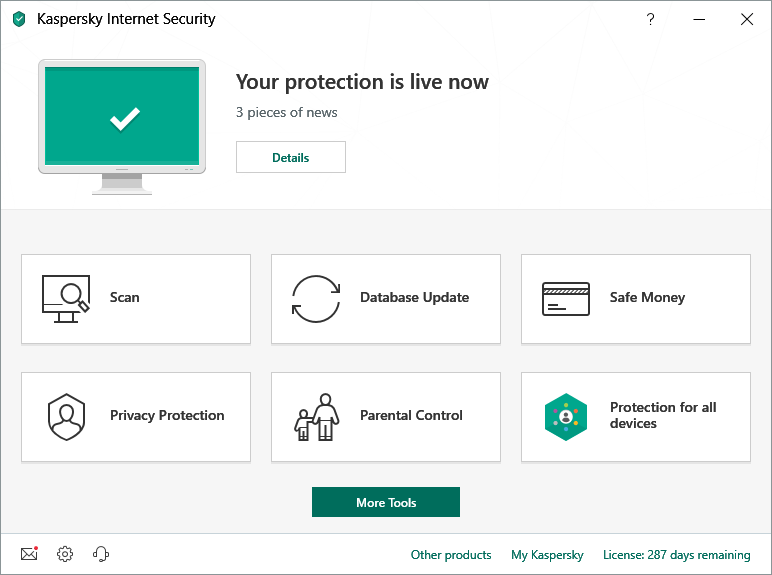
- Kaspersky
- Adwcleaner
- Malwarebytes
Step 1: Download and install the antivirus software from their official website.
Step 2: Run a full scan to detect any malware on your PC.
Step 3: Follow the prompts to remove any detected malware.
Use a Bootable Antivirus
A bootable antivirus is a specialized tool that allows you to run an antivirus scan directly from a bootable USB drive. This can be helpful if your PC is severely infected and won’t allow you to run a normal antivirus scan.
Step 1: Download the bootable antivirus software from their official website.
Step 2: Create a bootable USB drive by following the instructions provided with the software.
Step 3: Boot up your PC using the USB drive and run a full scan.
Format Your Computer (As a Last Resort)
If you’re not satisfied with the results of using any of the above methods, and your computer is severely infected, it may be necessary to format your computer as a last resort. This will completely wipe all data from your PC, so make sure you have backups before proceeding.
Step 1: Back up all important files and data on an external drive or cloud storage.
Step 2: Insert the Windows installation media (such as a USB drive) and restart your computer.
Step 3: Follow the prompts to format your computer and reinstall Windows.
Other Antivirus Software to Delete Virus From PC
If you’re not satisfied with the results of using any of the above methods, here are some other antivirus software options that may help:
- Avast Antivirus
- Kaspersky Antivirus
- Adwcleaner
- Malwarebytes
How to Delete a Virus From Mac
If your Mac is infected by a virus, there are several steps you can take to delete the virus. Here’s what to do:
Use Cleanmymac X
CleanMyMac X is a specialized tool that allows you to scan and remove malware from your Mac.
Step 1: Download CleanMyMac X from their official website.
Step 2: Run a full scan to detect any malware on your Mac.
Step 3: Follow the prompts to remove any detected malware.
Use Adwcleaner
Adwcleaner is another antivirus software that can help you delete malware from your Mac.
Step 1: Download Adwcleaner from their official website.
Step 2: Run a full scan to detect any malware on your Mac.
Step 3: Follow the prompts to remove any detected malware.
Conclusion
In this article, we’ve shown you how to delete a virus from your PC or Mac. Whether you’re using Windows Defender, Avast Antivirus, or CleanMyMac X, there are several options available that can help you keep your computer safe from malware.
Frequently Asked Questions (FAQs)
Here are some frequently asked questions about deleting viruses from PCs and Macs:
- What is The Difference Between a Virus And Malware?
A virus is a type of malware that specifically targets Windows systems. Malware, on the other hand, can target any operating system.
- How do I Know if my PC or Mac Has Been Infected by a Virus?
If your computer is experiencing symptoms such as slow performance, crashes, or pop-ups, it may be infected by a virus.
- What Are Some Effective Ways to Delete Malware From my PC or Mac?
You can use Windows Defender (on Windows PCs), Avast Antivirus (on Windows PCs), CleanMyMac X (on Macs), or Adwcleaner (on both Windows and Macs).
- Can I Format my Computer as a Last Resort if It’s Severely Infected?
Yes, but make sure you back up all important files and data before proceeding.
- Are There Any Other Antivirus Software Options Available That Can Help Delete Malware From Pcs or Macs?
Yes, some popular options include Malwarebytes (for Windows and Mac), Kaspersky Antivirus (for Windows), and Avast Antivirus (for both Windows and Mac).
We hope this article has been helpful in answering your questions about deleting viruses from PCs and Macs.


