
Creating Email Temporary Accounts: A Guide to Staying Safe Online
Are you tired of dealing with unwanted emails and spam messages? Do you want to create a temporary email account without having to provide your real email address? Look no further! In this article, we will explore the world of temporary email accounts and show you how to create them using various services.
What Are Temporary Email Accounts?
Temporary email accounts, also known as disposable email addresses or throwaway email addresses, are email accounts that can be used for a short period of time before being deleted. These accounts are useful for staying safe online by preventing spammers from accessing your real email address.
Why Use Temporary Email Accounts?
Using temporary email accounts has several benefits:
- You can create a separate email account for online services, such as social media or online shopping, without having to use your real email address.
- You can avoid receiving unwanted emails and spam messages by using a temporary email account for online activities.
- You can protect your real email address from being harvested by spammers.
How to Create Temporary Email Accounts
There are several services that allow you to create temporary email accounts. Here are some of the most popular ones:
Guerilla Mail
Guerilla Mail is a service that allows you to create a temporary email account for 1 hour. The address format is [email protected], and you can choose your own name.
To use Guerilla Mail, go to their website and click on the “Get Email” button. You will receive an email with a link to confirm your account. Once confirmed, you can start using your temporary email account.
Yopmail
YOPmail is another service that allows you to create a temporary email account. The address format is [email protected], and you can choose your own name.
To use YOPmail, go to their website and click on the “Get Email” button. You will receive an email with a link to confirm your account. Once confirmed, you can start using your temporary email account.
Temp Mail
Temp Mail is a service that allows you to create a temporary email account for 10 minutes. The address format is [email protected], and you can choose your own name.
To use Temp Mail, go to their website and click on the “Get Email” button. You will receive an email with a link to confirm your account. Once confirmed, you can start using your temporary email account.
Other Services
There are several other services that allow you to create temporary email accounts. Some of these services include:
- MailDrop
- 10MinuteMail
- Fake Mail Generator
These services offer different features and options for creating temporary email accounts.
Creating Temporary Email Accounts on Android And Iphone
You can also create temporary email accounts using apps on your Android or iPhone device. Here’s how to do it:
Android
To create a temporary email account on Android, you can use the Temp Mail app. To download and install the app, go to the Google Play Store and search for “Temp Mail”. Once installed, open the app and click on the “Get Email” button. You will receive an email with a link to confirm your account. Once confirmed, you can start using your temporary email account.
Iphone
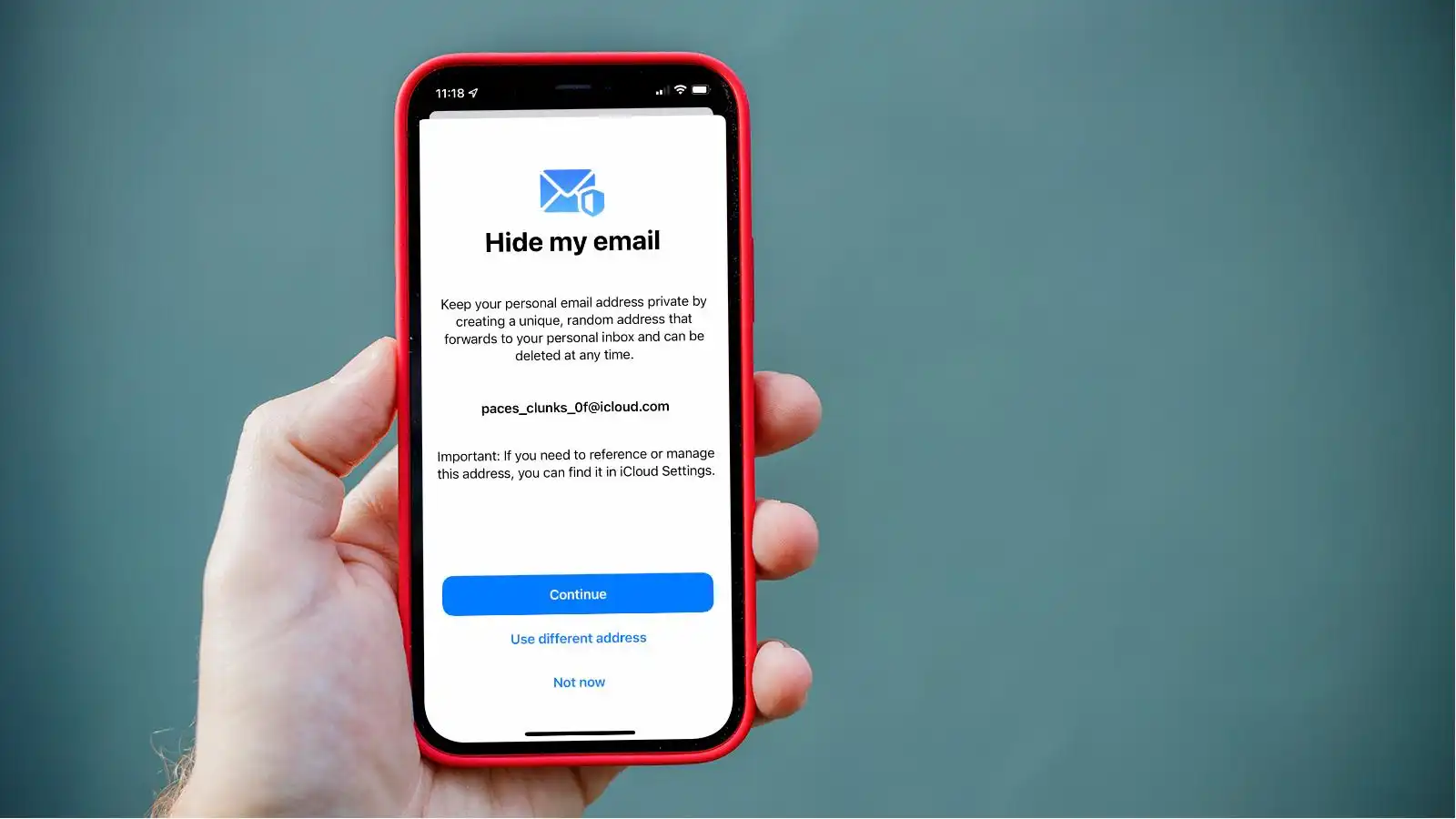
To create a temporary email account on iPhone, you can use the Conceal my Email feature in the Mail app. To do this, open the Mail app and click on the “Compose” button. In the form that appears, click on the “Conceal my Email” option. This will generate a temporary email address that you can use to send emails.
Conclusion
Temporary email accounts are a useful tool for staying safe online by preventing spammers from accessing your real email address. By creating a temporary email account, you can avoid receiving unwanted emails and spam messages while still being able to use online services.
We hope this article has been helpful in showing you how to create temporary email accounts using various services. If you have any questions or need further assistance, please don’t hesitate to ask.
Faqs
Here are some frequently asked questions about temporary email accounts:
- Q: What is a Temporary Email Account?
A: A temporary email account, also known as a disposable email address or throwaway email address, is an email account that can be used for a short period of time before being deleted. - Q: Why Use Temporary Email Accounts?
A: Using temporary email accounts has several benefits, including avoiding unwanted emails and spam messages, protecting your real email address from being harvested by spammers, and creating a separate email account for online services without having to use your real email address. - Q: How do I Create a Temporary Email Account?
A: There are several services that allow you to create temporary email accounts. Some of these services include Guerilla Mail, YOPmail, Temp Mail, and others. - Q: Can I Create a Temporary Email Account on Android or Iphone?
A: Yes, you can create a temporary email account using apps on your Android or iPhone device.
We hope this article has been helpful in answering some of the most common questions about temporary email accounts.


