
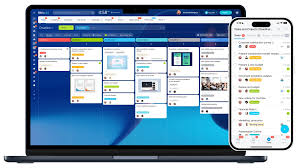
Bitrix24 Project Management: Functionality And Instruments For Remote Work
As a remote worker or a team leader, managing projects effectively is crucial for success. With the increasing demand for remote work, finding the right tool to manage your projects can be overwhelming. In this article, we will explore Bitrix24, a cloud-based CRM that offers a wide range of instruments to manage your projects, including task management, blueprints, and clusters of work.
What is Bitrix24?
Bitrix24 is a cloud-based CRM that allows you to manage your business remotely. It offers a free base plan with a vast range of instruments beyond traditional CRM features, such as a platform for integrated communication with social networks and chat, contact center for managing client communications, website builder to construct your own sites, and many more.
Features of Bitrix24
Bitrix24 offers a wide range of features that make it an ideal choice for remote work. Some of the key features include:
- Task Management: Create tasks, assign them to team members, and track progress.
- Blueprints: Plan and manage your projects with blueprints, which allow you to visualize the entire project process.
- Clusters of Work: Organize your tasks into clusters of work, making it easier to manage multiple projects simultaneously.
- Communications And Siti: Use integrated communication platforms, such as chat and video calls, to collaborate with team members.
How to Get Started With Bitrix24
Getting started with Bitrix24 is easy. Simply sign up for a free account on the Bitrix24 website. Once you have created your account, choose the features you want to use, such as CRM, Tasks, and Blueprints. Follow the brief tutorial provided by Bitrix24 to learn how to use these features.
Managing Tasks, Blueprints, And Clusters of Work
To manage tasks, blueprints, and clusters of work in Bitrix24, follow these steps:
- Invite Team Members: Invite your team members to join Bitrix24.
- Create a New Blueprint: Create a new blueprint by selecting the “Blueprints” option from the menu bar. Choose the type of blueprint you want to create, such as an open or private blueprint.
- Add Tasks: Add tasks to your blueprints by selecting the “Tasks” option from the menu bar. Assign team members and set deadlines for each task.
- Use Clusters of Work: Organize your tasks into clusters of work to manage multiple projects simultaneously.
Managing Blueprints
To manage blueprints in Bitrix24, follow these steps:
- Create a New Blueprint: Create a new blueprint by selecting the “Blueprints” option from the menu bar.
- Set Up Your Blueprint: Set up your blueprint by adding tasks, assigning team members, and setting deadlines.
- Use Clusters of Work: Use clusters of work to organize multiple projects simultaneously.
Using The Bitrix24 Calendar
The Bitrix24 calendar allows you to visualize all the tasks and events associated with a specific project. To use the calendar, follow these steps:
- Access The Calendar: Access the calendar by selecting the “Calendar” option from the menu bar.
- Set Up Your Calendar: Set up your calendar by adding tasks, assigning team members, and setting deadlines.
- Use Calendars Shared: Use calendars shared to synchronize multiple calendars and visualize all the events associated with a specific project.
Using The Bitrix24 Gantt Diagram
The Bitrix24 Gantt diagram allows you to visualize the entire project process and track progress. To use the Gantt diagram, follow these steps:
- Access The Gantt Diagram: Access the Gantt diagram by selecting the “Gantt Diagram” option from the menu bar.
- Set Up Your Gantt Diagram: Set up your Gantt diagram by adding tasks, assigning team members, and setting deadlines.
- Use The Gantt Diagram to Track Progress: Use the Gantt diagram to track progress and visualize all the events associated with a specific project.
Conclusion
Bitrix24 is an ideal choice for remote work, offering a wide range of features that make it easy to manage projects, including task management, blueprints, and clusters of work. With its intuitive interface and vast range of instruments, Bitrix24 is the perfect tool for teams looking to streamline their workflow and improve collaboration.
Frequently Asked Questions
- What is Bitrix24?
Bitrix24 is a cloud-based CRM that offers a wide range of features beyond traditional CRM features. - How do I Get Started With Bitrix24?
Sign up for a free account on the Bitrix24 website and follow the brief tutorial provided by Bitrix24. - What Are Blueprints in Bitrix24?
Blueprints are plans and management tools that allow you to visualize the entire project process. - How do I Use Clusters of Work in Bitrix24?
Clusters of work are used to organize multiple projects simultaneously, making it easier to manage complex projects. - What is The Bitrix24 Calendar?
The Bitrix24 calendar allows you to visualize all the tasks and events associated with a specific project. - How do I Use The Bitrix24 Gantt Diagram?
Use the Gantt diagram to track progress and visualize all the events associated with a specific project. - What Are The Benefits of Using Bitrix24?
Bitrix24 offers a wide range of features that make it easy to manage projects, improve collaboration, and streamline workflow. - Is Bitrix24 Suitable For Small Businesses or Solo Entrepreneurs?
Yes, Bitrix24 is suitable for small businesses or solo entrepreneurs, offering a free base plan with a vast range of instruments beyond traditional CRM features.


