
Create a Blog Free on Google: A Step-by-step Guide
As a content writer proficient in SEO writing, I will guide you through the process of creating a blog free on Google using the platform Blogger.
Why Create a Blog on Google?
Creating a blog on Google provides numerous benefits. Firstly, it allows you to share your passions and expertise with a global audience. Secondly, it is a free service that doesn’t require any technical knowledge or programming skills. Lastly, it integrates seamlessly with other Google services, making it an ideal platform for bloggers.
Getting Started: Registering Your Google Account
Before creating a blog on Blogger, you need to register a Google account. This is a straightforward process that requires basic information such as your name, email address, and password. Once registered, you can access the Blogger dashboard where you’ll find various tools and features to create and manage your blog.
Step 1: Creating Your Blog
To create a new blog on Blogger:
- Log in to your Google account.
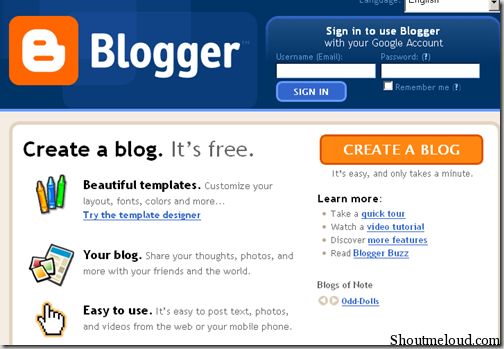
- Go to the Blogger website (www.Blogger.Com).
- Click on “Create your blog” button.
- Fill out the required information, including your blog title and URL (which will be in the format of nomesito.Blogspot.Com).
- Choose a template for your blog’s design.
Step 2: Writing Your First Post
Now that you have created your blog, it’s time to write your first post:
- Log in to your Blogger account.
- Click on “New post” button.
- Use the built-in editor to type and format your content.
- Add images, links, or other multimedia elements as desired.
- Preview your post by clicking on the “Preview” button.
- Once satisfied with your post, click on the “Publish” button.
Step 3: Personalizing Your Blog
Personalizing your blog is an essential step to make it stand out:
- Log in to your Blogger account.
- Click on the “Layout” tab in the dashboard.
- Customize your blog’s design by choosing a new template or modifying the existing one.
- Add gadgets, such as widgets or social media links, to enhance user experience.
Step 4: Monetizing Your Blog
To monetize your blog using AdSense:
- Enroll in the Google AdSense program.
- Ensure your blog meets the required criteria for integration with Blogger’s monetization features.
- Actuate the monetization by following the instructions provided by Blogger.
Additional Features And Tools
Blogger offers various features to enhance your blogging experience, including:
- Statistical: View analytics and understand your audience’s behavior.
- You Comment: Manage comments on your blog with built-in moderation tools.
- Helpful: Access a library of tutorials and guides for improving your blog.
- Pages: Create static pages within your blog.
- Settings: Customize your blog’s settings, including title, description, and more.
Conclusion
Creating a blog free on Google using Blogger is a straightforward process that requires minimal technical expertise. With this guide, you can create a professional-looking blog and start sharing your passions with the world.
Frequently Asked Questions (FAQs)
- Q: What Are The Benefits of Creating a Blog on Google?
A: Creating a blog on Google provides numerous benefits, including free service, minimal technical requirements, and seamless integration with other Google services. - Q: How do I Register For a Google Account?
A: Registering for a Google account is a straightforward process that requires basic information such as your name, email address, and password. - Q: What Are The Requirements For Integrating Adsense With Blogger?
A: To integrate AdSense with Blogger, ensure your blog meets the required criteria, including being active for at least 6 months, having standard content, and following Google’s guidelines. - Q: How do I Customize my Blog’s Design?
A: Customize your blog’s design by choosing a new template or modifying the existing one using the Layout tab in the Blogger dashboard. - Q: Can I Monetize my Blog Without Adsense?
A: Yes, you can monetize your blog through other means, such as affiliate marketing, sponsored content, or selling products and services.
Conclusion
Creating a blog free on Google using Blogger is an excellent way to share your passions and expertise with the world. By following this guide, you’ll be able to create a professional-looking blog and start monetizing it using AdSense or other means.


