
The Ultimate Guide to Finding Speed Cameras: Top Apps For a Stress-free Drive
Are you planning a road trip or daily commute? Do you want to ensure a smooth and stress-free drive? Look no further! In this article, we’ll explore the top apps that can help you find speed cameras, so you can avoid any unwanted fines.
The Problem With Speed Cameras
Speed cameras are increasingly common on our roads, and they can be a major source of frustration for drivers. Not only do they impose penalties on speeding motorists, but they also disrupt traffic flow and create congestion. However, there’s good news – with the right apps, you can stay informed about speed camera locations and navigate through traffic with ease.
The Top Apps For Finding Speed Cameras
Here are some of the top apps that can help you find speed cameras:
1. Radarbot (Android/iOS/iPadOS)
Radarbot is one of the most popular apps for finding speed cameras. This app offers a comprehensive database of speed camera locations, which it updates regularly to ensure accuracy. What sets Radarbot apart from other apps is its ability to alert you in real-time when you approach a speed camera.
Key Features:
- Comprehensive database of speed camera locations
- Real-time alerts when approaching a speed camera
- Traffic information and roadwork notifications
2. Tomtom Amigo (Android/iOS/iPadOS)
TomTom AmiGO is another top app for finding speed cameras. This app not only shows you the location of speed cameras but also provides turn-by-turn navigation to help you avoid them.
Key Features:
- Speed camera locations and alerts
- Turn-by-turn navigation to avoid speed cameras
- Traffic information and roadwork notifications
3. Autovelox Fissi e Mobile (Android/iOS/iPadOS)
Autovelox Fissi e Mobile is a user-friendly app that allows you to find speed cameras on the go. This app offers real-time alerts when approaching a speed camera, as well as information about roadwork and traffic.
Key Features:
- Real-time alerts when approaching a speed camera
- Information about roadwork and traffic
- User-friendly interface for easy navigation
4. Google Maps (Android/iOS/iPadOS)
While Google Maps isn’t primarily an app for finding speed cameras, it does offer some features that can help you navigate around them. When using Google Maps, you’ll see a warning icon on the map when approaching a speed camera.
Key Features:
- Warning icons on the map to alert you of speed cameras
- Turn-by-turn navigation to avoid speed cameras
5. Waze (Android/iOS/iPadOS)
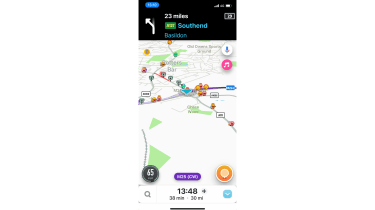
Waze is another popular app that can help you find speed cameras and navigate around them. This app uses user-submitted data to provide real-time traffic information, including speed camera locations.
Key Features:
- Real-time traffic information from other users
- Speed camera locations and alerts
- User-friendly interface for easy navigation
6. Viamichelin (Android/iOS/iPadOS)
ViaMichelin is a comprehensive app that offers real-time traffic information, including speed camera locations. This app also provides information about roadwork and traffic.
Key Features:
- Real-time traffic information from other users
- Speed camera locations and alerts
- Information about roadwork and traffic
7. Coyote (Android/iOS/iPadOS)
Coyote is a premium app that offers real-time traffic information, including speed camera locations. This app also provides information about roadwork and traffic.
Key Features:
- Real-time traffic information from other users
- Speed camera locations and alerts
- Information about roadwork and traffic
8. Apple Maps (iOS/iPadOS)
Apple Maps is a built-in app on iOS devices that can help you find speed cameras. When using Apple Maps, you’ll see a warning icon on the map when approaching a speed camera.
Key Features:
- Warning icons on the map to alert you of speed cameras
- Turn-by-turn navigation to avoid speed cameras
The Benefits of Using Speed Camera Apps
Using a speed camera app can have several benefits for drivers. These include:
- Avoiding Fines: By using an app that alerts you when approaching a speed camera, you can avoid getting fined.
- Reduced Stress: Knowing the location of speed cameras can help reduce your stress levels while driving.
- Improved Navigation: Many apps offer turn-by-turn navigation to help you avoid speed cameras.
Conclusion
In conclusion, there are many apps available that can help you find speed cameras and navigate around them. By using one or more of these apps, you can ensure a smooth and stress-free drive.
Frequently Asked Questions (FAQs)
Here are some frequently asked questions about speed camera apps:
Q: What is the best app for finding speed cameras?
A: The best app for finding speed cameras depends on your personal preferences. Some popular options include Radarbot, TomTom AmiGO, and Autovelox Fissi e Mobile.
Q: Do I need to pay for a speed camera app?
A: Many speed camera apps are free to download and use. However, some premium features may require a subscription or one-time payment.
Q: Can I find speed cameras on Google Maps?
A: Yes, you can find speed cameras on Google Maps by looking out for warning icons on the map.
Q: What is Waze, and how does it help me avoid speed cameras?
A: Waze is a social navigation app that uses user-submitted data to provide real-time traffic information. When using Waze, you’ll see speed camera locations and alerts.
I hope this article has been helpful in explaining the top apps for finding speed cameras. Happy driving!


