
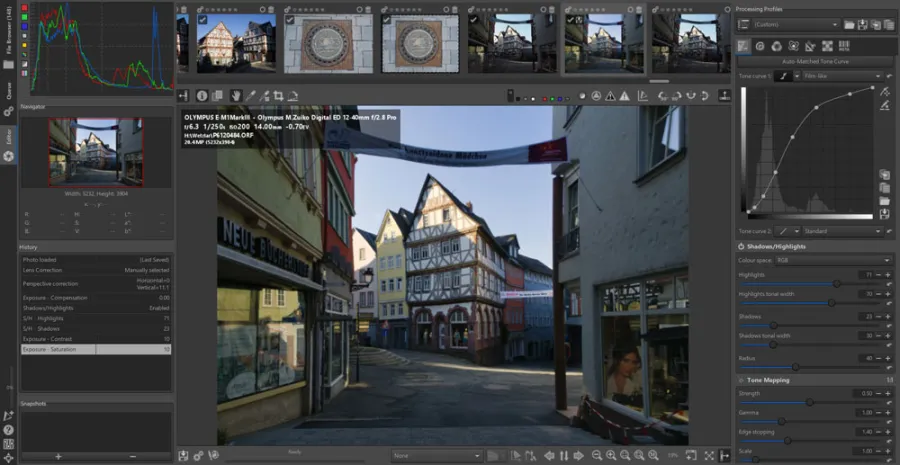
Unlocking The Power of Free Photo Editing Software: A Guide For Beginners
Are you looking for a way to edit your photos without breaking the bank? Look no further! In this article, we’ll explore the world of free photo editing software, from beginner-friendly options to advanced tools that can help you take your photography skills to the next level.
What is Photo Editing Software?
Photo editing software is a program designed to manipulate and enhance digital images. It allows users to edit photos by adjusting brightness, contrast, color balance, and other parameters. With photo editing software, you can also apply filters, effects, and textures to your images, giving them a unique look.
Top Free Photo Editing Software For PC
- Gimp: The GNU Image Manipulation Program (GIMP) is a popular free photo editing software that offers advanced features like layers, masks, and effects.
- Xnconvert: XnConvert is a free photo editing software that allows you to convert images between various formats, apply filters, and edit photos with ease.
Other Free Photo Editing Software For PC
- Paint: Paint is a simple yet effective photo editing software that comes pre-installed on Windows PCs.
- Photo: Photo is another basic photo editing software included in the Microsoft Office suite.
- Fotoritocco Free: Fotoritocco Free is an Italian website offering free online photo editing tools, including filters and effects.
Free Online Photo Editing Software
- Photopea: Photopea is a free online photo editor that offers advanced features like layers, masks, and filters.
- Lunapic: LunaPic is another free online photo editor that allows you to apply filters, effects, and textures to your images.
Mobile Apps For Free Photo Editing
- Snapseed: Snapseed is a popular mobile app developed by Google that offers advanced features like filters, adjustments, and effects.
- Vsco Cam: VSCO Cam is another powerful mobile app that allows you to edit photos with ease, applying filters and adjusting settings.
Tips For Using Free Photo Editing Software
- Experiment With Different Tools: Don’t be afraid to try out new tools and features on your free photo editing software.
- Practice Makes Perfect: The more you use your free photo editing software, the better you’ll become at using it.
- Follow Online Tutorials: Websites like YouTube and Udemy offer plenty of tutorials and guides for using free photo editing software.
Conclusion
Free photo editing software is an amazing resource for photographers on a budget or beginners looking to improve their skills. With so many options available, it’s never been easier to edit your photos and share them with the world. Whether you’re using GIMP, XnConvert, or one of the other free photo editing software mentioned above, remember to practice regularly and experiment with different tools to get the most out of your experience.
Faqs
- What is The Best Free Photo Editing Software For Beginners?
Answer: GIMP is a great option for beginners due to its intuitive interface and advanced features. - Can I Use Free Photo Editing Software on my Smartphone?
Answer: Yes, there are many mobile apps available that offer free photo editing capabilities, such as Snapseed and VSCO Cam. - Do I Need to Download Any Software or Plugins to Use Free Online Photo Editors?
Answer: No, most free online photo editors can be accessed directly through a web browser, eliminating the need for downloads. - Can I Share Edited Photos on Social Media Using Free Photo Editing Software?
Answer: Yes, all of the free photo editing software mentioned above allows you to export and share your edited photos on social media platforms like Instagram and Facebook. - Do I Need Any Special Hardware or Equipment to Use Free Photo Editing Software?
Answer: No, most free photo editing software can be used with a standard computer or smartphone, eliminating the need for specialized hardware. - Can I Learn More About Using Free Photo Editing Software Through Online Tutorials And Guides?
Answer: Yes, there are many websites like YouTube and Udemy that offer step-by-step tutorials and guides on how to use various free photo editing software. - Do All Free Photo Editing Software Offer Advanced Features And Filters?
Answer: While some free photo editing software may not offer as many advanced features or filters as paid options, most can still provide a wide range of tools for editing and enhancing your photos. - Can I Use Free Photo Editing Software to Create Graphics And Text Overlays on my Images?
Answer: Yes, many free photo editing software, including GIMP and Photopea, offer tools for creating custom graphics and text overlays that can be added to your photos.


