
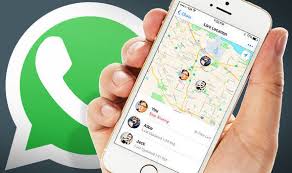
How to Forward Your Position on Whatsapp: A Step-by-step Guide
Are you tired of explaining your location to friends or family members while you’re out and about? Do you want to make it easier for them to find you without having to give them your exact coordinates? Look no further! In this article, we’ll show you how to forward your position on WhatsApp, making it easy for others to track your whereabouts.
What is Forwarding Your Position on Whatsapp?
Forwarding your position on WhatsApp means sharing your current location with someone or a group of people. This can be useful in situations where you’re meeting up with friends or family members and want to make sure they know exactly where you are. By forwarding your position, you can share your exact coordinates with them, making it easy for them to find you.
Why Use Whatsapp to Forward Your Position?
WhatsApp is one of the most popular messaging apps in the world, with over 2 billion monthly active users. It’s a convenient and widely-used platform that makes it easy to share your position with others. Plus, WhatsApp offers end-to-end encryption, ensuring that your location information remains private.
How to Forward Your Position on Whatsapp: A Step-by-step Guide
Forwarding your position on WhatsApp is a relatively simple process. Here are the steps you need to follow:
On Android Devices:
- Open the Settings app on your Android device.
- Select “Safety & privacy” or “Location” from the menu.
- Enable location services by toggling the switch to the “ON” position.
- Go back to the WhatsApp chat where you want to share your position.
- Tap the “+” icon in the top-right corner of the screen.
- Select “Location” from the menu.
- Choose whether you want to share your current location or a specific location on the map.
- Tap “Share” to send your location to the selected contact(s).
On Iphone Devices:
- Open the Settings app on your iPhone.
- Scroll down and select “Privacy” from the menu.
- Select “Location Services” from the menu.
- Enable location services by toggling the switch to the “ON” position for WhatsApp.
- Go back to the WhatsApp chat where you want to share your position.
- Tap the “+” icon in the top-right corner of the screen.
- Select “Location” from the menu.
- Choose whether you want to share your current location or a specific location on the map.
- Tap “Share” to send your location to the selected contact(s).
On Whatsapp Web:
- Open WhatsApp Web in your computer’s browser.
- Log in to your WhatsApp account using your phone.
- Select the chat where you want to share your position.
- Click on the “+” icon in the top-right corner of the screen.
- Select “Location” from the menu.
- Choose whether you want to share your current location or a specific location on the map.
- Click “Share” to send your location to the selected contact(s).
On Computer:
- Open the WhatsApp desktop app.
- Log in to your WhatsApp account using your phone.
- Select the chat where you want to share your position.
- Click on the “+” icon in the top-right corner of the screen.
- Select “Location” from the menu.
- Choose whether you want to share your current location or a specific location on the map.
- Click “Share” to send your location to the selected contact(s).
How to Forward Your Position Using Google Maps
If you’re using an Android device, you can also forward your position using Google Maps instead of WhatsApp’s built-in feature. Here’s how:
- Open Google Maps on your Android device.
- Tap the red pin icon in the top-right corner of the screen.
- Select “Share location” from the menu.
- Choose whether you want to share your current location or a specific location on the map.
- Select WhatsApp from the list of apps.
- Enter the name of the contact(s) you want to share your location with.
Frequently Asked Questions
Q: Is forwarding my position on WhatsApp safe?
A: Yes, forwarding your position on WhatsApp is safe and secure. Your location information is end-to-end encrypted, ensuring that only the intended recipient can see it.
Q: Can I forward my position on multiple apps at once?
A: Unfortunately, no. You need to forward your position separately on each app you want to share with.
Q: How long does it take for my position to be shared with others?
A: It usually takes a few seconds for your position to be shared with others after you tap “Share”.
Q: Can I cancel the sharing of my position if needed?
A: Yes, you can cancel the sharing of your position at any time. Simply go back to WhatsApp and tap on the “Cancel” button.
Q: Will forwarding my position drain my battery?
A: No, forwarding your position on WhatsApp should not drain your battery excessively. However, it may consume a small amount of power depending on your device’s settings.
Q: Can I share my position with specific contacts only?
A: Yes, you can share your position with specific contacts by selecting them from the “Share with” menu in WhatsApp.
Conclusion
Forwarding your position on WhatsApp is a convenient and easy way to share your location with others. By following the steps outlined in this article, you can ensure that your friends and family members know exactly where you are. Remember to always be mindful of your safety and security when sharing your location online.


