
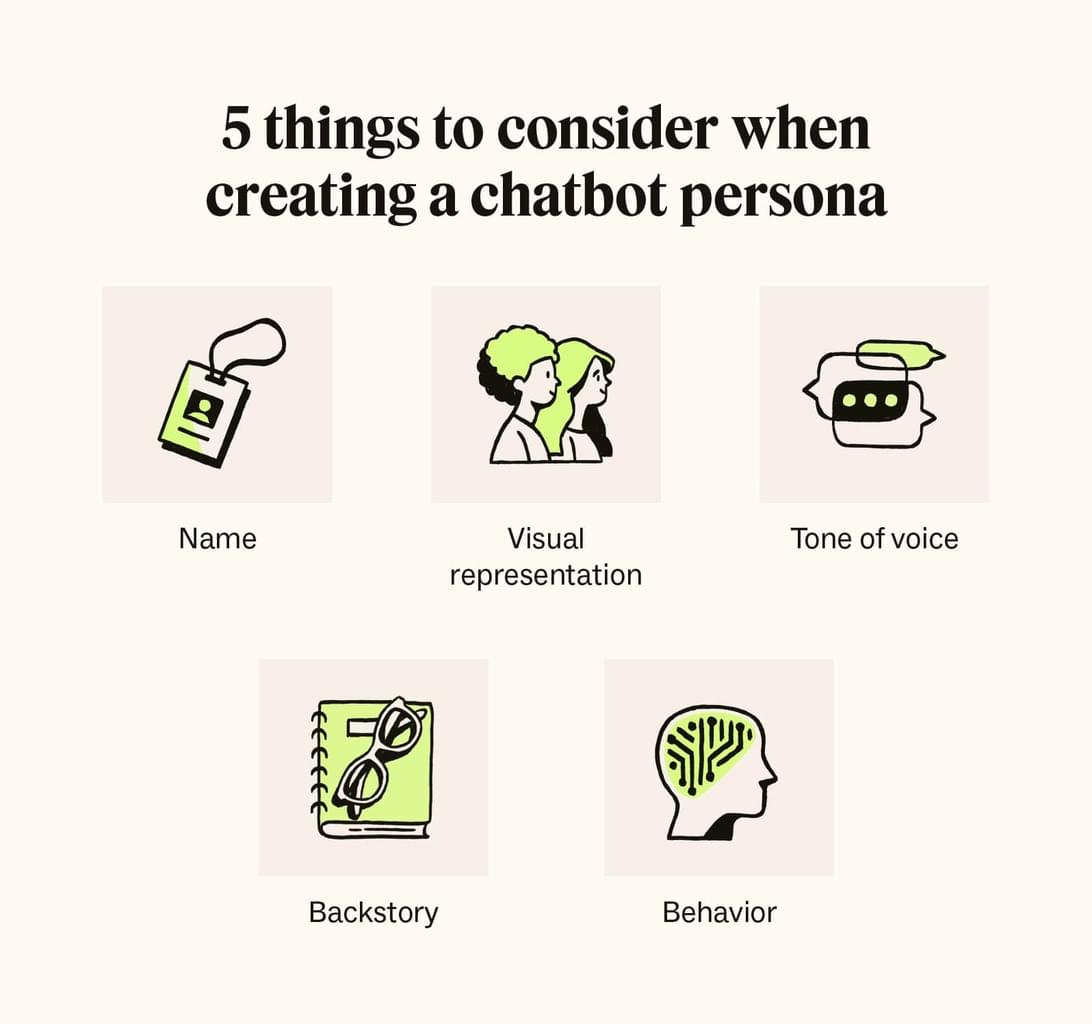
How to Create a Personalized Chatbot: A Step-by-step Guide
As we continue to navigate the digital landscape, having a personalized chatbot can revolutionize the way we interact with technology. In this article, we’ll delve into the world of artificial intelligence and explore how to create a customized chatbot that meets your specific needs.
What is a Chatbot?
A chatbot is a computer program designed to simulate conversation with human users, either through text or voice interactions. These digital assistants can be programmed to perform various tasks, from answering frequently asked questions to providing personalized recommendations.
Why Create a Personalized Chatbot?
Creating a personalized chatbot offers numerous benefits, including:
- Improved User Experience: By tailoring the chatbot’s responses to individual users’ needs and preferences, you can enhance their overall experience.
- Increased Efficiency: Automating routine tasks and providing quick answers to common questions can save time and resources for both humans and businesses.
- Enhanced Customer Engagement: A personalized chatbot can help build brand loyalty by offering tailored experiences that resonate with users.
Creating a Chatbot With Chatgpt
ChatGPT is an AI-powered chatbot platform that allows you to create custom chatbots without requiring extensive coding knowledge. Here’s how:
- Sign up For Chatgpt Plus: Subscribe to the premium version of ChatGPT, which provides access to advanced features and customization options.
- Access The Gpt Builder: Once logged in, navigate to the GPT Builder section, where you’ll find a user-friendly interface for creating your chatbot.
- Define The Chatbot’s Purpose: Describe the chatbot’s functionality, such as providing product recommendations or answering technical questions.
- Configure The Chatbot’s Settings: Set up the chatbot’s name, description, and other essential details to ensure a seamless user experience.
Creating a Chatbot on Telegram
Telegram is another popular platform for creating custom chatbots. To get started:
- Access The Telegram Botfather: This built-in feature allows you to create and manage your own bots.
- Choose a Username And Name: Select a unique username and name for your bot that reflects its purpose and personality.
- Configure The Bot’s Settings: Set up the bot’s language, timezone, and other essential details to ensure a smooth user experience.
Creating a Chatbot With Python
Python is a versatile programming language used in various industries, including artificial intelligence. To create a chatbot using Python:
- Install The Required Libraries: Ensure you have the necessary libraries, such as NLTK or spaCy, installed for natural language processing.
- Write The Chatbot’s Code: Use your preferred IDE to write the code for your chatbot, incorporating the required libraries and functionality.
- Test And Refine: Run the code, test it thoroughly, and refine any issues or areas for improvement.
Creating a Chatbot on Whatsapp
WhatsApp is another popular messaging platform where you can create custom chatbots. To get started:
- Access The Whatsapp Business Bees: This feature allows you to create and manage your own chatbots.
- Choose a Username And Name: Select a unique username and name for your bot that reflects its purpose and personality.
- Configure The Bot’s Settings: Set up the bot’s language, timezone, and other essential details to ensure a smooth user experience.
Other Possibilities For Conversing With a Personalized Chatbot
While the above-mentioned platforms are popular options, there are other possibilities to explore:
- Character To The: This platform allows you to interact with personalized chatbots that simulate conversations.
- Creating Characters: You can create your own custom characters and engage in conversations using their personalities.
In conclusion, creating a personalized chatbot offers numerous benefits for users and businesses alike. By understanding the various options available, such as ChatGPT, Telegram, Python, WhatsApp, and Character To The, you can choose the best platform to suit your needs and preferences.
Frequently Asked Questions (FAQs)
Here are some additional questions and answers:
- Q: What is a Chatbot?
A: A chatbot is a computer program designed to simulate conversation with human users. - Q: Why Create a Personalized Chatbot?
A: Creating a personalized chatbot offers numerous benefits, including improved user experience, increased efficiency, and enhanced customer engagement. - Q: How do I Create a Chatbot With Chatgpt?
A: To create a chatbot with ChatGPT, sign up for the premium version, access the GPT Builder, define the chatbot’s purpose, configure its settings, and test it thoroughly. - Q: Can I Create a Chatbot on Telegram?
A: Yes, you can create a chatbot on Telegram using the built-in BotFather feature. Choose a username and name for your bot, configure its settings, and engage with users.
Feel free to reach out if you have any more questions or concerns about creating personalized chatbots!


