
Technical Cartoonist Software: A Comprehensive Guide
Are you a student or professional looking to create technical cartoons? Do you want to explore the best software options available in the market? Look no further! In this article, we will guide you through the top programs for technical cartoonists, both free and paid.
What is Technical Cartooning?
Technical cartooning, also known as drafting or drawing, is the art of creating detailed drawings and diagrams using various software tools. It is a crucial skill in architecture, engineering, and other fields where precision and accuracy are paramount.
Top Programs For Technical Cartoonists
1. Autocad
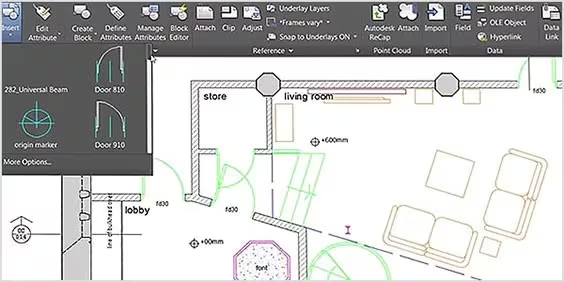
AutoCAD is one of the most popular and widely used technical cartooning software available. It offers a range of features, including:
- 2D And 3D Design Capabilities: Create detailed drawings and models in both 2D and 3D formats.
- Customizable Interface: Tailor the interface to suit your needs and work style.
-
Large User Community: Leverage the vast resources available online, including tutorials and forums.
Cost: Paid (approximately $2,245 per year)
2. Sketchup
SketchUp is another powerful technical cartooning software that offers:
- User-friendly Interface: Easy to use, even for beginners.
- Extensions And Plugins: Expand the functionality of SketchUp with a wide range of extensions and plugins.
-
Cloud Collaboration: Collaborate in real-time with others using the cloud-based version.
Cost: Paid (approximately $119 per year)
3. Turbocad
TurboCAD is a versatile technical cartooning software that offers:
- 2D And 3D Design Capabilities: Create detailed drawings and models in both 2D and 3D formats.
- Large Library of Shapes And Symbols: Access a vast library of pre-made shapes and symbols to speed up your work.
-
Customizable Interface: Tailor the interface to suit your needs and work style.
Cost: Paid (approximately $59.99)
4. Freecad
FreeCAD is an open-source technical cartooning software that offers:
- 2D And 3D Design Capabilities: Create detailed drawings and models in both 2D and 3D formats.
- Support For Various File Formats: Import and export a wide range of file formats, including STEP, IGES, and SVG.
-
Large User Community: Leverage the vast resources available online, including tutorials and forums.
Cost: Free
5. Other Programs
There are many other technical cartooning software options available, including:
- Rhinoceros: A powerful 3D modeling software that offers advanced features like NURBS modeling.
- 3DCrafter: A user-friendly 3D modeling software that offers a range of tools and features for creating complex models.
Online Programs
If you don’t want to download software on your computer, there are many online programs available that offer technical cartooning capabilities. Some popular options include:
- Sketchup Free: A web-based version of SketchUp that offers many of the same features as the desktop version.
- Tinkercad: A free online 3D modeling software that offers a range of tools and features for creating complex models.
Conclusion
In conclusion, there are many top programs available for technical cartoonists, both free and paid. Whether you’re looking for a user-friendly interface or advanced features like NURBS modeling, there’s a software out there to suit your needs.
Faqs
- What is The Best Program For Technical Cartooning?
The best program for technical cartooning depends on your specific needs and preferences. Some popular options include AutoCAD, SketchUp, and FreeCAD. - Are There Any Free Programs Available?
Yes, there are many free programs available for technical cartooning, including FreeCAD, LibreCAD, and OpenSCAD. - Can I Use Technical Cartooning Software Online?
Yes, there are many online programs available that offer technical cartooning capabilities, including SketchUp Free and Tinkercad.
Conclusion
In conclusion, the world of technical cartooning offers a wide range of options for creators. From user-friendly interfaces to advanced features like NURBS modeling, there’s a software out there to suit your needs. Whether you’re looking for a free program or are willing to pay for premium features, this article has provided you with the knowledge to make an informed decision.
Contact Information
If you have any further questions or would like to learn more about technical cartooning, please don’t hesitate to contact us.


