
How to Download Fortnite on PC
Are you ready to join the millions of players worldwide who have already experienced the thrill of Fortnite? If so, this guide is perfect for you! We’ll walk you through every step necessary to download and install Fortnite on your Windows 10 or Windows 11 computer.
System Requirements
Before we begin, make sure your PC meets the minimum system requirements:
- Operating System: Windows 10 64-bit version 1703
- Processor: Intel Core i3-3225 3.3 GHz
- Memory: 8GB of RAM
- Graphics Card: Intel HD 4000 or AMD Radeon Vega 8
For a better gaming experience, we recommend the following system requirements:
- Operating System: Windows 10/11 64-bit
- Processor: Intel Core i5-7300U 3.5 GHz or AMD Ryzen 3 3300U
- Memory: 16GB of RAM
- Graphics Card: NVIDIA GeForce GTX 960, AMD Radeon R9 280, or GPU DX11 equivalent with VRAM: 8GB
- Solid-State Drive: NVMe
Downloading And Installing Fortnite
Now that you’ve verified your PC meets the system requirements, it’s time to download and install Fortnite. Here’s a step-by-step guide:
- Download Epic Games Launcher: Head over to the official website of Epic Games and click on the “Get Epic Games” button.
- Launch Epic Games Launcher: Run the downloaded file and follow the installation prompts to launch the Epic Games Launcher.
- Login or Create an Account: Log in with your existing account or create a new one by clicking on the “Create Account” button.
- Search For Fortnite: Click on the “Negozi” tab and search for “Fortnite”.
- Download Fortnite: Select Fortnite from the search results and click on the “Gain” button to start the download process.
- Install Fortnite: Follow the installation prompts to complete the installation of Fortnite.
Downloading Fortnite on Console
If you prefer playing games on your console, don’t worry! Fortnite is available for download on PlayStation 4, Xbox One, Xbox Series X/S, PlayStation 5, and Nintendo Switch.
The process of downloading Fortnite on console is similar to that on PC. Make sure your console is connected to the internet and follow these steps:
- Launch The Digital Store: Open the digital store on your console (PlayStation Store for PS4/PS5, Microsoft Store for Xbox One/Xbox Series X/S).
- Search For Fortnite: Search for Fortnite in the digital store.
- Download Fortnite: Select Fortnite from the search results and click on the “Download” button to start the download process.
Downloading Fortnite on Mobile Device
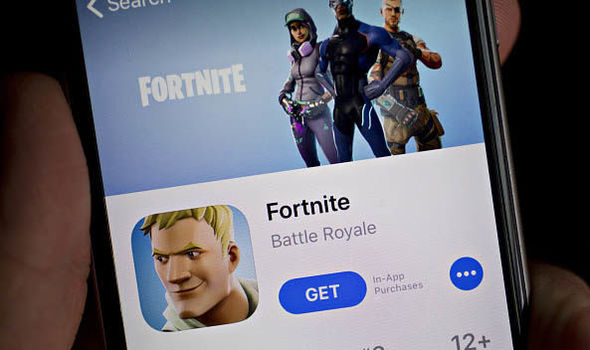
If you want to play Fortnite on your mobile device, you can do so by downloading the game through the Epic Games app.
- Download Epic Games App: Download the Epic Games app from the Google Play Store (for Android devices) or the Apple App Store (for iOS devices).
- Launch Epic Games App: Open the Epic Games app and log in with your existing account.
- Search For Fortnite: Search for Fortnite within the Epic Games app.
- Download Fortnite: Select Fortnite from the search results and click on the “Install” button to start the download process.
Minimum Requirements For Mobile Devices
Before you can play Fortnite on your mobile device, ensure it meets the minimum system requirements:
- Android 8 64-bit (ARM64) or later
- RAM: 4GB or higher
- Graphics Card: Adreno 530 or superior, Mali-G71 MP20, Mali-G72 MP12, or superior
If your device meets these requirements, you can download Fortnite and start playing.
Conclusion
Downloading Fortnite on PC, console, or mobile device is a straightforward process. Make sure to meet the minimum system requirements for the platform of your choice and follow the installation prompts. With this guide, you’re ready to join the millions of players worldwide who have already experienced the thrill of Fortnite!
Frequently Asked Questions (FAQs)
-
What Are The Minimum System Requirements For Fortnite on Pc?
The minimum system requirements for Fortnite on PC include:- Operating System: Windows 10 64-bit version 1703
- Processor: Intel Core i3-3225 3.3 GHz
- Memory: 8GB of RAM
- Graphics Card: Intel HD 4000 or AMD Radeon Vega 8
-
Can I Play Fortnite on my Console?
Yes, Fortnite is available for download on PlayStation 4, Xbox One, Xbox Series X/S, PlayStation 5, and Nintendo Switch. -
What Are The Minimum System Requirements For Fortnite on Mobile Device?
The minimum system requirements for Fortnite on mobile device include:- Android 8 64-bit (ARM64) or later
- RAM: 4GB or higher
- Graphics Card: Adreno 530 or superior, Mali-G71 MP20, Mali-G72 MP12, or superior
-
How do I Download Fortnite on my Console?
To download Fortnite on your console, follow these steps:- Launch the digital store.
- Search for Fortnite.
- Select Fortnite from the search results and click on the “Download” button.
-
How do I Download Fortnite on my Mobile Device?
To download Fortnite on your mobile device, follow these steps:- Download the Epic Games app.
- Launch the Epic Games app and log in with your existing account.
- Search for Fortnite within the Epic Games app.
- Select Fortnite from the search results and click on the “Install” button.
-
What is Cloud Gaming?
Cloud gaming allows you to play games without downloading them, using a service that streams the game’s content directly to your device. -
Can I Play Fortnite on my Mac or Ipad?
While Fortnite is not natively available for download on Mac or iPad, you can use cloud gaming services like Xbox Cloud Gaming or Google Stadia to play Fortnite on these devices.


