
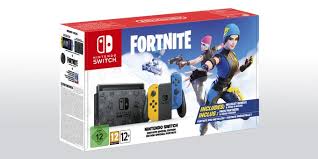
How to Shop on Fortnite Nintendo Switch: A Comprehensive Guide
Are you a player of Fortnite on Nintendo Switch who wants to shop for skins and V-Bucks without breaking the bank? Look no further! In this article, we’ll guide you through the process of shopping on Fortnite with your Nintendo Switch console.
Preliminary Information
Before we dive into the main content, let’s cover some essential information. As a player of Fortnite on Nintendo Switch, you don’t need a subscription to Nintendo Switch Online to play the game. However, you do need an account on Nintendo to access all online services, including the shop.
If you haven’t created a Nintendo account yet, now is the perfect time to do so! You can create an account using our guide linked above.
How to Shop on Fortnite With Nintendo Switch
Now that we’ve covered the basics, let’s move on to the fun part – shopping on Fortnite!
To acquire your arsenal of skins and V-Bucks, follow these steps:
- Open the Fortnite game on your Nintendo Switch console.
- Select the account you want to use (make sure it’s the same one with funds available).
- Tap on the Shop Objects menu.
- Browse through the catalogue of buyable skins.
- Select the skin you want and tap on the Acquire button.
How to Shop on Fortnite Without Credit Card
If you don’t have a credit card or prefer not to use it, you can still shop on Fortnite using other payment methods. Here’s how:
- Add funds to your Nintendo account using one of the following methods:
- Card (credit or prepaid)
- PayPal
- Nintendo eShop Card
- Go back to the Shop Objects menu and select the skin you want.
- Tap on the Acquire button, and Fortnite will use the funds from your Nintendo account.
How to Redeem V-bucks on Nintendo Switch
Have a V-Buck card for Fortnite and want to redeem it on your Nintendo Switch console? Here’s what you need to do:
- Visit the Epic Games website.
- Click on the Start button and select Access with Nintendo.
- Enter the code from your V-Buck card and follow the instructions.
Important Notes
- Make sure you have enough funds in your Nintendo account before shopping on Fortnite.
- If you don’t have a V-Buck card, you can buy V-Bucks directly within the game using your credit or PayPal balance.
- You can also check our article on how to get free skins on Fortnite for more information.
Tips And Tricks
- Always keep an eye on your funds in your Nintendo account to avoid overspending.
- Consider using a Nintendo eShop Card for added convenience and security.
- Don’t forget to check the prices of skins and V-Bucks before making a purchase!
Conclusion
Shopping on Fortnite with your Nintendo Switch console is now easier than ever! Follow these steps, and you’ll be well on your way to acquiring new skins and V-Bucks. Remember to always keep an eye on your funds and consider using alternative payment methods if needed.
Frequently Asked Questions (FAQs)
- Do I Need a Subscription to Nintendo Switch Online to Play Fortnite?
No, you don’t need a subscription to Nintendo Switch Online to play Fortnite. - Can I Shop on Fortnite With my Credit Card?
Yes, you can shop on Fortnite using your credit card or other payment methods. - How do I Add Funds to my Nintendo Account?
You can add funds to your Nintendo account using a card (credit or prepaid), PayPal, or a Nintendo eShop Card. - Can I Redeem V-bucks on my Nintendo Switch Console?
Yes, you can redeem V-Bucks directly within the game using your credit or PayPal balance. - How do I Check my Funds in my Nintendo Account?
You can check your funds at any time by accessing the Account Information menu on your Nintendo Switch console. - Can I Use a Nintendo Eshop Card to Shop on Fortnite?
Yes, you can use a Nintendo eShop Card to shop on Fortnite and add funds to your Nintendo account. - How do I Know if I Have Enough Funds in my Nintendo Account?
You can check your funds at any time by accessing the Account Information menu on your Nintendo Switch console.
I hope this article has helped you navigate the world of shopping on Fortnite with your Nintendo Switch console!


