
How to Use a Hotspot: A Comprehensive Guide
Are you tired of being disconnected from the internet? Do you want to create a hotspot on your computer, smartphone, or tablet? Look no further! In this article, we will guide you through the process of creating and using a hotspot on various devices.
What is a Hotspot?
A hotspot is a temporary access point for wireless devices to connect to the internet. It can be created on a device that already has an active internet connection, such as a smartphone or laptop. This allows other devices to connect to the internet using the existing connection.
Why Use a Hotspot?
Using a hotspot offers several benefits:
- Enables multiple devices to access the internet simultaneously
- Convenient for situations where a physical network cable is not available
- Can be used in areas with poor or no internet connectivity
How to Create a Hotspot on Windows PC
To create a hotspot on your Windows PC, follow these steps:
- Open the Settings app and go to “Network & Internet”
- Click on “Mobile hotspot” and toggle it on
- Choose a network name and password for the hotspot
- Select the type of connection you want to use (Wi-Fi or Ethernet)
- Click on “Save” to save the settings
How to Create a Hotspot on Mac
To create a hotspot on your Mac, follow these steps:
- Open the System Preferences app and go to “Network”
- Select “Sharing” from the left-hand menu
- Check the box next to “Internet Sharing”
- Choose a network name and password for the hotspot
- Select the type of connection you want to use (Wi-Fi or Ethernet)
- Click on “OK” to save the settings
How to Create a Hotspot on Android Device
To create a hotspot on your Android device, follow these steps:
- Open the Settings app and go to “Connections”
- Select “Mobile hotspot & tethering”
- Toggle it on
- Choose a network name and password for the hotspot
- Select the type of connection you want to use (Wi-Fi or Ethernet)
- Click on “Save” to save the settings
How to Create a Hotspot on Iphone
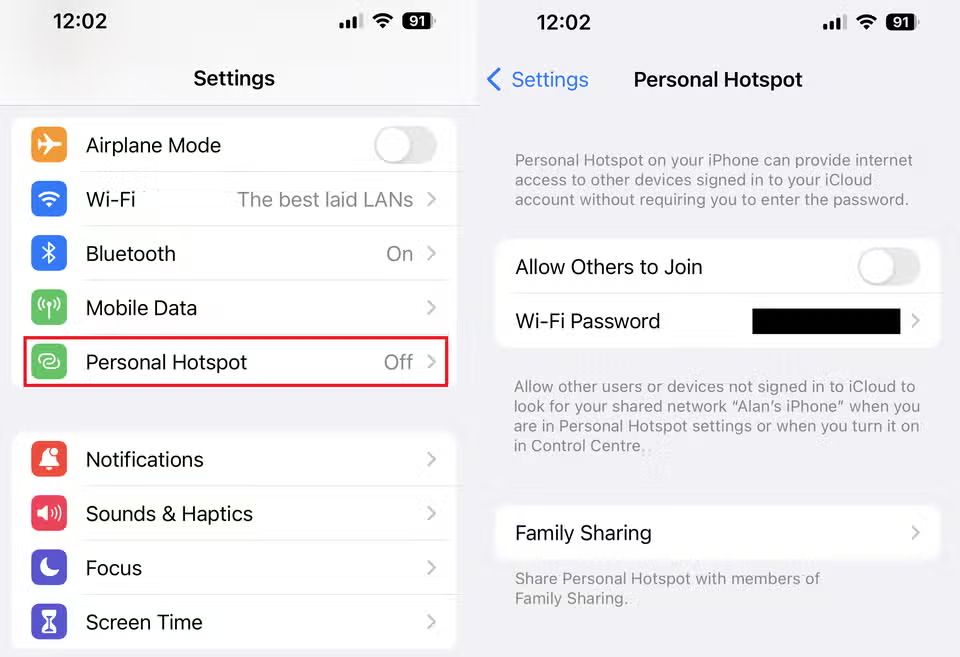
To create a hotspot on your iPhone, follow these steps:
- Open the Settings app and go to “Mobile”
- Select “Hotspot & tethering”
- Toggle it on
- Choose a network name and password for the hotspot
- Select the type of connection you want to use (Wi-Fi or Ethernet)
- Click on “Save” to save the settings
Tips And Precautions
- Make sure your device has an active internet connection before creating a hotspot.
- Choose a strong password for the hotspot to ensure security.
- Be aware of data limits and costs associated with using a hotspot.
In conclusion, creating and using a hotspot is a simple process that can be done on various devices. By following these steps, you can create a hotspot and share your internet connection with other devices.


