
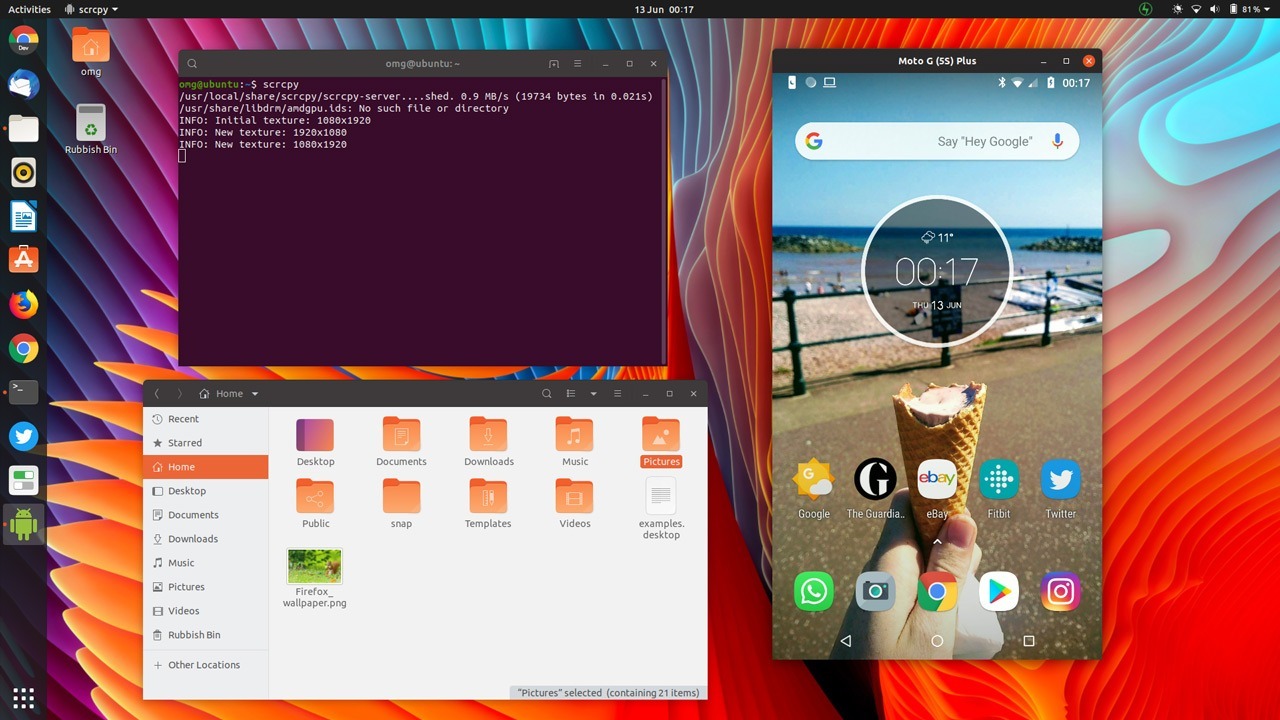
The Ultimate Guide to Controlling Another Phone Remotely
Are you tired of searching high and low for your misplaced phone? Do you want to be able to control it remotely, just in case something happens? Look no further! In this article, we’ll explore the best apps to control another phone, including some free options.
The Best Apps to Control Another Phone Remotely
- Teamviewer (Android/iOS/iPadOS): This is a popular solution for remote control of computers, smartphones, and tablets. It allows you to view the monitor of your device on another smartphone or tablet.
- Free version available, but only for personal use
- Must download TeamViewer Remote Control app on the device you want to control
- Can only see the screen of the controlled device, cannot interact with it
- Airmirror (Android/iOS/iPadOS): This free app allows you to control another smartphone remotely using touch-screen commands.
- Must install AirDroid app on the device you want to control
- Can only see the screen of the controlled device, cannot interact with it
- Anydesk (Android/iOS/iPadOS): This free app enables remote control of another smartphone with link command and touch-screen control.
- Can only see the screen of the controlled device, cannot interact with it
Other Apps to Control Another Phone Remotely
- Find My Device (Android): This service by Google allows you to locate your Android device on a map and remotely lock or erase it if lost or stolen.
- Must install Find My Device app on the device you want to control
- Can only see the screen of the controlled device, cannot interact with it
- Find Personal Device (Huawei): This service by Huawei allows you to locate your Huawei device on a map and remotely lock or erase it if lost or stolen.
- Must install Cloud app on the device you want to control
- Can only see the screen of the controlled device, cannot interact with it
- Find Personal Device (Samsung): This service by Samsung allows you to locate your Samsung device on a map and remotely lock or erase it if lost or stolen.
- Must install Settings app on the device you want to control
- Can only see the screen of the controlled device, cannot interact with it
Where is My Device (iOS)?
If you’re an iOS user, you can use the “Where is My Device” app to locate your iPhone or iPad on a map and remotely lock or erase it if lost or stolen.
Other Options For Remote Control
- Cloud: This service by Huawei allows you to access and control your Huawei device from another device.
- Must install Cloud app on the device you want to control
- Where is My Device (Apple): This service by Apple allows you to locate your iPhone or iPad on a map and remotely lock or erase it if lost or stolen.
Conclusion
Controlling another phone remotely can be a useful feature, especially in case of loss or theft. While there are some limitations to these services, they can provide peace of mind for those who want to be able to control their device from afar.
Frequently Asked Questions (FAQs)
- Q: Can I Control my Iphone/ipad Remotely?
A: Yes, you can use the “Where is My Device” app or the “Find Personal Device” service by Samsung to locate your iOS device on a map and remotely lock or erase it if lost or stolen. - Q: Is There an App For Android Devices?
A: Yes, there are several apps available for Android devices that allow remote control, such as TeamViewer, AirMirror, and AnyDesk. - Q: Can I Use These Services on a Pc/mac?
A: Yes, some of these services can be accessed from a PC or Mac using a web browser. - Q: Are These Services Free?
A: Some of these services offer a free version, while others require a subscription or a one-time payment. - Q: Can I Use These Services to Control my Device if It’s Been Stolen?
A: Yes, some of these services allow you to remotely lock or erase your device if it has been stolen.


