
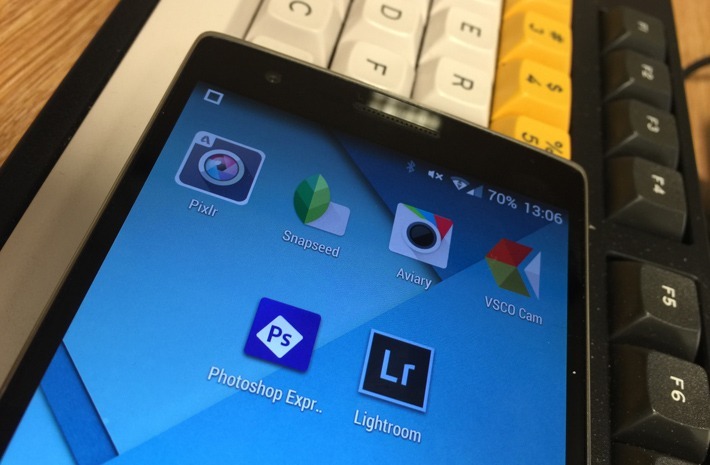
The Ultimate Guide to Photo Editing Apps on Android
Are you tired of mediocre photos? Do you want to take your mobile photography to the next level? Look no further! In this article, we’ll explore the best photo editing apps on Android that can help you achieve professional-looking results.
Introduction
With the rise of smartphone cameras, mobile photography has become an essential part of our daily lives. But, let’s face it – even with high-quality cameras, photos can look dull and uninspiring. That’s where photo editing apps come in! These powerful tools can transform your snaps into stunning works of art.
Top Photo Editing Apps on Android
Here are some of the best photo editing apps on Android that you should try:
1. Vsco Cam
VSCO Cam is one of the most popular photo editing apps on Android, and for good reason. It offers a wide range of filters, manual controls, and presets to help you create stunning photos. With VSCO Cam, you can adjust exposure, contrast, and color balance to achieve professional-looking results.
How to Use Vsco Cam
- Download and install VSCO Cam on your Android device.
- Tap the camera icon to take a photo or select one from your gallery.
- Swipe left to access filters and presets.
- Adjust manual controls to fine-tune your edit.
- Save or share your edited photo.
2. Snapseed
Snapseed is another powerful photo editing app on Android that’s been acquired by Google. It offers a wide range of tools, including exposure, contrast, and color balance adjustments. With Snapseed, you can also apply filters and presets to give your photos a unique look.
How to Use Snapseed
- Download and install Snapseed on your Android device.
- Tap the camera icon to take a photo or select one from your gallery.
- Select effects or instruments to edit your photo.
- Adjust manual controls to fine-tune your edit.
- Export your edited photo.
3. Pixlr
Pixlr is a free photo editing app on Android that’s perfect for beginners and professionals alike. It offers a wide range of tools, including filters, presets, and manual controls. With Pixlr, you can adjust exposure, contrast, and color balance to achieve professional-looking results.
How to Use Pixlr
- Download and install Pixlr on your Android device.
- Tap the camera icon to take a photo or select one from your gallery.
- Select instruments, such as brushes and filters, to edit your photo.
- Adjust manual controls to fine-tune your edit.
- Save or share your edited photo.
4. Photofunia
PhotoFunia is a fun and easy-to-use photo editing app on Android that’s perfect for creating collages and montages. With PhotoFunia, you can select from a wide range of effects and filters to give your photos a unique look.
How to Use Photofunia
- Download and install PhotoFunia on your Android device.
- Tap the camera icon to take a photo or select one from your gallery.
- Select scenarios and effects to edit your photo.
- Save or share your edited photo.
5. Adobe Photoshop Lightroom
Adobe Photoshop Lightroom is the mobile version of the popular photo editing software on PC. It offers advanced features, including RAW image support, exposure adjustment, and color grading. With Adobe Photoshop Lightroom, you can achieve professional-looking results with ease.
How to Use Adobe Photoshop Lightroom
- Download and install Adobe Photoshop Lightroom on your Android device.
- Tap the camera icon to take a photo or select one from your gallery.
- Adjust exposure, contrast, and color balance.
- Apply filters and presets to fine-tune your edit.
- Save or share your edited photo.
Conclusion
In conclusion, these five photo editing apps on Android are must-haves for anyone who wants to take their mobile photography to the next level. With a wide range of features and tools, you can achieve professional-looking results with ease. Remember, practice makes perfect – so experiment with different editing techniques and styles to find what works best for you.
References
- Mondadori Computer Science
- Mondadori


