
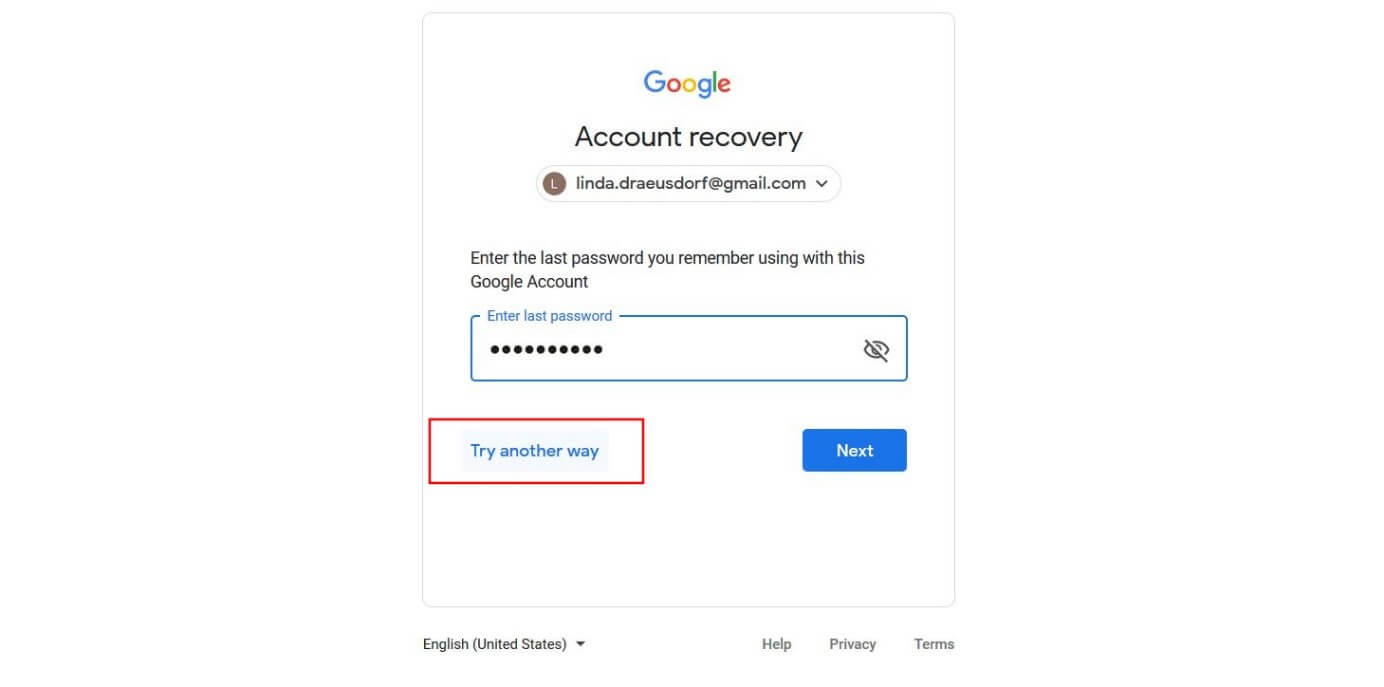
Recovering a Forgotten Email Password: A Step-by-step Guide
Are you struggling to regain access to your email account due to a forgotten password? Don’t worry, this is a common issue that can be easily resolved with the right guidance. In this article, we will walk you through the steps to recover a forgotten email password for various popular email services.
Why Do Email Passwords Get Forgotten?
Before we dive into the recovery process, let’s briefly discuss why email passwords get forgotten in the first place. It’s easy to forget your password when you:
- Have multiple accounts and passwords to keep track of
- Change your password frequently
- Use a complex password that is hard to remember
How to Recover a Forgotten Email Password
Recovering a forgotten email password involves following a series of steps specific to the email service provider. Here’s a general outline of what you need to do:
- Visit The Email Service Website: Go to the website of your email service provider (e.G., Gmail, Outlook, iCloud).
- Click on ‘Forgot Password’: Look for the ‘Forgot Password’ button or link and click on it.
- Enter Your Email Address: Enter the email address associated with your account.
- Choose a Recovery Method: Select a method to recover your password (e.G., By answering security questions, receiving a code via SMS or email).
- Follow The Instructions: Complete the required steps to verify your identity and create a new password.
Recovering a Forgotten Gmail Password
If you have forgotten your Gmail password, follow these steps:
- Visit the Google Account sign-in page.
- Click on ‘Forgot Password’.
- Enter your email address and click on ‘Next’.
- Choose a recovery method (e.G., By answering security questions or receiving a code via SMS).
- Complete the required steps to verify your identity and create a new password.
Recovering a Forgotten Outlook Email Password
If you have forgotten your Outlook email password, follow these steps:
- Visit the Outlook sign-in page.
- Click on ‘Forgot Password’.
- Enter your email address and click on ‘Next’.
- Choose a recovery method (e.G., By answering security questions or receiving a code via SMS).
- Complete the required steps to verify your identity and create a new password.
Recovering a Forgotten Icloud Email Password
If you have forgotten your iCloud email password, follow these steps:
- Visit the Apple ID sign-in page.
- Click on ‘Forgot Apple ID or Password’.
- Enter your Apple ID and click on ‘Next’.
- Choose a recovery method (e.G., By answering security questions or receiving a code via SMS).
- Complete the required steps to verify your identity and create a new password.
Recovering a Forgotten Facebook Email Password
If you have forgotten your Facebook email password, follow these steps:
- Visit the Facebook sign-in page.
- Click on ‘Forgot Password’.
- Enter your email address and click on ‘Next’.
- Choose a recovery method (e.G., By answering security questions or receiving a code via SMS).
- Complete the required steps to verify your identity and create a new password.
Recovering a Forgotten Alice Email Password
If you have forgotten your Alice email password, follow these steps:
- Visit the TIM Mail sign-in page.
- Click on ‘Recuperare username e password’.
- Enter your email address and click on ‘Prosegui’.
- Choose a recovery method (e.G., By answering security questions or receiving a code via SMS).
- Complete the required steps to verify your identity and create a new password.
Recovering a Forgotten Libero Email Password
If you have forgotten your Libero email password, follow these steps:
- Visit the Libero sign-in page.
- Click on ‘Dimenticato la password?’.
- Enter your email address and click on ‘Continua’.
- Choose a recovery method (e.G., By answering security questions or receiving a code via SMS).
- Complete the required steps to verify your identity and create a new password.
Conclusion
Recovering a forgotten email password is a relatively straightforward process that involves following specific steps for each email service provider. By following these guides, you should be able to regain access to your email account in no time.
Frequently Asked Questions (FAQs)
- Q: Why do I Have to Verify my Identity When Recovering my Email Password?
A: Verifying your identity helps prevent unauthorized access to your account. - Q: Can I Change my Email Address if I Forget my Password?
A: No, you cannot change your email address if you forget your password. You need to recover your existing email address first. - Q: How Long Does it Take to Recover a Forgotten Email Password?
A: The recovery process typically takes a few minutes to an hour, depending on the email service provider and your location. - Q: Can I Reset my Email Password Using a Friend’s Account?
A: No, you cannot reset your email password using someone else’s account. You need to use your own account or follow the recovery process specified by the email service provider. - Q: Will I be Asked Security Questions When Recovering my Email Password?
A: Yes, you may be asked security questions to verify your identity and ensure that you are the actual owner of the email account. - Q: Can I Recover my Email Password if I Don’t Have Access to my Phone or Computer?
A: In some cases, yes. You can contact the email service provider’s customer support for assistance in recovering your email password without access to your device. - Q: Will I Lose Any Emails or Data When Recovering my Email Password?
A: No, you should not lose any emails or data during the recovery process. Your account and all its contents should remain intact. - Q: Can I Change my Email Password After Recovering It?
A: Yes, once you have recovered your email password, you can change it to a new one for added security.
I hope this guide has been helpful in walking you through the steps to recover a forgotten email password. Remember to always keep your passwords secure and consider using a password manager to make managing multiple accounts easier!


