
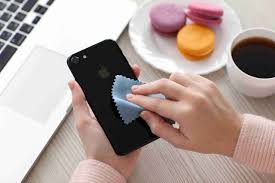
How to Clean Your Iphone: A Step-by-step Guide
Are you tired of using a dirty iPhone that’s full of dust, dirt, and other debris? Do you want to give your device a thorough cleaning to make it look like new again? Look no further! In this article, we’ll show you how to clean your iPhone like a pro.
Why Clean Your Iphone?
Cleaning your iPhone regularly is essential for maintaining its performance and longevity. A dirty phone can lead to:
- Reduced battery life
- Slowed-down performance
- Water damage (if water gets inside the phone)
- Decreased audio quality
By cleaning your iPhone, you’ll be able to:
- Keep it looking like new
- Improve its performance
- Extend its lifespan
- Enhance your overall user experience
Physical Cleaning of Your Iphone
Before we dive into the nitty-gritty details of cleaning your iPhone’s memory and other components, let’s start with the physical cleaning.
To clean the outside of your iPhone:
- Turn off your phone.
- Remove any cases or covers.
- Use a soft cloth to wipe away any dirt, dust, or other debris.
- If you need to remove stubborn stains, mix 50% water and 50% white vinegar in a small bowl. Dip the soft cloth into this solution and wring it out so that it’s damp but not soaking wet.
- Gently rub the cloth over the affected areas, making sure to clean around any openings or crevices.
Cleaning Your Iphone’s Screen
To clean your iPhone’s screen:
- Turn off your phone (if it’s not already).
- Use a soft, dry cloth to wipe away any dirt or debris.
- If you need to remove stubborn stains, use the 50/50 water and white vinegar solution from earlier.
- Avoid using harsh chemicals, abrasive materials, or excessive water, as these can damage the screen.
Cleaning Your Iphone’s Memory
Now that we’ve covered the physical cleaning of your iPhone, let’s move on to cleaning its memory.
- Delete any unused apps: Go to Settings > General > Usage and delete any apps you no longer use.
- Clear Safari cache: Go to Settings > Safari > Advanced > Data and press “Clear” to remove any cached data.
- Clear Chrome cache: Open Chrome, tap the three dots in the top right corner, and go to Settings > Privacy > Erase given of navigation.
- Use a third-party app: Consider using an app like Gemini to help you delete unused photos and videos.
Cleaning Your Iphone From Viruses
While iPhones are generally less vulnerable to viruses than other smartphones, it’s still essential to take precautions:
- Delete any suspicious apps: If you’ve installed an app that seems fishy or is causing problems, delete it immediately.
- Update your operating system: Regularly update your iOS to ensure you have the latest security patches and features.
Selling Your Iphone? Clean It First!
If you’re planning to sell your iPhone, make sure to clean it thoroughly first:
- Back up your data: Make sure to back up any important data to iCloud or iTunes.
- Remove any personal info: Delete any sensitive information from your device.
- Discharge the Find my iPhone feature: Go to Settings > [Your Name] > iCloud and disable the “Find my iPhone” feature.
- Reset your phone: Open the Settings app, tap General, then Transfer or Initialize iPhone. Select Erase All Content and Settings, then confirm.
Tips For Cleaning Your Iphone
Here are some additional tips to keep in mind:
- Avoid using harsh chemicals or abrasive materials that can damage your iPhone’s screen or other components.
- Don’t immerse your phone in water or expose it to excessive moisture.
- Clean your iPhone regularly to prevent dust and debris from accumulating.
Conclusion
Cleaning your iPhone is a simple yet essential task that can improve its performance, longevity, and overall user experience. By following the steps outlined above, you’ll be able to give your device a thorough cleaning and keep it looking like new for years to come.
Frequently Asked Questions (FAQs)
- Q: How Often Should I Clean my Iphone?
A: Clean your iPhone every 2-3 months or whenever you notice it getting dirty. - Q: Can I Use a Wet Cloth to Clean my Iphone’s Screen?
A: No, avoid using excessive water on the screen as this can damage it. - Q: How do I Remove Stubborn Stains From my Iphone’s Screen?
A: Mix 50% water and 50% white vinegar in a small bowl, dip a soft cloth into this solution, wring it out so that it’s damp but not soaking wet, and gently rub the cloth over the affected areas. - Q: Can I Use a Third-party App to Clean my Iphone’s Memory?
A: Yes, consider using an app like Gemini to help you delete unused photos and videos. - Q: How do I Sell my Iphone After Cleaning It?
A: Follow the steps outlined in the “Selling Your iPhone?” section above. - Q: Can I Clean my Iphone With Harsh Chemicals or Abrasive Materials?
A: No, avoid using any materials that can damage your iPhone’s screen or other components. - Q: How do I Prevent Dust And Debris From Accumulating on my Iphone?
A: Clean your iPhone regularly to prevent dust and debris from building up. - Q: Can I Clean my Iphone With a Wet Cloth if it Has Water Damage?
A: No, avoid using any moisture or excessive water on the phone if you suspect it has water damage.
We hope this article has been informative and helpful in giving your iPhone the cleaning it deserves!


