
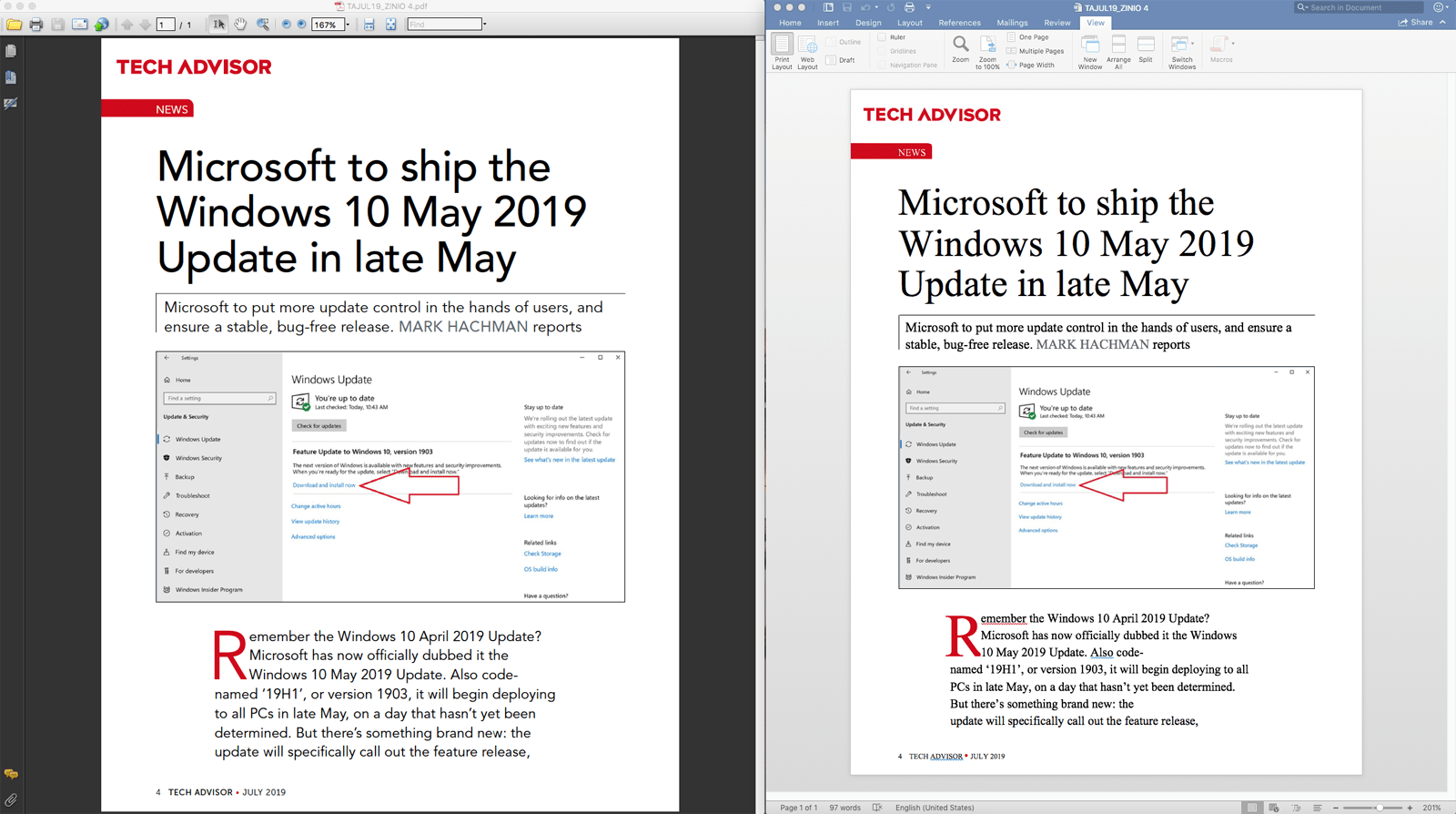
How to Convert Pdf to Word Free: A Step-by-step Guide
Are you tired of struggling to convert your PDF files into editable Word documents? Look no further! In this article, we will guide you through the process of converting PDF to Word free using various software and online tools.
What is Pdf Conversion?
PDF (Portable Document Format) is a file format that is widely used for sharing and viewing documents. However, when it comes to editing or modifying the content, PDF files can be quite restrictive. That’s where PDF conversion comes in – it allows you to convert your PDF files into editable formats like Word.
Why Convert Pdf to Word?
Converting PDF to Word offers several benefits:
- Editability: You can make changes to the text, images, and other elements within the document.
- Compatibility: Word documents are widely supported across various platforms and software applications.
- Searchability: Converted Word files become searchable, making it easier to find specific information.
Method 1: Using Microsoft Word
Microsoft Word is a powerful tool for creating and editing documents. If you already have Microsoft Word installed on your computer, you can use it to convert PDF files to Word format.
- Open the Microsoft Word application.
- Go to File > Open and select the PDF file you want to convert.
- Once opened, click on File > Save As and choose the Word (.Docx) format.
- Your PDF file will be converted to a Word document, ready for editing.
Method 2: Using Adobe Acrobat Reader
Adobe Acrobat Reader is another tool that can help you convert PDF files to Word. Here’s how:
- Download and install Adobe Acrobat Reader from the official website.
- Open the application and click on Tools > Export To > Microsoft Word (.Docx).
- Select the PDF file you want to convert and follow the prompts.
- Your PDF file will be converted to a Word document, ready for editing.
Method 3: Using Online Conversion Tools
If you don’t have Adobe Acrobat Reader or Microsoft Word installed on your computer, you can use online conversion tools. Here are some popular options:
- Docspal: A free online tool that allows you to convert PDF files to Word format.
- Pdf Candy: An online service that provides various tools for working with PDF files, including conversion to Word format.
- Cloudconvert: A cloud-based platform that offers a range of file conversion services, including PDF to Word.
Method 4: Using Mobile Apps
If you’re looking for a mobile solution, there are several apps available for Android and iOS devices. Here are some popular options:
- Ilovepdf: A free app that allows you to convert PDF files to Word format.
- Able2doc Pdf to Word Converter: An app that provides a range of conversion services, including PDF to Word.
Tips And Tricks
When converting PDF to Word, keep the following tips in mind:
- Be sure to check the formatting and layout of your converted document.
- Use the correct settings for your converted document (e.G., Font size, margins).
- Save your converted document with a clear and descriptive file name.
Conclusion
Converting PDF to Word is a straightforward process that can be completed using various software and online tools. Whether you’re looking for a desktop solution or a mobile app, there’s an option available to suit your needs. Remember to follow the tips and tricks outlined above to ensure a smooth conversion experience.
Faqs
Here are some frequently asked questions related to PDF conversion:
- Q: Can I Convert Multiple Pdf Files at Once?
A: Yes, many online conversion tools and desktop applications allow you to batch convert multiple PDF files. - Q: Will The Formatting of my Converted Document be Preserved?
A: In most cases, yes. However, some PDFs may require manual adjustments after conversion. - Q: Can I Convert Password-protected Pdf Files?
A: It depends on the specific tool or application being used. Some may require a password to unlock and convert the file. - Q: Are There Any Free Online Tools For Converting Pdf to Word?
A: Yes, there are several free online tools available, including DocsPal, CloudConvert, and iLovePDF.
Hope you enjoyed this guide on how to convert pdf to word.


