
Unlocking Instagram’s Secrets: A Step-by-step Guide to Viewing Your Email Address
Are you curious about how to access your email address on Instagram? You’re not alone! Many users have questions about this feature, especially when it comes to security and privacy settings. In this article, we’ll take a detailed look at how to view your email address on Instagram, both on Android/iOS devices and PC.
Table: Viewing Your Email Address on Instagram
| Platform | Steps to Follow |
|---|---|
| Android/iOS | Initiate the app, access your account, go to profile settings, and tap on “modify” to view email address |
| PC | Access the official website or application for Windows 10, log in to your account, navigate to profile settings, and click on “profile” to view email address |
The Importance of Viewing Your Email Address on Instagram
Before we dive into the nitty-gritty details, it’s essential to understand why you might want to view your email address on Instagram. Here are a few reasons:
- Security: Having access to your email address can help you reset your password and secure your account in case of unauthorized access.
- Profile Management: Viewing your email address can also help you manage your profile settings, including changing your email address or verifying your identity.
Viewing Your Email Address on Android/ios Devices
To view your email address on Instagram using an Android or iOS device:
- Initiate the app and access your account.
- Tap on the miniature of your profile situated in the lower right corner of the screen.
- Navigate to the “profile” section and tap on “modify.”
- Scroll down to the “settings” page and tap on “information personal.”
- In this section, you’ll find your email address listed as the “address email.”
Viewing Your Email Address on PC
To view your email address on Instagram using a PC:
- Access the official website of Instagram or initiate the application for Windows 10.
- Log in to your account and navigate to the profile settings page.
- Click on the miniature of your profile situated in the top right corner of the screen.
- In this section, you’ll find your email address listed as part of your “information personal.”
Viewing Another User’s Email Address
If you’re interested in viewing another user’s email address on Instagram:
- You can’t view a public user’s email address directly.
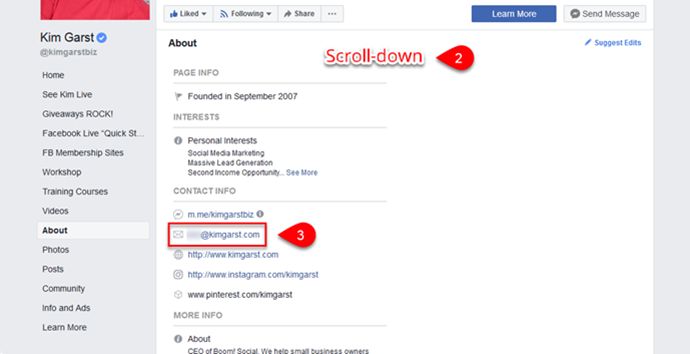
- However, if the user has shared their email address publicly as an information contact, you can find it by accessing their profile and navigating to the “contact” section.
How Not to See Your Email Address on Instagram
If you’re not seeing your email address on Instagram:
- Don’t worry; this is a normal setting.
- By default, your email address is private, and only you have access to it.
However, if you’re running an Instagram business account, you can choose to display your public contact information, including your email address. To do this:
- Access the app settings on your device.
- Navigate to the “profile” section and click on “modify.”
- Scroll down to the “settings” page and tap on “information personal.”
- Displace the lever to turn off displaying public contact information, including your email address.
Conclusion
Viewing your email address on Instagram can be a useful tool for managing your profile settings and securing your account. By following these step-by-step guides, you’ll have access to this feature on both Android/iOS devices and PC.


