
Navigating The World of Facebook: A Comprehensive Guide
Are you ready to embark on an exciting journey through the vast expanse of Facebook? Look no further! As a seasoned blogger and computer scientist, I’m here to guide you through the intricacies of this social media giant.
Getting Started With Facebook
Before we dive into the nitty-gritty details, let’s start with the basics. Creating a Facebook account is easy peasy, lemon squeezy! Simply download the app on your smartphone or tablet (or access it via PC) and follow the straightforward procedures to set up your profile.
Understanding The Facebook Interface
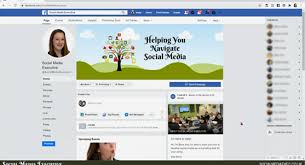
Once you’ve created your account, you’ll be greeted by the Facebook home page. Take some time to familiarize yourself with the interface:
- Navigation Bar: Located at the top of the screen, this bar allows you to access various sections of the app, such as Home, Watch, Marketplace, and Gaming.
- Menu: Tapping on the three horizontal lines icon opens a menu that provides access to your profile, settings, and other features.
- News Feed: This is where all the action happens! Your news feed displays updates from friends, family, and pages you’ve liked.
Creating Posts And Sharing Content
When you’re ready to share your thoughts, photos, or videos with the world (or at least with your Facebook connections), create a post by tapping on “What’s on your mind?” in the navigation bar. You can also use this feature to issue video updates or share content from other platforms.
Using Facebook Without Recording
Sometimes, you might want to explore Facebook without recording an account. No worries! Simply access the website or app using a browser or mobile device, and navigate through the public sections. You can view pages, profiles, and groups without creating an account.
Sailing Offline on Facebook
When you’re in areas with limited connectivity, don’t worry about missing out on Facebook fun. The app will store contents in its cache, allowing you to access them even when you’re offline!
How to Sail on Facebook Incognito?
Sometimes you want to explore a profile or page without being seen. To do this, use the browser’s incognito mode. This way, your activities won’t be tracked, and you can maintain your anonymity.
Navigating Facebook’s Privacy Settings
When it comes to privacy, we’ve got your back! Adjust your settings to control who sees what on your profile. You can also customize your visibility for specific posts or photos.
Facebook Subscription And Advertising
Want to know how to navigate the world of Facebook subscriptions and advertising? Stay tuned for our next guide, where we’ll delve into these topics in more detail!
Conclusion
With this comprehensive guide, you’re now equipped with the knowledge to navigate the vast expanse of Facebook. Remember, sailing on Facebook is all about exploring new horizons, making connections, and having fun along the way!
Here are some FAQs:
- What is Facebook, and how does it work?
Facebook is a social media platform that allows users to create profiles, connect with friends and family, share content, and engage in various activities.
- How do I create a Facebook account?
To create a Facebook account, download the app on your smartphone or tablet (or access it via PC) and follow the straightforward procedures to set up your profile.
- What are some of the key features of Facebook?
Some key features include the news feed, groups, pages, messaging, and live streaming.
- Can I use Facebook without creating an account?
Yes, you can access public sections on Facebook without creating an account.
- How do I navigate Facebook’s privacy settings?
Adjust your settings to control who sees what on your profile. You can also customize your visibility for specific posts or photos.
- What is the difference between a personal and business account on Facebook?
A personal account is designed for individual users, while a business account allows businesses to create a presence on the platform.
- How do I promote my business on Facebook?
Utilize Facebook’s advertising features to reach your target audience.
- Can I use Facebook on multiple devices at once?
Yes, you can access Facebook on multiple devices simultaneously using the same account.


