
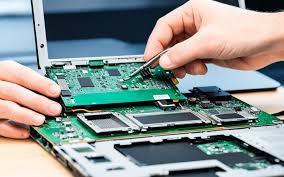
Disassembling a Portable Computer: A Step-by-step Guide
Are you planning to upgrade your portable computer’s RAM or disc? Or perhaps you’re looking to clean out the dust accumulated inside your laptop? Whatever the reason, disassembling a portable computer can be a daunting task, but with this guide, you’ll learn how to do it safely and efficiently.
Understanding The Risks
Before we dive into the steps, it’s essential to understand the risks involved. Disassembling a portable computer requires some technical knowledge and expertise, and if not done correctly, it can lead to damage or even render your device unusable. If you’re not comfortable with this process, it’s always best to consult a professional.
Gathering The Necessary Tools
To disassemble your portable computer, you’ll need the following tools:
- A set of screwdrivers (including flathead and Phillips)
- Pliers
- Wire cutters
- Wire strippers
- Anti-static wrist strap
You may also want to have some cleaning materials on hand, such as compressed air and a soft-bristled brush.
Preparing Your Portable Computer
Before starting the disassembly process, make sure your portable computer is turned off and unplugged from the power source. If it’s a laptop, close it and lay it flat on a stable surface.
Step 1: Removing The Battery
The first step in disassembling your portable computer is to remove the battery. This can usually be done by unscrewing the screws that hold it in place. Be careful not to touch any internal components while doing this.
Step 2: Accessing The Ram And Disc
Once the battery is removed, you’ll have access to the RAM and disc. These components are usually located on a separate board or tray, which can be removed by unscrewing the screws that hold it in place.
Step 3: Disconnecting Cables And Wires
Carefully disconnect any cables or wires connected to the RAM and disc. Make sure not to pull on any internal cables or wires, as this can cause damage.
Step 4: Removing The Disc
The disc is usually held in place by a small bracket or tray. Remove the screws that hold it in place and carefully lift out the disc.
Step 5: Accessing Other Components
Once the disc is removed, you’ll have access to other components such as the CPU, motherboard, and RAM. Be careful not to touch any internal components while working on these parts.
Step 6: Cleaning Out Dust And Debris
Use compressed air or a soft-bristled brush to clean out dust and debris from the inside of your portable computer. Make sure to remove any screws or other obstructions before cleaning.
Step 7: Reassembling Your Portable Computer
Once you’ve finished disassembling and cleaning your portable computer, it’s time to reassemble it. Make sure to follow the same steps in reverse order, ensuring that all screws are securely tightened and cables are properly connected.
Tips And Precautions
- Always unplug your portable computer from the power source before starting the disassembly process.
- Use a anti-static wrist strap to prevent damage to internal components.
- Handle internal components with care, as they can be easily damaged.
- Make sure all screws are securely tightened before reassembling your portable computer.
Disassembling Different Types of Portable Computers
While this guide provides general steps for disassembling a portable computer, the process may vary depending on the type and model of your device. Here are some specific tips for disassembling different types of portable computers:
- HP Portable Computer: To disassemble an HP portable computer, start by removing the battery and then access the RAM and disc.
- Toshiba Satellite: For a Toshiba Satellite, remove the battery and then unscrew the screws that hold the disc and RAM in place.
- Asus: When disassembling an ASUS portable computer, start by removing the battery and then access the RAM and disc. Be careful not to touch any internal components while working on these parts.
- Lenovo: To disassemble a Lenovo portable computer, remove the battery and then unscrew the screws that hold the disc and RAM in place.
Conclusion
Disassembling a portable computer requires some technical knowledge and expertise, but with this guide, you’ll be able to do it safely and efficiently. Remember to follow the steps carefully, use the necessary tools, and take precautions to prevent damage to internal components. If you’re not comfortable with this process, consult a professional for assistance.
Frequently Asked Questions (FAQs)
- Q: What Are The Risks Involved in Disassembling a Portable Computer?
A: Disassembling a portable computer requires some technical knowledge and expertise, and if not done correctly, it can lead to damage or even render your device unusable. - Q: What Tools do I Need to Disassemble a Portable Computer?
A: You’ll need a set of screwdrivers (including flathead and Phillips), pliers, wire cutters, wire strippers, and an anti-static wrist strap. - Q: How do I Prepare my Portable Computer For Disassembly?
A: Make sure your portable computer is turned off and unplugged from the power source. If it’s a laptop, close it and lay it flat on a stable surface. - Q: What Are Some Tips And Precautions to Keep in Mind While Disassembling a Portable Computer?
A: Always unplug your portable computer from the power source before starting the disassembly process. Use an anti-static wrist strap to prevent damage to internal components. Handle internal components with care, as they can be easily damaged. - Q: Can I Disassemble my Portable Computer Without Any Technical Knowledge or Expertise?
A: While it’s possible to disassemble a portable computer without any technical knowledge or expertise, it’s not recommended. If you’re not comfortable with this process, consult a professional for assistance.
Further Resources
For more information on disassembling different types of portable computers, check out the following resources:
- IFixIt: A notice portal dedicated to the repair of electronic apparatuses of range type.
- InsideMyLaptop: A website that provides detailed instructions and guides for disassembling laptop components.
- Future Proof: A website that contains a series of PDF manuals and guides for disassembling various types of portable computers.


