
Understanding Whatsapp: Reading Messages Across Devices
Are you looking to explore the world of WhatsApp across multiple devices? This guide is designed to help you navigate the process, from reading messages on your smartphone to accessing them on your tablet, PC, iWatch, and Mi Band 4.
Why Read Whatsapp Messages Across Multiple Devices?
Reading WhatsApp messages across different devices can be convenient for various reasons. You may want to keep an eye on your conversations while working or studying, or perhaps you need to access your chats from another device for some reason. Whatever the case may be, this guide will walk you through the steps necessary to read WhatsApp messages on a variety of devices.
Reading Messages on Your Smartphone
To start reading WhatsApp messages on your smartphone, follow these simple steps:
- Download the WhatsApp app from the Play Store (for Android) or App Store (for iPhone).
- Tap on the WhatsApp icon and accept the terms and conditions.
- Enter your phone number and verify it using a verification code sent to you via SMS.
Reading Messages on Your Tablet
If you want to read WhatsApp messages on your tablet, here’s what you need to do:
- Download the WhatsApp app from the Play Store (for Android) or App Store (for iPhone).
- If using an iPad, note that WhatsApp is not officially available for iPads.
- Use the interface WhatsApp Web instead, which mirrors the content of the WhatsApp app on your smartphone.
Reading Messages on Your PC
To read WhatsApp messages on your PC:
- Download the official WhatsApp client for Windows or macOS.
- Alternatively, use WhatsApp Web, but note that this will only work if your smartphone is connected to the internet and has the WhatsApp app running.
- Access WhatsApp Web by scanning a QR code using your smartphone.
Reading Messages on Your Iwatch
If you have an Apple Watch:
- Download the Watch app from the App Store.
- Tap on the ‘Notifications’ tab.
- Ensure that the option to duplicate iPhone notifications is turned on.
- Once activated, you’ll receive notifications and be able to respond to them directly from your iWatch.
Reading Messages on Your Mi Band 4
To read WhatsApp messages on your Mi Band 4:
- Pair your band with your smartphone using the Mi Fit app.
- In the Mi Fit app, select ‘Notifications’ and ensure that WhatsApp is enabled.
- Once paired, you’ll receive notifications directly on your band.
Reading Messages in Incognito Mode
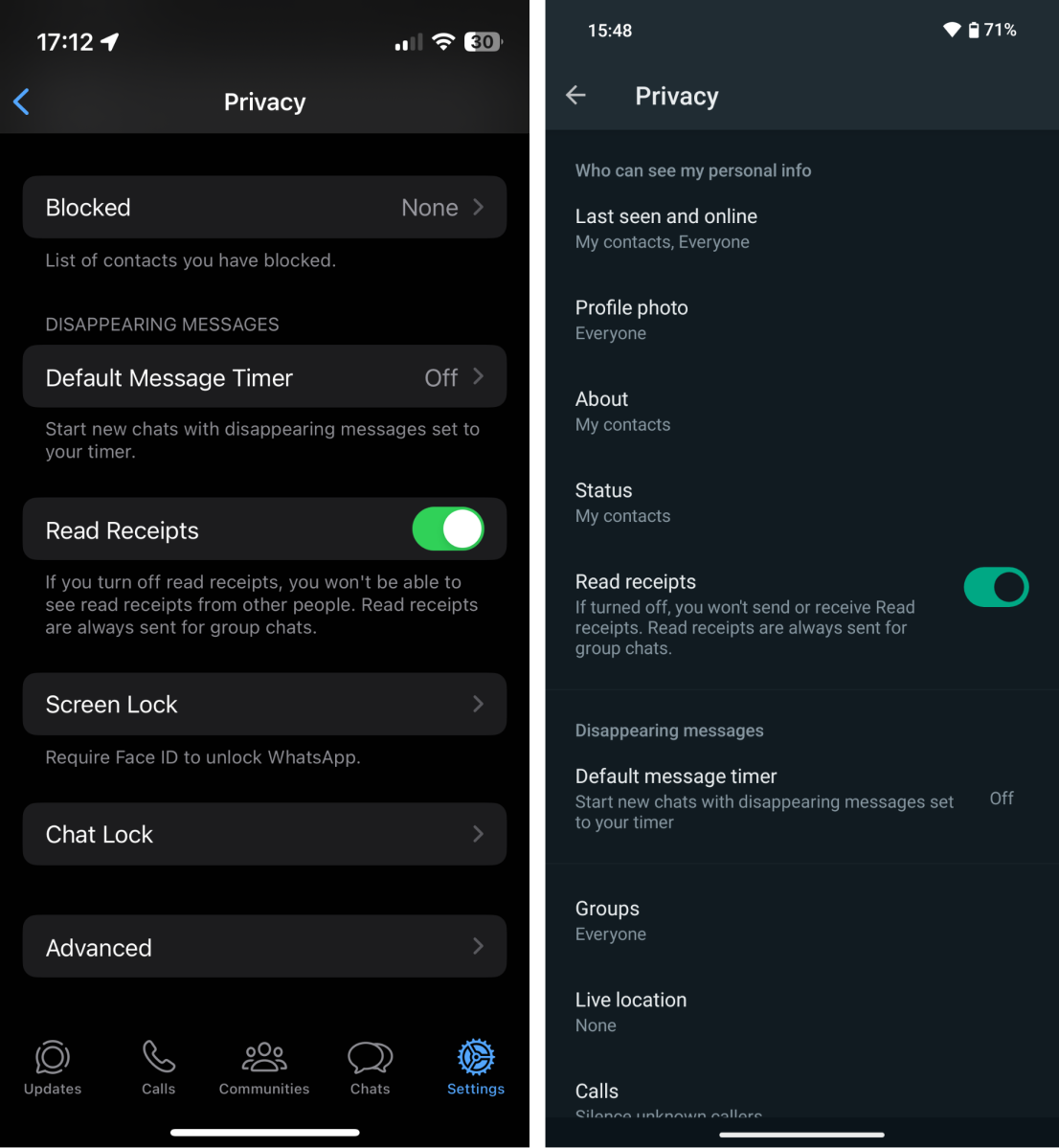
If you want to read messages without sending a blue tick:
- On Android devices, go to Settings > Account > Privacy and uncheck the box next to ‘Conferme of reading’.
- On iPhone devices, go to Settings > Account > Privacy and toggle off the switch next to ‘Conferme of reading’.
- On WhatsApp Web, go to Settings > Privacy and uncheck the box next to ‘Conferme of reading’.
Reading Messages Without Entering
To read messages without entering your account:
- Go to Settings > Account > Last access and privacy online.
- Select an option from the list to disable showing your last access online.
Sniffing Wireless Networks
Sniffing wireless networks is a technique used by hackers to capture all information that circulates on a network. While WhatsApp uses end-to-end encryption, this doesn’t make it completely secure. If you’re worried about your security:
- Avoid using public Wi-Fi hotspots.
- Consider switching to an open-source messaging platform.
Protecting Your Identity
To protect your identity from theft:
- Never lend your phone to someone else.
- Always lock your phone when not in use.
- Use a PIN or Face ID/Touch ID for added security.
- Monitor your account activity and report any suspicious behavior.
Detecting Spy Apps
To detect spy apps on your device:
- Look for suspicious app icons.
- Check the list of installed apps on your phone or tablet.
- Use a browser to access a website that can help you identify spy apps.
- If you find any, delete them immediately.
Conclusion
Reading WhatsApp messages across multiple devices is easier than ever, but it’s essential to understand how to protect yourself and your data from potential threats. Be cautious when using public Wi-Fi hotspots, keep your phone locked when not in use, and be aware of spy apps that might be lurking on your device.


