
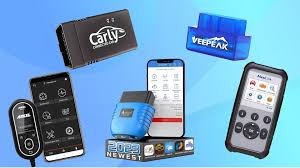
Understanding Your Vehicle’s Obd2 System
Are you a car enthusiast looking to understand your vehicle’s inner workings? Do you want to stay on top of your car’s maintenance needs without breaking the bank? Look no further! In this article, we’ll delve into the world of OBD2 (On-Board Diagnostics II) and explore the best apps available for Android and iOS devices.
What is Obd2?
The OBD2 system is a diagnostic interface that allows you to monitor your vehicle’s performance and detect any issues. Introduced in 1996, it has become a standard feature in most modern vehicles. By accessing the OBD2 port, you can read data from your car’s engine control unit (ECU) and diagnose problems before they escalate.
Why Use an Obd2 App?
Using an OBD2 app can save you time, money, and frustration when dealing with car maintenance. With these apps, you can:
- Monitor vital signs like engine speed, temperature, and fuel consumption
- Detect issues like faulty sensors or malfunctioning systems
- Perform diagnostic tests to identify problems
- Stay on top of scheduled maintenance and repairs
The Best Obd2 Apps For Android And Ios
Here are some of the top-rated OBD2 apps available for download:
Car Scan Elm Obd2 (Android/iOS)
This app is a clear winner in terms of ease of use and functionality. With a user-friendly interface, it allows you to monitor your vehicle’s performance, detect issues, and perform diagnostic tests.
- Features:
- Dashboard view with tachometer, engine speed, temperature, and fuel consumption
- Data logging for tracking changes over time
- Diagnostic test for identifying problems
- Compatibility with ELM327 interfaces
Obd Car Doctor (Android/iOS)
This app offers a more comprehensive experience, including:
- State of health monitoring
- Diagnostic tests to identify issues
- Code breakdown and maintenance records
- Sensors monitoring for tracking performance
Eobd Easy (Android/iOS)
This app stands out for its simplicity and ease of use. With an intuitive interface, it allows you to:
- Monitor your vehicle’s performance
- Detect issues with diagnostic tests
- Log data for tracking changes over time
- Compatibility with klavkarr interfaces
Torque (Android)
While only available on Android devices, Torque is a highly-rated app that offers a wide range of features, including:
- Dashboard view with customizable instruments
- Data logging and graphing capabilities
- Diagnostic tests to identify issues
- Customization options for personalized dashboards
Conclusion
Using an OBD2 app can be a game-changer when it comes to car maintenance. With these apps, you can stay on top of your vehicle’s performance, detect issues before they escalate, and save time and money in the long run.
Frequently Asked Questions (FAQs)
- What is Obd2?
OBD2 (On-Board Diagnostics II) is a diagnostic interface that allows you to monitor your vehicle’s performance and detect any issues.
- Why Use an Obd2 App?
Using an OBD2 app can save time, money, and frustration when dealing with car maintenance.
- Which Obd2 App Should I Choose?
The best OBD2 app for you will depend on your specific needs and preferences. Some popular options include Car Scan ELM OBD2, OBD Car Doctor, EOBD Easy, and Torque.
- Do I Need a Specific Device to Use an Obd2 App?
No, most OBD2 apps are compatible with both Android and iOS devices.
- Can I Use an Obd2 App on my Car’s Computer System?
No, OBD2 apps are designed for use on your smartphone or tablet, not directly on your car’s computer system.
- Is Using an Obd2 App Safe And Reliable?
Yes, reputable OBD2 apps like the ones mentioned above are safe and reliable to use.
- Can I Get Help if I Have Issues With my Obd2 App?
Yes, most OBD2 app developers offer customer support and troubleshooting resources to help you resolve any issues.
- Is There a Cost Associated With Using an Obd2 App?
Some OBD2 apps offer free versions or trials, while others require a subscription or purchase. Always check the pricing and features before downloading an app.


