
How to Exit Provisional Modality on Various Operating Systems
Are you stuck in provisional modality on your Windows, macOS, Linux, Android, or iOS device? Worry no more! In this article, we’ll guide you through the steps to exit this mode and get back to normal functionality.
What is Provisional Modality?
Provisional modality, also known as safe mode or recovery mode, is a condition where an operating system starts with minimal components, excluding unnecessary programs and features. This mode allows for troubleshooting and diagnostic purposes, ensuring the system boots in a more stable state.
Exiting Provisional Modality on Windows
If you’re stuck in provisional modality on your Windows device:
- Click Start, then click on the power icon.
- Choose “Restart” from the context menu.
- Press the Windows key + X and select “Restart” again.
Alternatively, follow these steps:
- Click Start, then click on Settings (the gear icon).
- Select Update & Security.
- Click on Recovery.
- Under Advanced startup, click Restart now.
Exiting Provisional Modality on Macos
If your Mac is stuck in provisional modality (also known as safe mode):
- Click The Apple Menu, then select About This Mac.
- Click on System Report.
- Look for “Boot Mode” under the Software section; if it says “Safe Boot,” you’re in provisional modality.
To exit:
- Click the Apple menu, then select Restart.
- Press the power button to shut down your Mac.
- Wait a few seconds, then press the power button again to turn it back on.
Exiting Provisional Modality on Linux
If you’re stuck in provisional modality (recovery mode) on your Linux device:
- Press Ctrl + Alt + C to open a terminal window.
- Type “reboot” and press Enter.
Alternatively, follow these steps:
- Press Ctrl + Alt + S to enter single-user mode.
- Type “shutdown -r now” and press Enter.
Exiting Provisional Modality on Android
If your Android device is stuck in provisional modality (also known as safe mode):
- Press And Hold The Power Button until the shutdown menu appears.
- Choose “Restart” to exit provisional modality.
Alternatively, follow these steps:
- Go to Settings > System > Advanced restart.
- Select “Restart” from the context menu.
Exiting Provisional Modality on Samsung
If your Samsung device is stuck in provisional modality:
- Swipe up from the top of the screen to open the notification shade.
- Look for the “Safe Mode” toggle; if it’s enabled, disable it.
- Press and hold the Power button until the shutdown menu appears.
- Choose “Restart” to exit provisional modality.
Alternatively, follow these steps:
- Go to Settings > System > Advanced restart.
- Select “Restart” from the context menu.
Exiting Provisional Modality on Huawei
If your HUAWEI device is stuck in provisional modality:
- Press And Hold The Power Button until the shutdown menu appears.
- Choose “Turn off” to exit provisional modality.
Alternatively, follow these steps:
- Go to Settings > System > Advanced restart.
- Select “Restart” from the context menu.
Exiting Provisional Modality on Ios
If your iPhone or iPad is stuck in provisional modality (DFU mode):
- Press And Hold The Volume + Button for 3 seconds.
- Release the Volume + button, then press and hold the Volume – button for 5 seconds.
- Release the Volume – button while still holding the Power button.
Alternatively, follow these steps:
- Connect your device to a computer using a Lightning cable.
- Open iTunes or Finder on your computer.
- Select your device from the list of connected devices.
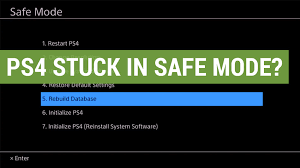
Exiting Provisional Modality on Ps4
If your PS4 is stuck in provisional modality (loop mode):
- Press And Hold The Power Button until the shutdown menu appears.
- Choose “Restart” to exit provisional modality.
Alternatively, follow these steps:
- Go to Settings > System > Restart.
- Select “Restart” from the context menu.
Conclusion:
Exiting provisional modality on various operating systems may seem daunting, but with the right steps, you can easily get back to normal functionality. Remember to always restart your device in safe mode or recovery mode if needed. If you’re still having issues, consult the manufacturer’s support resources or contact a professional for assistance.
Frequently Asked Questions
- What is Provisional Modality?
Provisional modality, also known as safe mode or recovery mode, is a condition where an operating system starts with minimal components, excluding unnecessary programs and features. - How do I Exit Provisional Modality on Windows?
To exit provisional modality on Windows, click Start, then choose “Restart” from the context menu. - How do I Exit Provisional Modality on Macos?
To exit provisional modality on macOS, click the Apple menu, then select Restart. Press the power button to shut down your Mac and wait a few seconds before turning it back on. - How do I Exit Provisional Modality on Linux?
To exit provisional modality on Linux, press Ctrl + Alt + C to open a terminal window and type “reboot” followed by Enter. - How do I Exit Provisional Modality on Android?
To exit provisional modality on Android, press and hold the Power button until the shutdown menu appears, then choose “Restart.” - How do I Exit Provisional Modality on Samsung?
To exit provisional modality on Samsung, swipe up from the top of the screen to open the notification shade and disable the “Safe Mode” toggle. - How do I Exit Provisional Modality on Huawei?
To exit provisional modality on HUAWEI, press and hold the Power button until the shutdown menu appears, then choose “Turn off.” - How do I Exit Provisional Modality on Ios?
To exit provisional modality on iOS (DFU mode), press and hold the Volume + button for 3 seconds, release it, then press and hold the Volume – button for 5 seconds while still holding the Power button.


