
The Ultimate Guide to Schede Audio: Choosing The Best Sound Solution For Your PC
Are you in the market for a new sound solution for your PC? With so many options available, it can be overwhelming to choose the best one for your needs. In this article, we’ll take a closer look at schede audio, also known as sound cards or audio cards, and help you make an informed decision.
What is a Scheda Audio?
A scheda audio is a hardware component that connects to your PC’s motherboard and enhances the overall audio experience. It can be integrated into the motherboard or purchased separately as a dedicated sound card. The latter option provides more flexibility and better quality audio, making it ideal for gamers, musicians, and audiophiles.
Types of Schede Audio
There are two main types of schede audio: Integrated and dedicated.
- Integrated Scheda Audio: These are built into the motherboard and offer basic sound capabilities. They’re suitable for casual users who don’t require high-quality audio.
- Dedicated Scheda Audio: These are separate components that can be installed into a PC, offering better sound quality and more features. They’re ideal for gamers, musicians, and those seeking enhanced audio experiences.
Advantages of Dedicated Schede Audio
While integrated schede audio have their uses, dedicated schede audio offer several advantages:
- Better Sound Quality: Dedicated schede audio provide higher-quality audio with less distortion and noise.
- Increased Flexibility: These sound cards can be easily installed or upgraded, offering more flexibility than integrated solutions.
- Enhanced Features: Dedicated schede audio often come with additional features like surround sound, 3D audio, and improved bass response.
Popular Schede Audio Options
Here are some popular schede audio options for consideration:
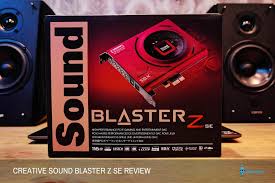
- Creative Sound Blaster Z #IF: A high-quality dedicated sound card with a resolution of 24-bit/192 kHz.
- Creative Sound Blaster Audigy Fx: An integrated sound card with a high-quality DAC and surround sound capabilities.
- Asus Xonar AE 7.1 Channels Pci-express: A dedicated sound card with 7.1 Channel surround sound and a high-quality DAC.
Key Features to Consider
When choosing a scheda audio, consider the following key features:
- Channels And Audio Surround: Look for schede audio that support multiple audio channels (2-channel stereo, 5.1, Or 7.1) And surround sound capabilities.
- Dac And Resolution: A high-quality DAC with a resolution of at least 24-bit/192 kHz ensures good sound quality.
- Snr (Signal-to-Noise Ratio): An SNR rating above 100 dB indicates less noise and better overall sound quality.
- Latenza: Look for schede audio with low latency to minimize delays between input and output.
- Ports And Connectivity: Consider the type of ports and connectivity options you need, such as USB, RCA, or XLR.
Conclusion
Choosing the right scheda audio for your PC can be a daunting task. However, by considering the advantages of dedicated sound cards and popular options like Creative Sound Blaster Z #IF, Creative Sound Blaster Audigy Fx, and ASUS Xonar AE 7.1 Channels PCI-Express, you’ll be well on your way to selecting the perfect sound solution for your needs.
Frequently Asked Questions (FAQs)
Here are some FAQs related to schede audio:
Q: What is the difference between integrated and dedicated schede audio?
A: Integrated schede audio are built into the motherboard, while dedicated sound cards can be installed separately.
Q: Which type of scheda audio provides better sound quality?
A: Dedicated schede audio generally offer higher-quality audio with less distortion and noise.
Q: Can I install a dedicated sound card if my PC has an integrated one?
A: Yes, but you may need to disable the integrated sound card in your BIOS or operating system settings.
Q: What is the benefit of surround sound capabilities in schede audio?
A: Surround sound provides a more immersive audio experience, with sounds coming from different directions and elevating your gaming or music listening experience.
Q: How do I ensure compatibility between my scheda audio and PC?
A: Check the compatibility specifications for your chosen scheda audio to ensure it works with your motherboard and operating system.
Q: Can I connect external devices like speakers or headphones to a dedicated sound card?
A: Yes, most dedicated sound cards come with multiple ports (e.G., RCA, XLR) for connecting external devices.
Final Tips
Remember to consider your specific needs when choosing a scheda audio. If you’re a gamer or audiophile, opt for a dedicated sound card with high-quality features like surround sound and low latency. For casual users, an integrated sound card may suffice.


