
How to Recover Your Epic Games Account: A Step-by-step Guide
Are you having trouble accessing your Epic Games account? Don’t worry, we’ve got you covered! In this article, we’ll guide you through the process of recovering your account in a few simple steps.
Reasons Why You May Be Unable to Access Your Account
Before we dive into the recovery process, it’s essential to understand why you may be unable to access your account. Some common reasons include:
- Forgotten password
- Email address not associated with your Epic Games account
- Account cancellation or deletion
Recovering Your Account With Email
If you’ve forgotten your password, recovering your account is relatively easy. Here’s what you need to do:
- Go to The Epic Games Website: Log in to the official Epic Games website using a web browser.
- Click on “Don’t Have an Account”: Click on the “Don’t have an account?” button at the top right corner of the page.
- Select “Reset Password”: Choose the “Reset Password” option from the dropdown menu.
- Enter Your Email Address: Enter the email address associated with your Epic Games account in the designated field.
- Follow The Instructions: Click on the “Forward Email” button and follow the instructions to reset your password.
Recovering Your Account Without Email
If you don’t have access to your email account, or if you’ve forgotten your email address, don’t worry! You can still recover your Epic Games account without using your email. Here’s how:
- Go to The Epic Games Website: Log in to the official Epic Games website using a web browser.
- Click on “Contact Us”: Click on the “Contact Us” button at the bottom of the page.
- Select “I Don’t Have Access to my Account”: Choose the “I don’t have access to my account” option from the dropdown menu.
- Enter Your Account Information: Enter your Epic Games account information, including your ID and name.
- Follow The Instructions: Follow the instructions provided by Epic Games to recover your account.
Recovering Your Account With ID
If you’re unable to access your email account or have forgotten your email address, you can try recovering your account using your Epic Games ID. Here’s how:
- Go to The Epic Games Website: Log in to the official Epic Games website using a web browser.
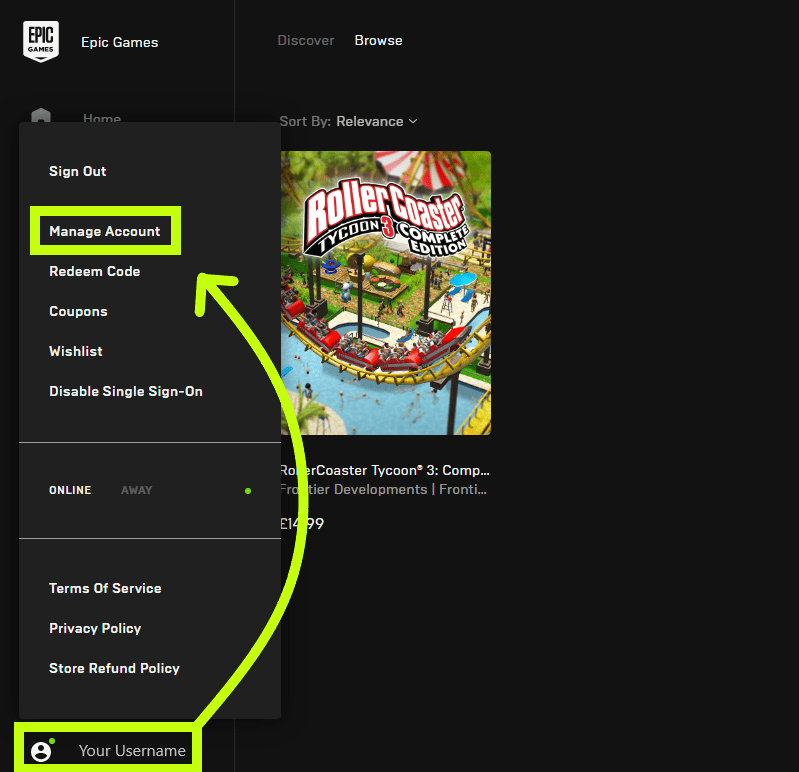
- Click on “My Account”: Click on the “My Account” button at the top right corner of the page.
- Select “ID”: Choose the “ID” option from the dropdown menu.
- Enter Your ID: Enter your Epic Games ID in the designated field.
- Follow The Instructions: Follow the instructions provided by Epic Games to recover your account.
Recovering a Deleted Account
If you’ve deleted your Epic Games account by mistake, don’t worry! You can try recovering it within 14 days of deletion. Here’s how:
- Go to The Epic Games Website: Log in to the official Epic Games website using a web browser.
- Click on “My Account”: Click on the “My Account” button at the top right corner of the page.
- Select “Reactivate Account”: Choose the “Reactivate Account” option from the dropdown menu.
- Enter Your Account Information: Enter your Epic Games account information, including your ID and name.
- Follow The Instructions: Follow the instructions provided by Epic Games to reactivate your account.
Recovering a Stolen Account
If you suspect that your account has been stolen or compromised, don’t panic! You can try recovering it by following these steps:
- Change Your Email Password: Change your email password and then reset your Epic Games password.
- Use 2-factor Authentication: Enable 2-factor authentication to secure your account.
- Contact Epic Games Support: Contact Epic Games support for further assistance.
Conclusion
Recovering your Epic Games account is a relatively simple process, whether you’re using email or not. By following these steps, you should be able to regain access to your account in no time! Remember to always keep your password and email address secure to avoid any potential issues.
Frequently Asked Questions
- Q: How do I Recover my Epic Games Account if I’ve Forgotten my Password?
A: You can reset your password by going to the Epic Games website, clicking on “Don’t have an account?”, selecting “Reset Password”, and entering your email address. - Q: Can I Recover my Epic Games Account Without Using my Email?
A: Yes, you can try recovering your account without using your email by contacting Epic Games support. - Q: How do I Recover a Deleted Epic Games Account?
A: You can reactivate a deleted account within 14 days of deletion by going to the Epic Games website, clicking on “My Account”, selecting “Reactivate Account”, and entering your account information. - Q: Can I Recover my Epic Games Account if It’s Been Stolen?
A: Yes, you can try recovering your account by changing your email password, enabling 2-factor authentication, and contacting Epic Games support.


