
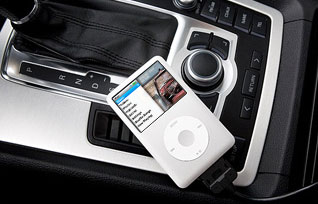
The Ultimate Guide to Listening to Your Ipod in a Car
Are you tired of using CDs or cassette tapes in your car? Do you want to listen to your favorite songs on your iPod while driving? Look no further! In this article, we will guide you through the process of listening to your iPod in a car, exploring various options such as Bluetooth, USB, AUX, and adapter cassetta.
Why Listen to Your Ipod in a Car?
Listening to your iPod in a car can enhance your driving experience. Imagine being able to listen to your favorite songs or playlists while on the go. Not only will it make your journey more enjoyable, but it will also help you relax and reduce stress. Plus, with the variety of options available, you’ll be spoiled for choice.
Option 1: Bluetooth
If your car has Bluetooth capabilities, this is the most convenient option. To connect your iPod to your car’s audio system via Bluetooth:
- Ensure your car’s Bluetooth feature is enabled.
- Access the Bluetooth settings on your iPod and pair it with your car.
- Select your iPod as the music source in your car’s audio system.
This method requires no cables, making it a hassle-free solution. Additionally, many modern cars come equipped with this feature, making it a great option to consider.
Option 2: Usb
If your car has a USB port, you can connect your iPod directly using a USB cable. To do so:
- Locate the USB port in your car’s audio system.
- Insert one end of the USB cable into the car’s port and the other end into your iPod.
- Activate the music playback on your iPod.
This method is quick, easy, and requires no additional setup. However, not all cars support music playback via USB, so be sure to check your car’s specifications.
Option 3: Aux
If your car has an AUX input, you can use a 3.5Mm cable to connect your iPod directly to the car’s audio system. To do so:
- Locate the AUX input in your car’s audio system.
- Insert one end of the 3.5Mm cable into the car’s AUX port and the other end into your iPod.
- Activate the music playback on your iPod.
This method requires a 3.5Mm cable, which can be purchased at an affordable price. However, some cars may not have an AUX input, so ensure your car is compatible before attempting this option.
Option 4: Adapter Cassetta
If none of the above options are available, you can consider using an adapter cassetta. This device mimics a cassette player and allows you to connect your iPod to your car’s audio system via a cable. To use:
- Locate the cassette input in your car’s audio system.
- Insert one end of the cable into the car’s cassette port and the other end into the adapter cassetta.
- Connect the adapter cassetta to your iPod.
This method may require some technical expertise, but it can be an effective solution if the above options are not feasible.
Troubleshooting Tips
- Ensure your iPod is fully charged before attempting any of these methods.
- If you encounter issues with Bluetooth connectivity, try restarting both your car and iPod.
- Use a high-quality 3.5Mm cable for optimal sound quality when using the AUX option.
- When using an adapter cassetta, ensure it’s compatible with your car’s audio system.
Conclusion
Listening to your iPod in a car is a convenient and enjoyable way to enhance your driving experience. With these four options available – Bluetooth, USB, AUX, and adapter cassetta – you’re sure to find the perfect solution for your needs. Remember to troubleshoot any issues that may arise and take necessary precautions to ensure optimal sound quality.
Faqs
Q: Can I listen to my iPod in a car with an old radio system?
A: Yes, but it may require additional adapters or cables.
Q: Is Bluetooth always available in modern cars?
A: Not all modern cars come equipped with Bluetooth capabilities, so be sure to check your car’s specifications.
Q: What is the cost of using an adapter cassetta?
A: Prices vary depending on the brand and quality of the device. Expect to pay between 4-15 euros.
Q: Can I use my iPod in a car with a USB port but no music playback support?
A: No, you’ll need to check your car’s specifications before attempting to connect your iPod via USB.
Q: How do I troubleshoot issues with Bluetooth connectivity?
A: Try restarting both your car and iPod, or consult the user manual for troubleshooting steps.


