
How to Connect Spotify to Your Car’s Audio System
Are you tired of listening to the same old songs on your car’s radio? Do you want to experience the thrill of discovering new music while driving? Look no further than connecting Spotify to your car’s audio system!
In this article, we’ll show you how to connect Spotify to your car’s audio system using various methods. From linking your smartphone to your car via Bluetooth or cable, to using CarPlay and Android Auto, we’ve got you covered.
Method 1: Connecting Spotify Through an Integrated App
If your car has a multimedia system with an integrated app for Spotify, you’re in luck! Simply initiate the Spotify app on your car’s display screen by using voice commands or navigating through the menu. You can then access your favorite playlists and songs without having to use your smartphone.
Some Cars That Support This Method Include:
- BMW 7 Series
- GM Cadillac ATS
- Volvo XC90
- Tesla Model S
- Jaguar Land Rover
- Ford Mustang
- Mini Cooper
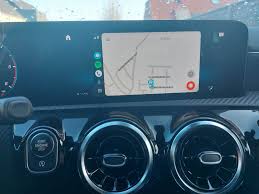
Method 2: Connecting Spotify Through Android Auto
If you have an Android device, you can use the Android Auto app to connect your phone to your car’s audio system. This method allows you to access your favorite apps, including Spotify, and control them using voice commands or the display screen.
To set up Android Auto, follow these steps:
- Download the Android Auto app on your smartphone.
- Connect your phone to your car via USB cable (or Bluetooth if compatible).
- Initiate the Android Auto app on your car’s display screen.
- Access Spotify and start playing your favorite music!
Method 3: Connecting Spotify Through Carplay
If you have an iPhone, you can use the CarPlay feature to connect your phone to your car’s audio system. This method allows you to access your favorite apps, including Spotify, and control them using voice commands or the display screen.
To set up CarPlay, follow these steps:
- Ensure Siri is activated on your iPhone.
- Connect your phone to your car via USB cable (or Bluetooth if compatible).
- Initiate CarPlay on your car’s display screen.
- Access Spotify and start playing your favorite music!
Method 4: Connecting Spotify Through Bluetooth
If your car doesn’t support the above methods, you can still connect your smartphone to your car’s audio system via Bluetooth. This method requires a Bluetooth-enabled phone and a compatible car stereo.
To set up Bluetooth, follow these steps:
- Ensure Bluetooth is enabled on your smartphone.
- Search for available Bluetooth devices in your car.
- Connect your phone to your car via Bluetooth.
- Open Spotify and start playing your favorite music!
Method 5: Connecting Spotify Through a Cable
If your car doesn’t support any of the above methods, you can still connect your smartphone to your car’s audio system via a USB or AUX cable. This method requires a compatible car stereo and a phone with a USB or AUX output.
To set up a cable connection, follow these steps:
- Purchase a suitable cable for your phone and car.
- Connect the phone to the car using the cable.
- Initiate Spotify on your phone.
- Start playing your favorite music!
Conclusion
Connecting Spotify to your car’s audio system is easier than ever! With various methods available, you can choose the one that best suits your needs. Whether you’re a fan of Android Auto, CarPlay, Bluetooth, or cable connections, we’ve got you covered.
So go ahead, give it a try, and experience the thrill of listening to your favorite music while driving!
Frequently Asked Questions
Q: What is Spotify?
A: Spotify is a popular music streaming service that allows users to access millions of songs, playlists, and radio stations.
Q: Can I connect Spotify to my car’s audio system?
A: Yes, you can connect Spotify to your car’s audio system using various methods such as Android Auto, CarPlay, Bluetooth, or cable connections.
Q: Do I need a premium account for Spotify to work in my car?
A: No, you don’t necessarily need a premium account for Spotify to work in your car. However, some cars may require a premium subscription for certain features.
Q: Can I use Spotify while driving?
A: Yes, you can use Spotify while driving as long as you follow the road rules and regulations of your country or region.
Q: How do I set up Android Auto on my phone?
A: To set up Android Auto on your phone, download the app from the Google Play Store, connect your phone to your car via USB cable (or Bluetooth if compatible), and initiate the app on your car’s display screen.
Q: How do I set up CarPlay on my iPhone?
A: To set up CarPlay on your iPhone, ensure Siri is activated, connect your phone to your car via USB cable (or Bluetooth if compatible), and initiate CarPlay on your car’s display screen.


