
How to Sell on Pinterest: A Comprehensive Guide
Are you looking to leverage the power of visual discovery and shopping to drive sales for your business? Look no further than Pinterest! With over 320 million monthly active users, Pinterest is an ideal platform for businesses to showcase their products and services in a visually appealing way.
In this article, we’ll take you through a step-by-step guide on how to sell on Pinterest, from creating a business profile to launching advertising campaigns. We’ll also explore the various features and tools available to help you optimize your sales strategy.
Why Sell on Pinterest?
Pinterest is more than just a social media platform – it’s a powerful tool for businesses to reach their target audience. Here are some compelling reasons to consider selling on Pinterest:
- Visual Discovery: Pinterest allows users to discover and save images and videos that inspire them, making it an ideal platform for showcasing products in a visually appealing way.
- Targeted Advertising: With Pinterest’s advanced targeting options, you can reach users who are interested in your products or services, increasing the likelihood of conversion.
- Shopping Functionality: Pinterest allows users to purchase products directly from the platform, eliminating the need for additional steps and making it easier for customers to complete a sale.
Creating a Business Profile on Pinterest
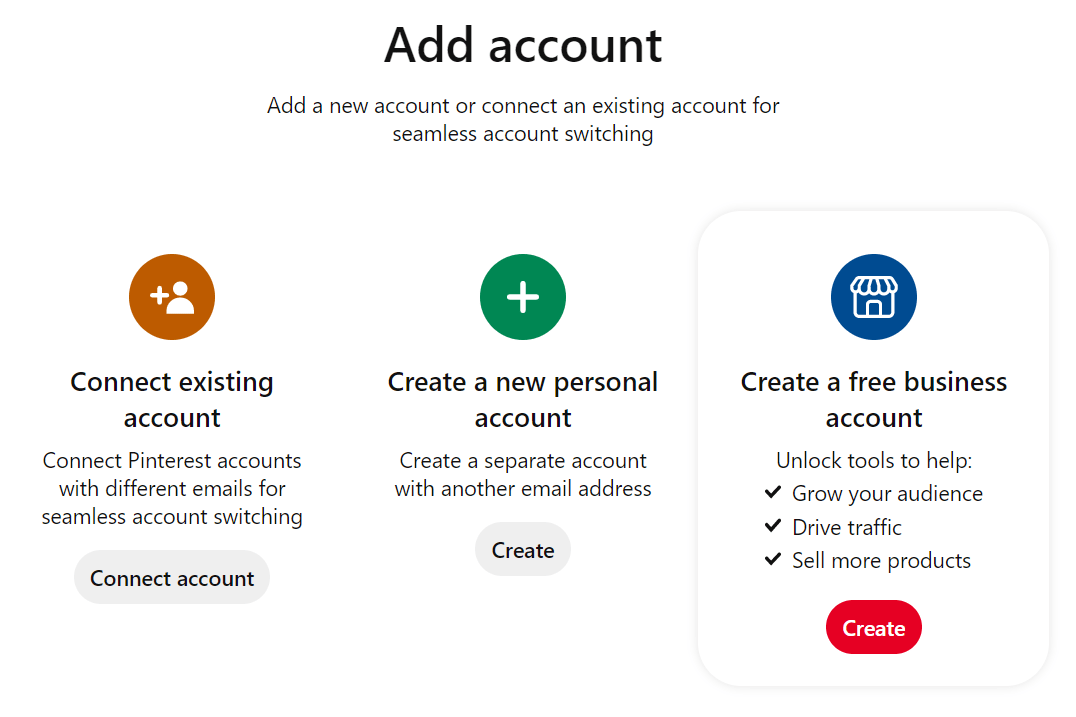
Before you can start selling on Pinterest, you’ll need to create a business profile. Here’s how:
- Create a Profile: Go to www.Pinterest.Com and click on “Join as a business” in the top right corner.
- Fill Out Your Profile: Complete your profile with your business name, address, and contact information.
- Verify Your Account: Pinterest will send you an email to verify your account. Click on the link provided to complete the verification process.
How to Create a Pin
Now that you have a business profile, it’s time to create a pin! A pin is essentially a virtual product card that showcases your product in a visually appealing way. Here’s how to create a pin:
- Choose an Image: Select an eye-catching image of your product.
- Write a Description: Write a compelling description of your product, including its features and benefits.
- Add a Link: Add a link to your website or online store where users can purchase the product.
- Save And Publish: Save and publish your pin for all users to see.
Sponsor a Pin
If you want to reach a wider audience and drive sales, consider sponsoring a pin! Sponsoring a pin allows you to promote your products to users who are interested in them.
Here’s how to sponsor a pin:
- Choose a Pin: Select the pin you want to sponsor.
- Set a Budget: Set a budget for your advertising campaign.
- Target Your Audience: Choose the target audience you want to reach, including demographics and interests.
- Publish Your ad: Publish your ad and let Pinterest do the rest!
Tips For Selling on Pinterest
Here are some additional tips to help you succeed in selling on Pinterest:
- Use High-quality Images: Use high-quality images that showcase your products in a visually appealing way.
- Write Compelling Descriptions: Write compelling descriptions of your products, including their features and benefits.
- Utilize Shopping Functionality: Utilize Pinterest’s shopping functionality to make it easier for customers to complete a sale.
- Monitor And Adjust: Monitor the performance of your pins and adjust your strategy accordingly.
Conclusion
Selling on Pinterest can be a powerful way to drive sales and grow your business. By following the steps outlined in this article, you’ll be able to create a business profile, launch advertising campaigns, and utilize shopping functionality to reach your target audience.
Frequently Asked Questions
Here are some frequently asked questions about selling on Pinterest:
- Q: What is Pinterest?
A: Pinterest is a social media platform that allows users to discover and save images and videos that inspire them. - Q: How do I Create a Business Profile on Pinterest?
A: To create a business profile, go to www.Pinterest.Com and click on “Join as a business” in the top right corner. - Q: How do I Create a Pin?
A: To create a pin, choose an image, write a description, add a link, save, and publish. - Q: How do I Sponsor a Pin?
A: To sponsor a pin, choose the pin you want to sponsor, set a budget, target your audience, and publish your ad. - Q: What Are Some Tips For Selling on Pinterest?
A: Some tips for selling on Pinterest include using high-quality images, writing compelling descriptions, utilizing shopping functionality, and monitoring and adjusting your strategy accordingly.
Additional Resources
If you’re interested in learning more about selling on Pinterest, here are some additional resources to check out:
- Pinterest’s Official Blog: Check out Pinterest’s official blog for tips and tricks on how to succeed on the platform.
- Pinterest Advertising: Learn more about Pinterest’s advertising options and how they can help you reach your target audience.
- Shopping Functionality: Utilize Pinterest’s shopping functionality to make it easier for customers to complete a sale.
By following these steps and tips, you’ll be well on your way to success on Pinterest!


