
How to Slow Down a Song: A Comprehensive Guide
Are you tired of songs flying by too quickly? Do you wish you could savor the melodies and lyrics without feeling rushed? Look no further! In this article, we’ll explore various ways to slow down a song, from using audio editing software on your PC or mobile device to leveraging online tools and apps.
Why Slow Down a Song?
Slowing down a song can be beneficial for several reasons:
- It allows you to better understand the lyrics and appreciate the music.
- It can help you learn new musical techniques or practice existing ones.
- It provides an opportunity to explore different genres or styles of music.
Programs to Slow Down a Song on PC
Here are some popular programs for slowing down a song on your PC:
Audacity: The Ultimate Audio Editing Software
Audacity is a free, open-source audio editing software that allows you to slow down a song with ease. Here’s how:
- Open Audacity and select the “Effect” menu.
- Choose “Play” from the drop-down menu.
- Select the desired speed and click “OK.”
- Preview the slowed-down version of the song.
Garageband: A Music Creation Masterpiece
If you’re using a Mac, GarageBand is an excellent choice for slowing down a song. Here’s how:
- Open GarageBand and select the “File” menu.
- Choose “New Project” and select “Empty Project.”
- Drag the musical file into the timeline.
- Select the desired speed from the “Rhythm” panel.
Online Tools to Slow Down a Song
If you don’t have access to audio editing software, there are online tools that can help:
Vocal Remover: A Music Editing Powerhouse
Vocal Remover is an online tool that allows you to slow down a song and even remove the vocals. Here’s how:
- Open Vocal Remover and select the “Pitch” option.
- Choose the desired speed from the drop-down menu.
- Preview the slowed-down version of the song.
Other Online Tools
Here are some other online tools that can help you slow down a song:
- Mp3cut: A simple tool for cutting and slowing down MP3 files.
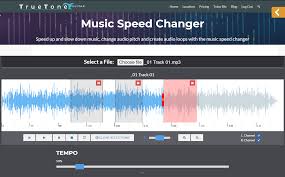
- Truetone Guitar: A guitar-oriented online tool that allows you to modify the speed and pitch of your songs.
Mobile Apps to Slow Down a Song
If you prefer using mobile apps, here are some popular options:
Music Speed Changer: The Ultimate Mobile App
Music Speed Changer is an app available for Android and iOS devices. Here’s how it works:
- Open the app and select the song you want to slow down.
- Choose the desired speed from the drop-down menu.
- Preview the slowed-down version of the song.
Other Mobile Apps
Here are some other mobile apps that can help you slow down a song:
- Audipo: A simple app for slowing down audio files on Android and iOS devices.
- Moises: A comprehensive music editing app with features like pitch correction and tempo adjustment.
- Super Sound: An audio editing app that allows you to modify the speed, pitch, and tone of your songs.
Conclusion
Slowing down a song can be a great way to appreciate the music and learn new skills. With these programs, online tools, and mobile apps, you can slow down any song to your liking. Whether you’re using Audacity on PC or Music Speed Changer on your smartphone, there’s an option for everyone.
Frequently Asked Questions
- Q: What is the best way to slow down a song?
A: The best way to slow down a song depends on your personal preference and technical requirements. Some popular options include using audio editing software like Audacity or GarageBand, leveraging online tools like Vocal Remover, or utilizing mobile apps such as Music Speed Changer. - Q: Can I slow down a song without audio editing software?
A: Yes, you can use online tools like Vocal Remover or MP3cut to slow down a song without needing audio editing software. Additionally, there are various mobile apps available that allow you to slow down songs on your smartphone or tablet. - Q: How do I slow down a song using GarageBand?
A: To slow down a song using GarageBand, open the program and select the “File” menu. Choose “New Project” and select “Empty Project.” Drag the musical file into the timeline, then select the desired speed from the “Rhythm” panel.
Conclusion
Slowing down a song can be a fun and creative way to appreciate music. Whether you’re using audio editing software on your PC or mobile device or leveraging online tools and apps, there’s an option for everyone. Experiment with different programs and tools to find what works best for you!


