
The Ultimate Guide to Choosing The Best Wi-fi Cameras With Battery
Are you looking for a reliable way to monitor your home or office without the hassle of cables? Look no further! In this article, we’ll explore the best Wi-Fi cameras with battery that offer advanced features and flexibility.
What Are Wi-fi Cameras With Battery?
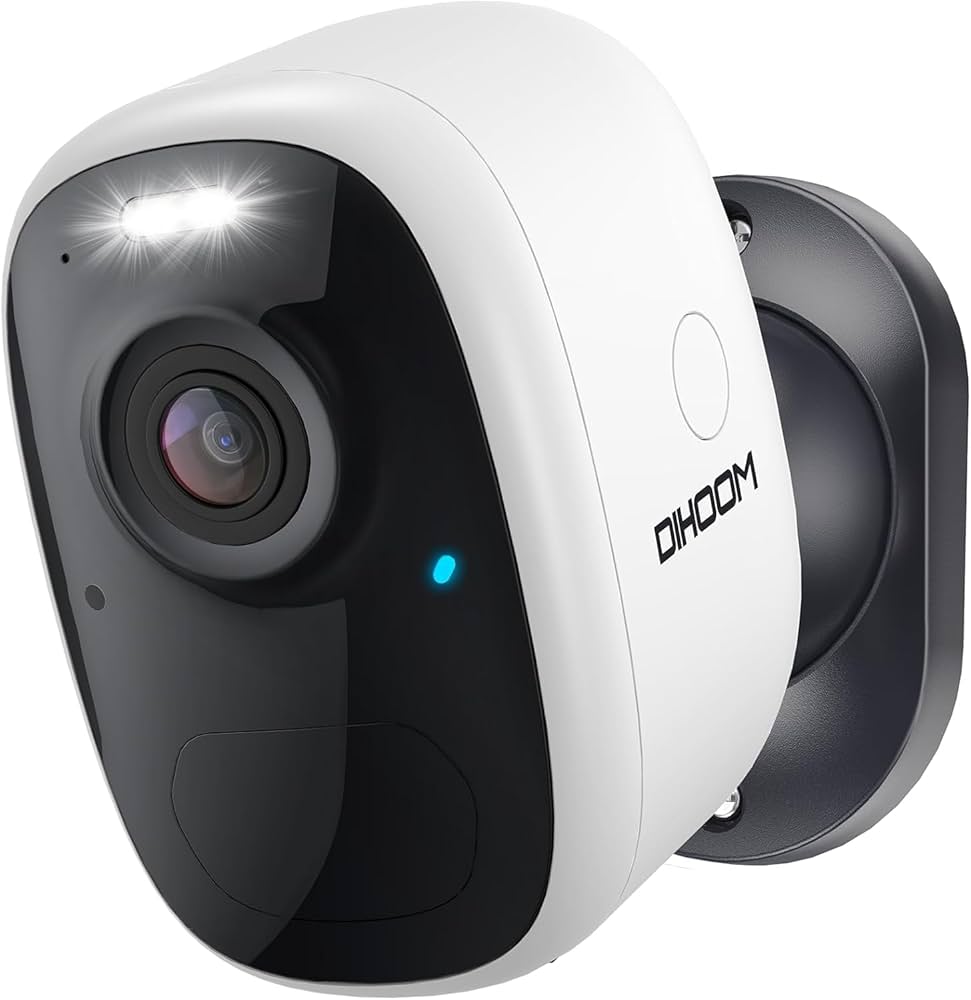
Wi-Fi cameras with battery are wireless devices that can be powered by rechargeable batteries or solar panels. They provide a convenient and cost-effective way to monitor your surroundings without the need for cables or electrical outlets.
Benefits of Wi-fi Cameras With Battery
- Flexibility: With a battery-powered Wi-Fi camera, you can place it anywhere in your home or office without worrying about finding an outlet.
- Convenience: No more dealing with tangled cables or finding a suitable location for the camera.
- Cost-effectiveness: No electricity costs or cabling expenses mean significant savings on your utility bills.
- Easy Installation: Most Wi-Fi cameras with battery come with simple setup procedures, making it easy to get started.
Top Picks For Wi-fi Cameras With Battery
- Virtavo 2K Telecamera Wifi External Wireless to Battery: This camera boasts a high-resolution image and advanced features like Starlight technology and motion detection.
- Iegeek 2K Telecamera Wi-fi Inner/external: With its battery-powered design and wireless connectivity, this camera is perfect for monitoring your home or office from anywhere.
- Blink Outdoor Kit: This kit includes a wireless camera that can be powered by two AA batteries, providing up to two years of battery life.
Key Features to Consider
- Resolution: Look for cameras with high-resolution images (1080p or higher) for clear video quality.
- Night Vision: A good night vision feature allows you to capture images in low-light conditions.
- Motion Detection: This feature alerts you to potential security threats and can be customized to suit your needs.
- Battery Life: Check the battery life of the camera, especially if you plan to use it for extended periods.
- Connectivity: Ensure that the camera is compatible with your Wi-Fi network and can maintain a stable connection.
How to Choose The Best Wi-fi Camera With Battery
- Determine Your Needs: Consider what features are essential for your monitoring needs, such as resolution, night vision, or motion detection.
- Check Compatibility: Ensure that the camera is compatible with your Wi-Fi network and device (smartphone or tablet).
- Consider Power Options: Choose a camera with a battery life that suits your requirements or consider solar-powered options.
- Evaluate Additional Features: Some cameras come with advanced features like audio, SD card slots, or cloud storage.
Conclusion
Wi-Fi cameras with battery offer a convenient and cost-effective way to monitor your home or office without the hassle of cables. By considering the key features and benefits outlined in this article, you can choose the best Wi-Fi camera with battery for your specific needs.
Frequently Asked Questions (FAQs)
- Q: What is The Difference Between a Wi-fi Camera With Battery And a Traditional Wired Camera?
A: A Wi-Fi camera with battery offers wireless connectivity and can be powered by rechargeable batteries or solar panels. - Q: How do I Ensure That my Wi-fi Camera With Battery Maintains a Stable Connection?
A: Regularly check the camera’s software updates, ensure proper placement of the camera, and maintain a strong Wi-Fi signal in your area. - Q: Can I Use a Wi-fi Camera With Battery For Outdoor Purposes?
A: Yes, many Wi-Fi cameras with battery are designed to be weather-resistant and can be used outdoors.
Additional Tips
- Consider investing in a solar-powered Wi-Fi camera for extended battery life and reduced energy costs.
- Regularly update your Wi-Fi camera’s software to ensure optimal performance and security.
- Use the camera’s built-in features, such as motion detection and alerts, to stay informed about potential security threats.


