
The Ultimate Guide to Finding Interferences Radio: A Comprehensive Solution
Are you tired of dealing with frustrating interferences radio issues? Do you want to know how to find and resolve these problems once and for all? Look no further! In this article, we will delve into the world of radio interference and provide you with a step-by-step guide on how to identify and eliminate these pesky issues.
What Are Radio Interferences?
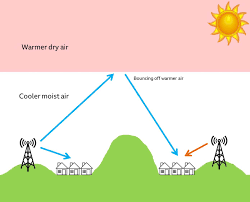
Radio interferences refer to unwanted signals that can disrupt your electronic devices, causing problems such as slow internet speeds, dropped connections, or even complete shutdowns. These interferences can come from various sources, including neighboring devices, atmospheric conditions, or even malicious intent.
Types of Radio Interferences
There are several types of radio interferences, including:
- Wi-fi Interference: This is one of the most common types of interference, caused by neighboring Wi-Fi networks operating on the same frequency.
- Bluetooth Interference: Bluetooth devices can also cause interference with other electronic devices, especially when they operate on the same frequency band.
- Microwave Oven Interference: Some microwave ovens can generate electromagnetic radiation that can interfere with nearby electronic devices.
- Jamming Devices: Malicious individuals can use jamming devices to intentionally disrupt communication signals.
Finding Wi-fi Interferences
If you’re experiencing problems with your Wi-Fi connection, it’s essential to identify whether the issue is due to interference or not. Here are some steps to follow:
- Use a Wi-fi Analyzer Tool: There are various tools available that can help you scan for nearby Wi-Fi networks and identify which channels are occupied.
- Check Your Router Settings: Ensure your router is set to use the least congested channel.
- Change Your Channel: If possible, change your channel to one that’s less crowded.
Finding Other Types of Interferences
If your problems persist and you suspect it’s not just Wi-Fi interference, here are some additional steps to follow:
- Use an Electromagnetic Detector: These devices can help you identify sources of electromagnetic radiation in your vicinity.
- Check For Bluetooth Devices: Ensure that any Bluetooth devices in the area are functioning properly and not causing interference.
- Consult a Professional: If you’re still unsure about the cause of the problem, consult a professional to help you diagnose and resolve the issue.
Conclusion
Radio interferences can be frustrating and disruptive to your daily life. However, by understanding what causes these problems and taking steps to identify and eliminate them, you can enjoy stable and reliable electronic connections. Remember, prevention is key, so take proactive measures to minimize the risk of interference in the first place.
Frequently Asked Questions (FAQs)
- What Are Radio Interferences?
Radio interferences refer to unwanted signals that can disrupt your electronic devices. - How do I Find Wi-fi Interferences?
Use a Wi-Fi analyzer tool, check your router settings, and change your channel if possible. - Can Bluetooth Devices Cause Interference?
Yes, Bluetooth devices can cause interference with other electronic devices, especially when they operate on the same frequency band. - What Are Jamming Devices?
Malicious individuals can use jamming devices to intentionally disrupt communication signals. - How do I Find Other Types of Interferences?
Use an electromagnetic detector, check for Bluetooth devices, and consult a professional if unsure about the cause of the problem. - Can Microwave Ovens Cause Interference?
Yes, some microwave ovens can generate electromagnetic radiation that can interfere with nearby electronic devices. - What Are The Symptoms of Radio Interferences?
Symptoms include slow internet speeds, dropped connections, or complete shutdowns. - How do I Prevent Radio Interferences?
Preventative measures include ensuring your router is set to use the least congested channel, changing your channel if possible, and minimizing the presence of Bluetooth devices in the area.


