
How to Delete a Forgotten Apple ID Without Password
Are you tired of having a forgotten Apple ID weighing on your mind? Do you want to delete it without the hassle of remembering the password? You’re not alone! Many people have found themselves in this situation, and I’m here to guide you through the process.
Understanding The Situation
You’ve decided that it’s time to move on from an old Apple ID. Perhaps you no longer use it or want to create a new one for various reasons. However, you can’t remember the password associated with the account. This is where things get tricky.
Three Ways to Recover Your Forgotten Apple ID
Fortunately, there are several ways to recover your forgotten Apple ID without having to remember the password. Here are three methods:
- Authentication to Two Factors: If you’ve previously set up two-factor authentication on your device and Apple account, recovering your password will be a breeze.
- Key of Recovery: You can use a key of recovery provided by Apple during the setup process. This 14-digit code will help you reset your password without needing to remember it.
- Email/demand of Safety: If you haven’t set up two-factor authentication, you can still recover your password using the email or demand of safety option.
Method 1: Authentication to Two Factors
If you’ve enabled two-factor authentication on your device and Apple account, recovering your password is straightforward. Here’s what you need to do:
- Tap on the gear icon to access Settings.
- Go to Password & Security and tap on “Modify Password.”
- Enter the code of safety and enter a new password.
That’s it! Your password will be updated, and you’ll have access to your Apple ID again.
Method 2: Key of Recovery
If you’ve previously set up the key of recovery feature during the setup process, you can use this 14-digit code to reset your password. Here’s how:
- Go to the Apple website and select “Have forgotten my Apple ID or password?”
- Enter your email address associated with the account.
- Click on “Continue” and then select the option to receive a key of recovery via SMS.
- Enter the code received via SMS, and you’ll be prompted to create a new password.
Method 3: Email/demand of Safety
If none of the above methods work for you, don’t worry! You can still recover your password using the email or demand of safety option. Here’s what you need to do:
- Go to the Apple website and select “Have forgotten my Apple ID or password?”
- Enter your email address associated with the account.
- Click on “Continue” and then select the option to receive a code via SMS.
- Enter the code received via SMS, and you’ll be prompted to create a new password.
Removing an Iphone From an Apple ID
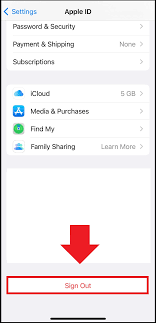
Perhaps you want to remove an iPhone from your Apple ID without deleting it altogether. This is easier than you think! Simply go to Settings > [Your Name] and tap on “Go out.” Enter the password associated with your Apple ID, and you’ll be able to disconnect the device.
Conclusion
Deleting a forgotten Apple ID can seem like a daunting task, but it’s actually quite straightforward. By following these methods, you’ll be able to recover or delete your Apple ID without any hassle. Remember to download a copy of your data before deleting the account for added security.
Frequently Asked Questions (FAQs)
- What if I Forget my Password And Can’t Access my Account?
You can try resetting your password using one of the three methods outlined above. - How do I Remove an Iphone From my Apple Id?
Go to Settings > [Your Name] and tap on “Go out.” - Can I Recover my Forgotten Apple ID Without a Password?
Yes, you can use one of the three methods outlined above to recover your password and access your account. - What Happens if I Delete my Apple Id?
Your data will be deleted, and you’ll no longer have access to your iCloud, iBooks, or App Store purchases. - Can I Keep Using my Apple ID With a New Iphone?
Yes, you can create a new password and use it to log in on a new device. - How do I Download a Copy of my Data Before Deleting my Apple Id?
Go to the Apple website and select “Require a copy of your data” to download a copy of your information. - What if I’ve Never Set up Two-factor Authentication or a Key of Recovery?
You can still recover your password using the email or demand of safety option. - Is it Safe to Delete my Apple ID Without Downloading a Copy of my Data?
No, it’s not recommended to delete your Apple ID without downloading a copy of your data for added security.


