
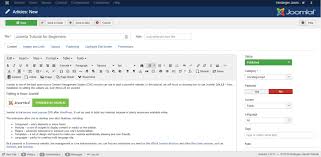
Creating a Website With Joomla: A Step-by-step Guide
Are you looking to create a website with Joomla, but not sure where to start? Look no further! In this article, we will guide you through the process of creating a website with Joomla, from choosing a hosting service to installing and customizing your site.
Why Choose Joomla?
Joomla is a popular content management system (CMS) that allows users to create and manage their own websites. It is free, open-source software that is widely used by individuals and businesses alike. With its user-friendly interface and flexible customization options, Joomla is an ideal choice for anyone looking to create a website.
Step 1: Choose a Hosting Service
The first step in creating a website with Joomla is to choose a hosting service. There are several options available, including:
- Free Hosting Services: These services offer free web hosting, but may have limitations on storage space and bandwidth.
- Paid Hosting Services: These services offer more advanced features and support, but require a monthly or annual fee.
Some popular paid hosting services that support Joomla include:
- Aruba: Offers a range of hosting plans with advanced features and support.
- Register: Provides a user-friendly interface and flexible customization options.
- Siteground: Offers a range of hosting plans with advanced features and support.
- Godaddy: A well-established hosting service that offers a range of plans with advanced features.
Step 2: Install Joomla
Once you have chosen a hosting service, the next step is to install Joomla. This can be done through a variety of methods, including:
- Softaculous: A popular one-click installer for Joomla.
- Bitnami: A free, open-source software package that makes it easy to install Joomla.
Step 3: Configure Joomla
After installing Joomla, the next step is to configure the software. This includes setting up the language and template, as well as configuring any additional features or modules you may want to use.
Step 4: Customize Your Site
Once Joomla is configured, it’s time to customize your site. This includes adding content, creating menus, and configuring any other features or modules you may want to use.
Creating a Website With Joomla on Altervista
Altervista is a free hosting service that offers a range of features and support for Joomla users. To create a website with Joomla on Altervista, follow these steps:
- Create an Account: Sign up for an account with Altervista.
- Activate The Database: Create a database and activate it.
- Install Joomla: Install Joomla using Softaculous or Bitnami.
Creating a Website With Joomla on Aruba
Aruba is a popular paid hosting service that offers a range of features and support for Joomla users. To create a website with Joomla on Aruba, follow these steps:
- Create an Account: Sign up for an account with Aruba.
- Choose a Hosting Plan: Select a hosting plan that meets your needs.
- Install Joomla: Install Joomla using Softaculous or Bitnami.
Conclusion
Creating a website with Joomla is a straightforward process that requires some basic technical knowledge. By following the steps outlined in this article, you can create a professional-looking website with ease. Whether you choose to use a free hosting service like Altervista or a paid service like Aruba, Joomla offers a range of features and support to help you get started.
Faqs
- What is Joomla?
Joomla is a popular content management system (CMS) that allows users to create and manage their own websites. - Why Choose Joomla?
Joomla is free, open-source software that is widely used by individuals and businesses alike. It offers a user-friendly interface and flexible customization options. - What Are The Benefits of Using a Paid Hosting Service?
Paid hosting services offer more advanced features and support than free services. - How do I Install Joomla on my Website?
You can install Joomla using Softaculous or Bitnami, depending on your hosting service. - Can I Create a Website With Joomla in Local?
Yes, you can create a website with Joomla in local by installing XAMPP and using Bitnami to install Joomla. - What Are The System Requirements For Running Joomla?
Joomla requires a web server (such as Apache), a database (such as MySQL), and PHP. - How do I Customize my Joomla Site?
You can customize your Joomla site by adding content, creating menus, and configuring any additional features or modules you may want to use. - What Are The Benefits of Using a Free Hosting Service Like Altervista?
Free hosting services offer a range of features and support at no cost, making them ideal for individuals and small businesses.
Recommended Reading
- How to Install Joomla on Your Website: A step-by-step guide to installing Joomla on your website.
- Creating a Website With Joomla: A Beginner’s Guide: A comprehensive guide to creating a website with Joomla, from choosing a hosting service to customizing your site.
- Joomla Tutorials And Guides: A collection of tutorials and guides to help you get started with Joomla.


