
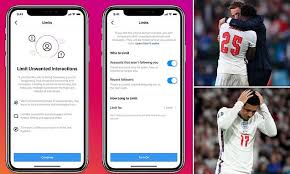
How to Avoid Getting Bugged by Spam Clusters on Instagram
Are you tired of receiving constant notifications from unwanted clusters on Instagram? Do you want to avoid being added to spam groups without your consent? Look no further! In this article, we’ll show you how to block and manage clusters on Instagram, ensuring a more peaceful and private online experience.
Why Manage Clusters on Instagram?
Clustering is a feature on Instagram that allows users to add multiple people to a single conversation. While it can be convenient for group chats, it can also lead to spamming and unwanted interactions. By managing clusters on Instagram, you can:
- Avoid receiving unnecessary notifications
- Reduce the risk of being added to spam groups
- Improve your online safety and security
How to Block Clusters on Instagram
To block clusters on Instagram, follow these simple steps:
- Open the Instagram app and navigate to the account section.
- Tap on the three horizontal lines (≡) in the top-right corner.
- Select “Settings” from the menu.
- Scroll down to the “Privacy” section.
- Tap on “Who can add me to groups.”
- Choose either “Only people I follow” or “Nobody.”
By selecting “Only people I follow,” you’ll only receive group requests from users you already interact with. If you choose “Nobody,” you won’t receive any group requests at all.
Disabling Notifications For Group Requests
If you’re receiving too many notifications from cluster requests, you can disable them altogether. To do this:
- Open the Instagram app and navigate to your profile.
- Tap on the three horizontal lines (≡) in the top-right corner.
- Select “Settings” from the menu.
- Scroll down to the “Notifications” section.
- Tap on “Group requests.”
- Toggle off the switch next to “Allow group requests.”
Blocking a Specific User
If you want to block a specific user from adding you to clusters, follow these steps:
- Open the Instagram app and navigate to the profile of the user you want to block.
- Tap on the three horizontal lines (≡) in the top-right corner.
- Select “Settings” from the menu.
- Scroll down to the “Account” section.
- Tap on “Blocked accounts.”
- Add the user’s name and tap “Block.”
Setting Your Profile to Private
Another way to manage clusters on Instagram is by setting your profile to private. This will make it harder for users to find and add you to clusters.
- Open the Instagram app and navigate to your profile.
- Tap on the three horizontal lines (≡) in the top-right corner.
- Select “Settings” from the menu.
- Scroll down to the “Account” section.
- Toggle off the switch next to “Public profile.”
Leaving a Cluster
If you’ve been added to a cluster and want to leave, follow these steps:
- Open the Instagram app and navigate to the cluster chat.
- Tap on the three horizontal lines (≡) in the top-right corner.
- Select “Leave group” from the menu.
By following these simple steps, you can manage clusters on Instagram and enjoy a more peaceful online experience.
Conclusion
Managing clusters on Instagram is essential for maintaining your online safety and security. By blocking unwanted clusters, disabling notifications, blocking specific users, setting your profile to private, and leaving clusters, you can avoid unnecessary interactions and focus on what matters most – connecting with friends and family in a safe and controlled environment.
Frequently Asked Questions
- How do I Know if Someone Has Added me to a Cluster Without my Consent?
If you’re not sure how you were added to a cluster or didn’t receive a notification, try checking the cluster chat or reporting the user. - Can I Block All Clusters on Instagram?
Yes, by selecting “Nobody” under “Who can add me to groups,” you won’t receive any group requests at all. - How do I Report a Spam Cluster on Instagram?
Report the cluster and its members by tapping on the three horizontal lines (≡) in the top-right corner, then selecting “Report.” - Can I Unblock Someone Who Has Been Blocked For Adding me to a Cluster Without my Consent?
Yes, you can unblock someone by going to the “Blocked accounts” section in your settings and removing their name. - How do I Prevent Being Added to Spam Clusters on Instagram?
Set your profile to private, block specific users, or select “Only people I follow” under “Who can add me to groups.” - Can I Leave a Cluster if I’ve Been Added Without my Consent?
Yes, tap on the three horizontal lines (≡) in the top-right corner and select “Leave group” from the menu. - How do I Prevent Receiving Notifications From Clusters on Instagram?
Disable notifications for group requests under the “Notifications” section in your settings. - Can I Block All Future Cluster Invitations From a Specific User?
Yes, add their name to your blocked accounts and toggle off the switch next to “Allow group requests.”
By following these tips and answering these FAQs, you’ll be well on your way to managing clusters on Instagram and enjoying a more secure online experience.


