
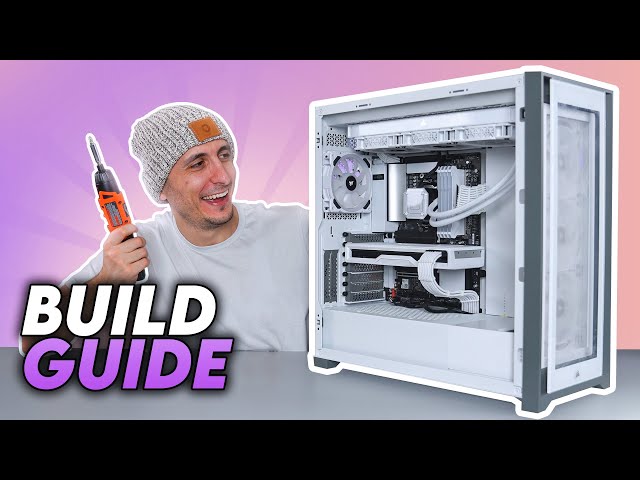
Assembling a Pc: A Step-by-step Guide
Are you tired of shelling out exorbitant amounts of money for a pre-assembled PC that barely meets your needs? Do you want to build a custom PC that’s tailored to your specific requirements? Look no further! Assembling a PC can be a fun and rewarding experience, especially with the right guidance. In this article, we’ll walk you through the process of assembling a PC from scratch.
Choosing The Right Components
Before you start building your PC, it’s essential to choose the right components. The first step is to decide on a budget and determine what you need the PC for. Will it be used for gaming, video editing, or general productivity? Once you’ve determined your requirements, you can start selecting the individual components.
Cpu: The Heart of Your PC
The CPU (Central Processing Unit) is the brain of your PC, responsible for executing instructions and performing calculations. When choosing a CPU, consider factors such as clock speed, number of cores, and cache memory. For gaming and video editing, a high-performance CPU with multiple cores and a high clock speed is essential.
Motherboard: The Main Circuit Board
The motherboard is the main circuit board that connects all the components together. Make sure to choose a motherboard that’s compatible with your CPU and has enough features for your needs. Consider factors such as USB ports, SATA ports, and PCIe slots.
Ram: The Memory of Your PC
RAM (Random Access Memory) provides temporary storage for data and applications. Choose RAM with a high speed rating (e.G., DDR4 3200MHz) and a sufficient capacity (at least 16GB).
Storage: Hdd vs Ssd
When it comes to storage, you have two options: Hard Disk Drive (HDD) or Solid-State Drive (SSD). SSDs are faster, more reliable, and energy-efficient than HDDs. Consider using an SSD for your operating system and applications, while reserving a separate HDD for storage.
Power Supply: The Power Source
The power supply provides the necessary power to all components. Choose a power supply that’s sufficient for your build (at least 650W) and has a high efficiency rating (80+ Gold or higher).
Case: The Exterior of Your PC
The case is the exterior shell of your PC, providing protection and cooling for internal components. Consider factors such as size, material, and cable management.
Graphics Card: An Optional Component
A graphics card provides dedicated processing power for graphics-intensive tasks like gaming and video editing. Choose a high-performance graphics card from NVIDIA or AMD, ensuring it’s compatible with your motherboard.
Assembling Your PC
Now that you’ve chosen the right components, it’s time to start assembling your PC. Begin by unboxing all the components and preparing the workspace.
- Unbox And Prepare The Components
- Remove the CPU, motherboard, RAM, storage drives, power supply, and graphics card from their packaging.
- Prepare the workspace with an anti-static wrist strap or mat.
- Assemble The Motherboard
- Attach the CPU to the motherboard using a compatible socket type (e.G., LGA 1200).
- Install the CPU cooler and secure it with screws.
- Install The Ram
- Insert the RAM modules into the designated slots on the motherboard.
- Add Storage Drives
- Install one or more storage drives (HDD or SSD) in the available bays.
- Power Supply Installation
- Connect the power cables from the power supply to the motherboard, CPU, and other components.
- Graphics Card Installation
- If using a graphics card, install it into an available PCIe slot on the motherboard.
- Finalize Cable Management
- Route cables neatly around the case for better airflow and organization.
Conclusion
Assembling a PC from scratch can be a rewarding experience, but it requires careful planning and execution. By following this guide, you’ll be able to choose the right components, assemble your PC correctly, and enjoy the benefits of custom-built hardware.
Frequently Asked Questions (FAQs)
- What is The Most Important Component in a Pc?
- The CPU is the brain of your PC, responsible for executing instructions and performing calculations.
- How Much Ram do I Need?
- At least 16GB of RAM is recommended for general productivity tasks. For gaming or video editing, consider using at least 32GB.
- What type of storage drive should I use?
- An SSD provides faster access times and more reliability than a traditional HDD.
- How Much Power do I Need From The Power Supply?
- Choose a power supply with a sufficient wattage rating (at least 650W) to ensure all components are properly powered.
- What is the best graphics card for gaming?
- The best graphics card for gaming depends on your specific requirements and budget. Consider using a high-performance graphics card from NVIDIA or AMD.
Additional Resources
For further guidance, consult online resources such as YouTube tutorials, forums, and manufacturer documentation.


