
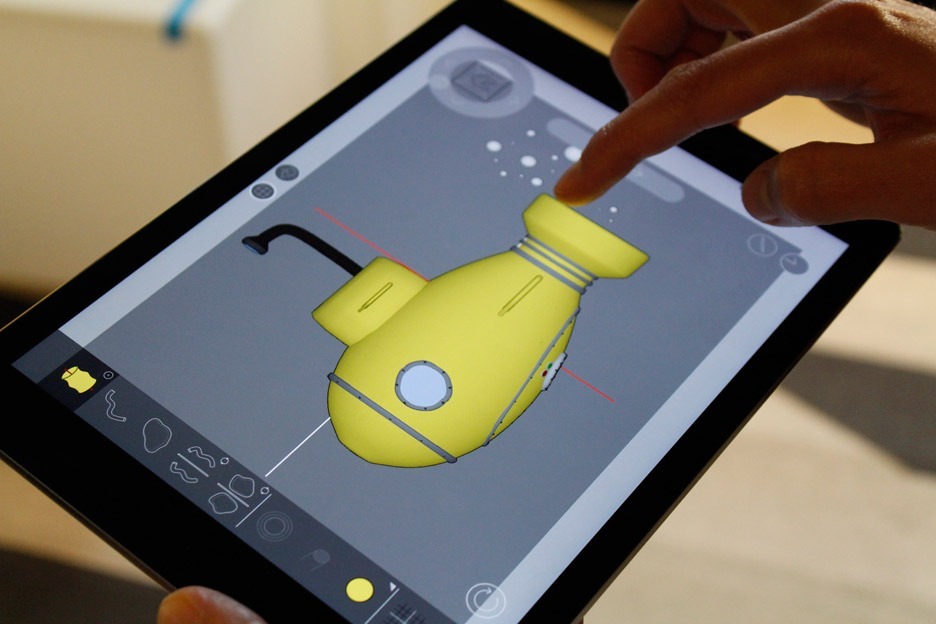
Designing Your Dreams: The Ultimate Guide to 3D Design Apps
Are you an aspiring designer looking to bring your creations to life in 3D? Or perhaps a hobbyist who wants to learn the basics of 3D design on their smartphone? Whatever your motivation, this guide is here to help. We’ll explore some of the best 3D design apps available for both Android and iOS devices, covering a range of uses from simple modeling to complex animation.
Getting Started With 3D Design
Before we dive into the world of 3D design, it’s essential to understand what it entails. 3D design involves creating three-dimensional models using various software or apps. These models can be used for a wide range of purposes, such as designing products, architecture, animation, and even video games.
The Best 3D Design Apps For Android
- Qeprize 3D Design Studio: This app is an excellent starting point for beginners, offering a free and easy-to-use interface. It’s available on the Google Play Store and can be used on both Android and iOS devices.
- Moblo: Designed specifically for mobile devices, Moblo offers an intuitive interface that makes it easy to create 3D models using various materials and surfaces.
- Prisma 3D: Perfect for those with some experience in 3D design, Prisma 3D allows users to create complex objects using a range of tools and features.
The Best 3D Design Apps For Ios
- 3D Modeling: This app is specifically designed for iPhone and iPad devices, offering a range of features and tools for creating 3D models.
- Home Design 3D: Ideal for those looking to design their dream home in 3D, this app allows users to project and remodel their house with ease.
- Nomad Sculpt: This app offers a unique approach to 3D design, allowing users to create and sculpt objects using various tools and features.
Pc-based 3D Design Apps
If you’re looking for more advanced 3D design capabilities on your PC or Mac, there are numerous apps available that can help you achieve professional-grade results. Some popular options include:
- Autodesk Fusion 360: A powerful CAD software that offers a range of features and tools for creating complex 3D models.
- Sketchup: A user-friendly app that allows users to create 3D models with ease, ideal for those new to 3D design.
- Blender: A free, open-source 3D creation software that offers advanced features and tools for professionals.
Tips And Tricks
- Start with a simple app like QEPrize or Moblo to get familiar with the basics of 3D design.
- Experiment with different materials and surfaces in Prisma 3D or Nomad Sculpt.
- Use Home Design 3D to create your dream home, complete with 2D and 3D plans.
- Don’t be afraid to explore more advanced apps like Autodesk Fusion 360 or Blender.
Conclusion
Designing your dreams is now within reach, thanks to the numerous 3D design apps available for both Android and iOS devices. Whether you’re a beginner or an experienced designer, there’s something for everyone. Remember to start simple, experiment with different tools and features, and don’t be afraid to explore more advanced options.
Frequently Asked Questions (FAQs)
- Q: What is 3D Design?
A: 3D design involves creating three-dimensional models using various software or apps. - Q: Which App is Best For Beginners?
A: QEPrize 3D Design Studio and Moblo are excellent starting points for beginners, offering easy-to-use interfaces and a range of features. - Q: Can I Use These Apps on my PC or Mac?
A: Yes, many of the apps mentioned can be used on PC or Mac devices, such as Autodesk Fusion 360, SketchUp, and Blender. - Q: How do I Export my Creations From These Apps?
A: Each app has its own export options, but generally, you can save your models in various formats like OBJ, STL, or FBX. - Q: Can I Animate my 3D Models?
A: Yes, some of the apps mentioned, such as Prisma 3D and Nomad Sculpt, offer animation features that allow you to create complex animations. - Q: Are These Apps Free?
A: Some apps are free, while others offer premium versions or subscription-based plans. - Q: Can I Use These Apps For Commercial Purposes?
A: Please check the terms and conditions of each app to see if they allow commercial use. - Q: Where Can I Find More Tutorials And Resources?
A: Check out online communities, forums, and YouTube channels dedicated to 3D design and modeling for more tips and tricks.


