
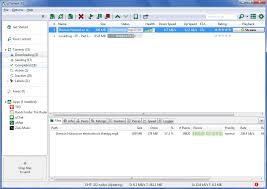
Download Utorrent: A Step-by-step Guide
Are you tired of searching for a reliable torrent client that’s compatible with your device? Look no further than uTorrent, one of the most popular torrent clients available. In this article, we’ll guide you through the process of downloading and configuring uTorrent on your PC, as well as using it to download files from the internet.
What is Utorrent?
UTorrent is a free, lightweight torrent client that’s compatible with Windows, macOS, Linux, and Android devices. It’s one of the most popular torrent clients available, and for good reason – it’s fast, efficient, and easy to use.
Downloading Utorrent on PC
If you want to download uTorrent on your PC, there are two editions available: Web and Classic. The Web edition is a client that integrates into your web browser, allowing you to download torrents directly from the browser. The Classic edition is a standalone client that’s compatible with Windows, macOS, and Linux.
To download uTorrent, follow these steps:
- Go to the official uTorrent website and click on the “Download” button.
- Select the Web or Classic edition of the software based on your operating system.
- Click on the “Download freely” or “Download now” button.
- Run the installer and follow the prompts to install the software.
Configuring Utorrent
To configure uTorrent, you’ll need to open the settings menu and enable the connections in entrance. This will allow the client to communicate with other devices on your network.
- Open the uTorrent settings menu by clicking on the “Options” button.
- Select the “Connection” tab from the left-hand menu.
- Enable the “Allow incoming connections” option.
- Enter a name for the connection in the “Name” field.
- Click on the “Save” button to save your changes.
Using Utorrent
Once you’ve configured uTorrent, it’s easy to use. Simply search for a torrent file or magnet link using your favorite search engine, and then open it with uTorrent. The client will take care of the rest, downloading the file from other users on the network.
Downloading Utorrent on Android
If you’re an Android user, you can download uTorrent directly from the Google Play Store. Simply search for “uTorrent” in the store, select the app, and click on the “Install” button.
Downloading Utorrent on Iphone/ipad
Unfortunately, there’s no official uTorrent client available for iOS devices. However, you can use a web-based torrent client like Instant.Io to download torrents directly from your browser.
The Benefits of Using Utorrent
Using uTorrent has several benefits. Firstly, it allows you to download files quickly and efficiently, thanks to its advanced algorithms and efficient communication protocols. Secondly, it’s free and open-source software, which means that it’s constantly being improved and updated by a community of developers.
Common Issues With Utorrent
While uTorrent is generally reliable, there are some common issues that can occur. These include:
- Slow Downloads: If your download speeds are slow, try checking the “Peer” and “Seed” numbers in the torrent file to see if it’s a high-quality file.
- Failed Connections: If you’re experiencing failed connections, try disabling your firewall or antivirus software to see if that resolves the issue.
Conclusion
In conclusion, uTorrent is a reliable and efficient torrent client that’s compatible with multiple operating systems. By following the steps outlined in this article, you can download and configure uTorrent on your PC or Android device, and start downloading files from the internet in no time.
Frequently Asked Questions (FAQs)
- What is Utorrent?
UTorrent is a free, lightweight torrent client that’s compatible with Windows, macOS, Linux, and Android devices. - How do I Download Utorrent on Pc?
To download uTorrent on PC, go to the official website and click on the “Download” button. Select the Web or Classic edition of the software based on your operating system. - How do I Configure Utorrent?
To configure uTorrent, open the settings menu and enable the connections in entrance by selecting the “Connection” tab from the left-hand menu and enabling the “Allow incoming connections” option. - Can I Download Utorrent on Android?
Yes, you can download uTorrent directly from the Google Play Store. - Is Utorrent Free?
Yes, uTorrent is completely free software. - What Are The Benefits of Using Utorrent?
Using uTorrent has several benefits, including fast and efficient downloads, a user-friendly interface, and compatibility with multiple operating systems. - Can I Use Utorrent on Iphone/ipad?
Unfortunately, there’s no official uTorrent client available for iOS devices. However, you can use a web-based torrent client like Instant.Io to download torrents directly from your browser.
8. Is Utorrent Safe to Use?
Yes, uTorrent is generally safe to use. However, be aware that downloading copyrighted content without permission may violate copyright laws in some countries.
[THE End]


