
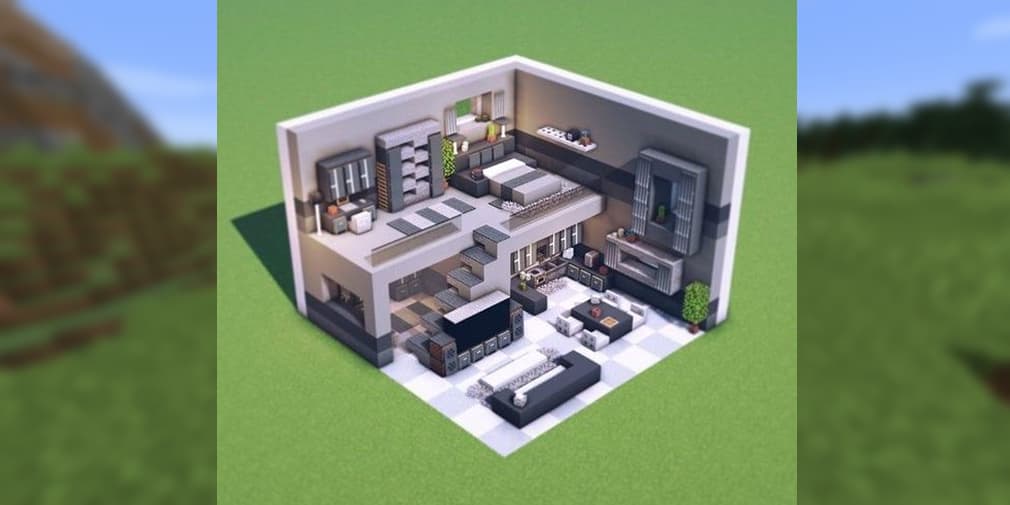
How to Create a Dreamy Bedroom in Minecraft: A Step-by-step Guide
Are you ready to create your own cozy bedroom in the world of Minecraft? Look no further! In this article, we’ll guide you through the process of building a beautiful and functional bedroom using various resources available in the game.
Getting Started
Before we begin, it’s essential to note that Minecraft has some limitations when it comes to building certain structures. However, with your creativity and resourcefulness, you can still create an amazing bedroom. As mentioned earlier, some specific furniture items may not be available in the base version of the game. Don’t worry; we’ll discuss how to overcome this limitation later on.
Step 1: Choose a Location
When building a bedroom, it’s crucial to choose a suitable location within your Minecraft world. Consider selecting a spot with ample space for expansion and accessibility. You can use the built-in WorldEdit tool or explore other mods like Chunk Editor to make adjustments if needed.
Step 2: Plan Your Bedroom
Sketch out a rough design of your bedroom, taking into account its size, shape, and layout. You may want to create a floor plan using paper and pencil or utilize online tools like Minecraft Map Maker. This will help you visualize the space and identify any potential issues before starting construction.
Step 3: Build The Frame
Using wood planks (oak, spruce, or birch), construct the frame of your bedroom. Ensure it has a sturdy foundation and sufficient height for comfortable movement within the room. Consider adding support beams to maintain structural integrity.
Step 4: Add Walls And Ceiling
Install walls using various materials like stone, brick, or wood planks. You can also add windows for natural light and ventilation. Remember to leave some gaps between the walls for easy access. The ceiling should be high enough to allow comfortable movement within the room.
Step 5: Incorporate Furniture
Now it’s time to add furniture items! Since some specific items may not be available in the base game, we’ll explore alternative options later on. You can create or gather resources like beds, tables, chairs, and wardrobes using various materials.
Step 6: Add Lighting
Proper lighting is essential for a cozy atmosphere. Use glowstone, torches, or string lights to illuminate your bedroom. Don’t forget to leave some dark areas for dramatic effect or to create a sense of mystery.
Step 7: Decorate And Personalize
This is where creativity shines! Add decorative elements like paintings, rugs, or vases using various materials. You can also incorporate items from the game’s loot tables or craft new ones to make your bedroom truly unique.
Using Mods For Enhanced Furniture Options
If you want to create a more authentic bedroom with specific furniture items, consider using mods like MrCrayfish’ Furniture Mod (Java version). This mod provides an extensive collection of furniture pieces that can be used in your bedroom. To install the mod:
- Visit the official website and download the compatible JAR file.
- Install Minecraft Forge by following our guide on how to do it.
- Place the downloaded JAR file in the mods folder (located at C:\Users[username]\AppData\Roaming.Minecraft\mods on Windows or ~/Library/Application Support/minecraft/mods on macOS).
- Launch Minecraft, select the Forge profile, and start playing.
Tips For a More Authentic Bedroom Experience
To create an even more immersive experience:
- Use natural materials like wood, stone, or wool to construct furniture.
- Add textures and patterns using various mods or game items.
- Incorporate soundscape elements like ambient noises or music players.
- Experiment with different lighting effects and color schemes.
Conclusion
Building a dreamy bedroom in Minecraft is an exciting project that requires creativity, resourcefulness, and patience. By following these steps and utilizing available resources (including mods), you can create a cozy and functional space within your Minecraft world. Don’t be afraid to experiment and personalize your bedroom to suit your unique style.
Frequently Asked Questions (FAQs)
Q: Can I build a large bedroom in Minecraft?
A: Yes! With sufficient space and planning, you can construct an expansive bedroom that fits your needs.
Q: What materials should I use for the frame?
A: Wood planks or stone are excellent options for building a sturdy frame.
Q: How do I install mods like MrCrayfish’ Furniture Mod?
A: Follow our step-by-step guide on how to install Minecraft Forge and place the downloaded JAR file in the mods folder.
Q: Can I use other mods to enhance my bedroom experience?
A: Yes! Explore various mods that offer additional furniture options, lighting effects, or ambient soundscape elements.
Q: How do I add decorations to my bedroom?
A: Use materials like wood planks, stone, or wool to craft decorative items. You can also gather resources from the game’s loot tables or create new ones using recipes.


