
Video Editing Made Easy: Top 5 Free Programs to Edit Videos Like a Pro
Are you tired of using expensive video editing software? Look no further! In this article, we will explore the top 5 free programs to edit videos like a pro.
As a content creator or just someone who wants to make professional-looking videos, finding the right video editing software can be a daunting task. With so many options available in the market, it’s easy to get overwhelmed. But don’t worry, we’ve got you covered!
In this article, we will delve into the world of free video editing software and explore the top 5 programs that are perfect for beginners and pros alike.
What is Video Editing?
Before we dive into the best video editing software, let’s first understand what video editing is all about. Video editing is the process of selecting and arranging video footage, images, and sound to create a cohesive and engaging visual story.
With the advancement in technology, video editing has become an essential skill for anyone who wants to showcase their creativity and passion on social media, YouTube, or even film festivals.
The Top 5 Free Video Editing Software
Here are the top 5 free video editing software that you can use to create stunning videos:
1. Avidemux (Windows/MacOS/Linux)
Avidemux is an open-source video editor that is available for Windows, MacOS, and Linux operating systems. It’s a free program that supports all major video formats, including MP4, AVI, MOV, and more.
With Avidemux, you can edit your videos by cutting, copying, pasting, and deleting sections. You can also add audio tracks, effects, and color correction to enhance the visual appeal of your video.
How to Use Avidemux:
- Download the latest version of Avidemux from their official website.
- Open the program and select the video you want to edit.
- Click on the “Edit” button to access the editing tools.
- Cut, copy, paste, or delete sections as needed.
- Add audio tracks, effects, and color correction to enhance your video.
2. Davinci Resolve (Windows/MacOS/Linux)
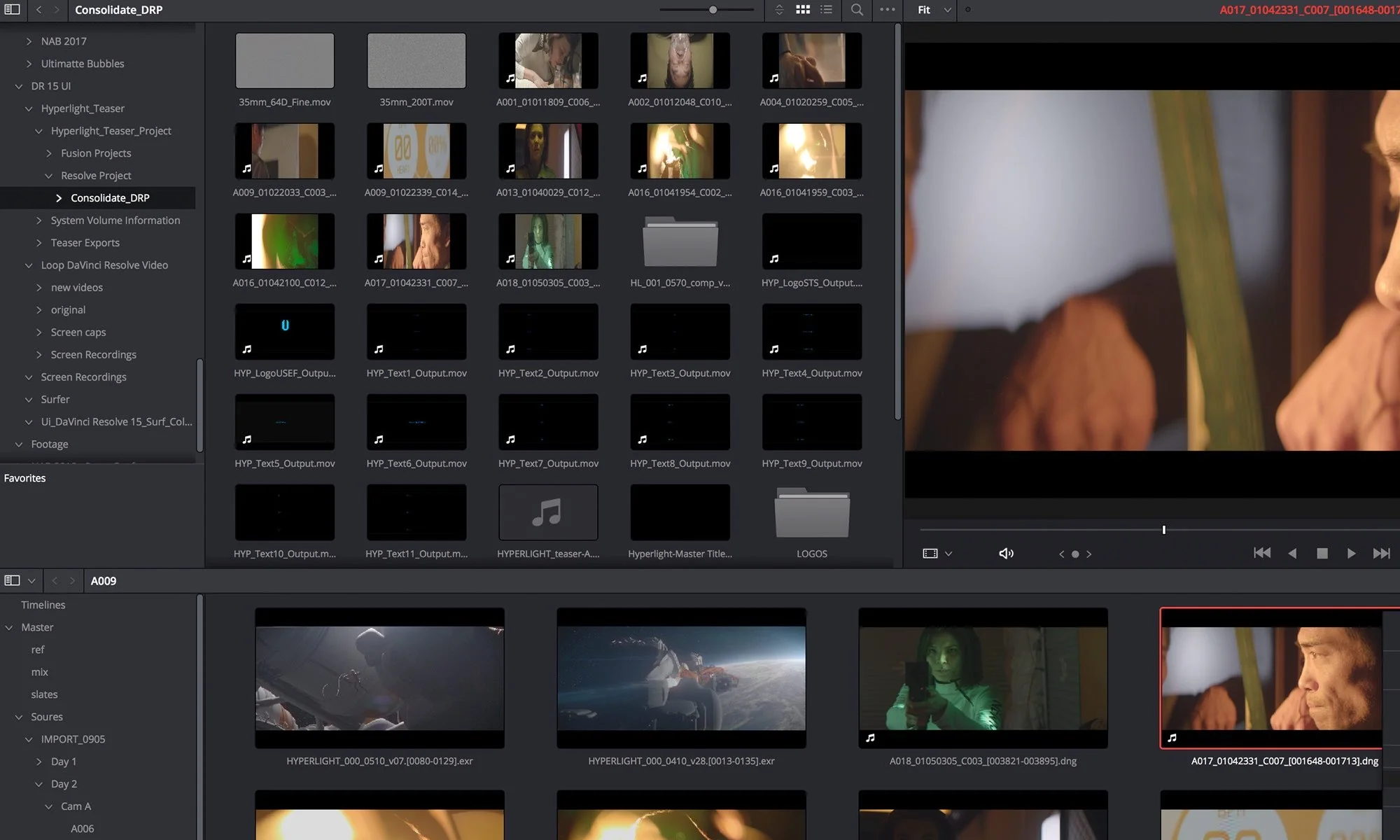
DaVinci Resolve is a professional-level video editor that’s available for free on Windows, MacOS, and Linux operating systems. It’s a feature-rich program that includes color grading, audio editing, and visual effects tools.
With DaVinci Resolve, you can edit your videos in high definition (HD) resolution and export them in various formats.
How to Use Davinci Resolve:
- Download the latest version of DaVinci Resolve from their official website.
- Open the program and select the video you want to edit.
- Click on the “Edit” button to access the editing tools.
- Trim, split, or join clips as needed.
- Add color grading, audio editing, and visual effects to enhance your video.
3. Imovie (MacOS)
IMovie is a free video editor that’s exclusive to MacOS operating systems. It’s an intuitive program that allows you to create stunning videos without any technical expertise.
With iMovie, you can add music tracks, transitions, and color correction to make your video stand out.
How to Use Imovie:
- Open the iMovie program on your Mac.
- Select the video you want to edit.
- Click on the “Edit” button to access the editing tools.
- Trim, split, or join clips as needed.
- Add music tracks, transitions, and color correction to enhance your video.
4. Kdenlive (Windows/MacOS/Linux)
Kdenlive is a free, open-source video editor that’s available for Windows, MacOS, and Linux operating systems. It’s an intuitive program that allows you to edit your videos in HD resolution and export them in various formats.
With Kdenlive, you can add color grading, audio editing, and visual effects tools to enhance the visual appeal of your video.
How to Use Kdenlive:
- Download the latest version of Kdenlive from their official website.
- Open the program and select the video you want to edit.
- Click on the “Edit” button to access the editing tools.
- Trim, split, or join clips as needed.
- Add color grading, audio editing, and visual effects to enhance your video.
5. Kapwing (Online Video Editor)
KapWing is an online video editor that allows you to edit your videos directly from their website. It’s a free program that supports all major video formats, including MP4, AVI, MOV, and more.
With KapWing, you can trim, split, or join clips as needed, add music tracks and color correction to enhance the visual appeal of your video.
How to Use Kapwing:
- Open the KapWing website in your browser.
- Click on the “Upload” button to select the video you want to edit.
- Trim, split, or join clips as needed.
- Add music tracks and color correction to enhance your video.
- Export your edited video in various formats.
Conclusion:
In this article, we’ve explored the top 5 free video editing software that’s perfect for beginners and pros alike. Whether you’re a content creator, filmmaker, or just someone who wants to make professional-looking videos, these programs will help you achieve your creative vision without breaking the bank!
So, which one of these programs is right for you? Try them out today and start creating stunning videos like a pro!
Frequently Asked Questions:
-
What Are The System Requirements For Avidemux?
Avidemux requires Windows, MacOS, or Linux operating systems to run. -
Can I Use Davinci Resolve on my Mac?
Yes, DaVinci Resolve is available for free on MacOS operating systems. -
Is Imovie Exclusive to Macos?
Yes, iMovie is a free video editor that’s exclusive to MacOS operating systems. -
What Are The Benefits of Using Kdenlive?
Kdenlive is an open-source video editor that offers advanced features like color grading and audio editing at no cost. -
Can I Use Kapwing on my Smartphone or Tablet?
Yes, KapWing is an online video editor that can be accessed directly from your browser, making it perfect for mobile devices.
Conclusion:
In conclusion, finding the right video editing software doesn’t have to break the bank! With these top 5 free programs, you can edit and create stunning videos without any technical expertise. So, try them out today and start creating content that will make your audience go wild!
Do you have any questions about video editing or these programs? Let us know in the comments below!


