
How to Track a Package on Ebay: A Step-by-step Guide
Are you tired of waiting anxiously for your package to arrive, only to have it lost or delayed in transit? Look no further! In this article, we’ll show you how to track a package on eBay with ease.
The Importance of Tracking Your Package
Tracking your package is crucial when shopping online. It allows you to stay informed about the status of your shipment and receive updates on its expected delivery date. This can be especially important for international shipments, where delays or loss are more common.
Using Ebay’s Built-in Tracking Feature
EBay offers a built-in tracking feature that allows you to monitor the status of your package directly from the site. Here’s how to use it:
- Log in to Your Ebay Account: Start by logging in to your eBay account using your username and password.
- Go to “My Ebay”: Click on the “My eBay” tab at the top of the page, then select “Your Account” from the drop-down menu.
- Click on “Tracking”: On the next page, click on the “Tracking” tab.
- Enter Your Tracking Number: Enter your tracking number in the provided field and click “Track.”
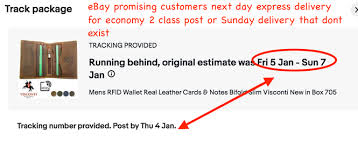
- View Your Package’s Status: You’ll then be able to view the status of your package, including its shipping carrier, delivery date, and any updates.
Alternative Methods For Tracking Your Ebay Package
If you’re having trouble using eBay’s built-in tracking feature or prefer a more straightforward approach, there are alternative methods available. These include:
- Using Google Search: Simply type in your tracking number followed by the name of the shipping carrier (e.G., “Tracking number UPS”) and press enter.
- Accessing Your Shipping Carrier’s Website: Most shipping carriers have their own websites where you can track packages in real-time. You can find these sites by searching online or checking the packaging materials included with your shipment.
Smartphone And Tablet Tracking
If you prefer to use a smartphone or tablet, there are apps available that make tracking your package even easier. Here’s how:
- Download The Ebay App: If you don’t already have the eBay app installed on your device, download it from the Apple App Store (for iOS devices) or Google Play Store (for Android devices).
- Log in to Your Account: Log in to your eBay account using the app.
- Go to “Shoppings”: Select the “Shoppings” tab and choose the purchase you want to track.
- Click on The Package Icon: Click on the package icon associated with your purchase, then select “Track.”
- View Your Package’s Status: You’ll be able to view the status of your package in real-time.
Third-party Apps For Tracking Your Ebay Package
If you’re not satisfied with eBay’s built-in tracking feature or prefer a more comprehensive solution, consider using third-party apps specifically designed for tracking packages. Some popular options include:
- Itracking (iOS/Android): A free app that allows you to track packages from various shipping carriers.
- Deliveries Package Tracker (Android): A comprehensive app that tracks packages from top shipping carriers worldwide.
Common Issues With Tracking Your Ebay Package
Despite the many resources available for tracking your package, some issues may arise. Don’t worry! Here are some common problems and their solutions:
- Tracking Number Not Found: If you’re unable to find your tracking number, try searching online or contacting the seller directly.
- Package Delayed or Lost: If your package is delayed or lost, contact the shipping carrier for assistance.
- Incorrect Tracking Information: Double-check that the tracking information provided by eBay matches the one on the packaging materials.
Conclusion
Tracking your package on eBay has never been easier. With these simple steps and alternative methods available, you’ll be able to stay informed about the status of your shipment every step of the way.
Frequently Asked Questions (FAQs)
- Q: How do I Track my Package if I Don’t Have The Tracking Number?
A: You can try searching online for the tracking number or contact the seller directly. - Q: Why is my Package Delayed or Lost?
A: This could be due to a variety of reasons such as incorrect address information, carrier delays, or loss in transit. - Q: Can I Use Third-party Apps to Track my Ebay Package?
A: Yes, there are many third-party apps available that make tracking your package even easier. - Q: How do I Update my Shipping Information on Ebay?
A: To update your shipping information, go to “My eBay,” then select “Your Account” and click on “Address Book.” - Q: Can I Use Ebay’s Built-in Tracking Feature if I’m Shopping From a Different Website?
A: Unfortunately, no. EBay’s tracking feature is only available for purchases made directly through the site. - Q: How do I Cancel or Change my Order on Ebay?
A: To cancel or make changes to your order, contact the seller directly and follow their instructions. - Q: Can I Get a Refund if my Package is Lost or Damaged During Shipping?
A: Yes, you may be eligible for a refund in such cases. Contact the seller and follow their guidelines for initiating a return or refund request. - Q: Why am I Being Charged For Tracking my Package on Ebay?
A: Tracking your package on eBay doesn’t incur any additional fees; however, some shipping carriers might charge extra for expedited or signature confirmation services.


