
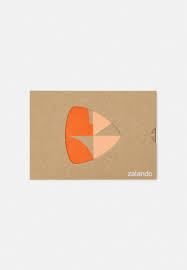
Buono Gift Zalando: Like Farlo
If you’re anything like me, you love shopping online, especially on platforms like Zalando. Who doesn’t enjoy browsing through a vast collection of products, adding items to their cart, and finally making a purchase? But have you ever wondered how to create a good gift on Zalando? In this article, we’ll guide you through the process of creating a coupon on Zalando, exploring all the modalities, and explain how to use it.
What is Buono Gift Zalando?
Buono Gift Zalando is a service offered by Zalando that allows users to create digital or physical coupons. These coupons can be personalized with images, descriptions, and even a custom design. You can choose from various patterns, including those with images already pre-set, or create your own unique coupon.
How to Create Buono Gift on PC
To start creating a good gift on Zalando using your PC:
- Log in to your Zalando account.
- Click on the “Buono Gift” tab.
- Choose between digital and physical coupons.
- Select a pattern or create your own custom design.
- Personalize the coupon with images, descriptions, and other details.
- Choose the courage (value) of the coupon (between 5€ and 200€).
- Select the modality of delivery: Via email or in-person pickup.
- Complete the payment process using your preferred method.
How to Create Buono Gift on Smartphone And Tablet
To create a good gift on Zalando using your smartphone or tablet:
- Open the Zalando app.
- Tap on the “Buono Gift” icon.
- Choose between digital and physical coupons.
- Select a pattern or create your own custom design.
- Personalize the coupon with images, descriptions, and other details.
- Choose the courage (value) of the coupon (between 5€ and 200€).
- Select the modality of delivery: Via email or in-person pickup.
- Complete the payment process using your preferred method.
How to Use Buono Gift on Zalando
To use your newly created good gift on Zalando:
- Log in to your Zalando account.
- Add products to your cart as you normally would.
- Go to your trolley and click on the “Voucher and Good Gift” button.
- Enter the code of your good gift in the corresponding field.
- Click on the “Utilize” button to apply the coupon.
- Complete the payment process using your preferred method.
Tips And Tricks
- Make sure to enter the correct code for your good gift.
- You can only use one good gift per transaction.
- If you want to see the credit residue of your good gifts, make sure to add them to your account before making a purchase.
- Good gifts have a maximum validity period of 5 years and cannot exceed a monthly spend limit of €5,000.
Conclusion
Creating a good gift on Zalando is easy and convenient. With this guide, you should now be able to create and use Buono Gift with confidence. Remember to follow the steps carefully, and don’t hesitate to reach out if you have any questions or need further assistance.
Faqs
- What is Buono Gift Zalando?
Buono Gift Zalando is a service offered by Zalando that allows users to create digital or physical coupons. - How do I Create a Good Gift on Pc?
To create a good gift on PC, log in to your Zalando account, click on the “Buono Gift” tab, choose between digital and physical coupons, select a pattern or create your own custom design, and complete the payment process using your preferred method. - How do I Use my Good Gift on Zalando?
To use your good gift on Zalando, log in to your account, add products to your cart as you normally would, go to your trolley, click on the “Voucher and Good Gift” button, enter the code of your good gift, and complete the payment process using your preferred method. - Can I Use my Good Gift on Zalando App?
Yes, you can use your good gift on Zalando app by following the same steps as on PC. - How Long is a Good Gift Valid For?
A good gift has a maximum validity period of 5 years and cannot exceed a monthly spend limit of €5,000. - Can I See The Credit Residue of my Good Gifts?
Yes, you can see the credit residue of your good gifts by adding them to your account before making a purchase. - How do I Add my Good Gift to my Zalando Account?
To add your good gift to your Zalando account, go to the “Buono Gift” tab, click on the “Add Good Gift” button, enter the code of your good gift, and confirm. - Can I Share my Good Gift With Others?
Yes, you can share your good gift with others by forwarding them the email containing the coupon or sharing the link to the coupon on social media.


