
Finding Frequencies on Your Mobile: A Step-by-step Guide
As a mobile user, you may have encountered situations where your device struggles to connect to the most recent standard in mobile connectivity. If you’re experiencing issues with your phone’s ability to “couple” with the latest frequency standards, don’t worry! This article will guide you through various methods to find the frequencies on your mobile and resolve any connection problems.
Understanding Mobile Frequencies
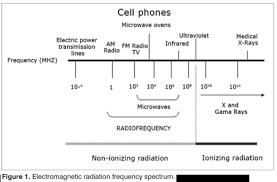
Before we dive into the solutions, it’s essential to understand the different mobile frequency bands used in Italy. The main frequency bands include:
- Band 1 (3G/H+, 2100 MHz)
- Band 3 (4G LTE, 1800 MHz)
- Band 8 (3G/H+, 900 MHz)
- Band 7 (4G LTE, 2600 MHz)
- Band 20 (4G LTE, 800 MHz)
- Band L (4.5G, 1500 MHz)
- Band Sub-6 (5G, 1 GHz to 6 GHz)
- Band 700 (5G, 694 to 790 MHz)
Method 1: Checking Frequencies Through Settings
If you’re experiencing connectivity issues after acquiring a new smartphone and configuring the SIM card, try checking your device’s settings. On Android devices, follow these steps:
- Go to Settings > Mobile > Cellular Data Options.
- Select the active SIM card and look for the option to change the network mode to 4G LTE or 5G (if available).
- If you’re experiencing issues with 5G connectivity, try disabling the 5G option and see if it improves your connection.
On iOS devices, follow these steps:
- Go to Settings > Mobile > Cellular.
- Select the active SIM card and look for the option to change the network mode to LTE or 4G (if available).
Method 2: Using Service Mode
If you’re unable to find the frequencies through the Settings app, try using Service Mode on your Android device. This method allows you to access more detailed information about your mobile’s frequency and net settings.
- On Samsung devices, press and hold the numeric keypad key (#0011#) to open Service Mode.
- On Huawei devices, press and hold the numeric keypad key (#232338#) to open Service Mode.
- On other Android devices, press and hold the numeric keypad key ()#0#*) to open Service Mode.
On iOS devices, press and hold the numeric keypad key (3001#12345#) to access the Service Mode. Select the “UMTS Cell Environment” option to view your mobile’s frequency settings.
Method 3: Using Mobile Apps
There are several mobile apps available that can help you find the frequencies on your mobile device. Here are a few options:
- Cellmapper (Android): A popular app for finding mobile frequencies and net information.
- Lte Discovery (Android): An app specifically designed to show your mobile’s active connections, frequency, and net settings.
- Opensignal (Android/iOS): A free app that provides detailed information about your mobile’s coverage, frequency, and net settings.
To use these apps, simply download and install them on your device, then follow the in-app instructions to gain access to the frequency and net information.
Method 4: Using Online Tools
If you’re unable to find the frequencies using the methods above, you can try using online tools such as CellMapper. This website allows you to input your mobile’s UARFCN code (a unique identifier for each mobile device) and gain access to detailed frequency and net information.
Resolving Connection Problems
If you’ve tried the above methods and still experience connection problems, consider acquiring a repeater/amplifier specifically designed for mobile signals. These devices can be placed indoors and can help improve your mobile signal strength. However, please note that in Italy, it’s essential to obtain permission from the mobile operators before using such devices.
Conclusion
Finding frequencies on your mobile device can seem like a daunting task, but with these step-by-step guides, you should now have a better understanding of how to resolve connection problems and access detailed information about your mobile’s frequency settings. Remember to always check your device’s settings first, then try using Service Mode or mobile apps for more advanced options.
Frequently Asked Questions
- What Are The Different Mobile Frequency Bands Used in Italy?
The main frequency bands include Band 1 (3G/H+, 2100 MHz), Band 3 (4G LTE, 1800 MHz), Band 8 (3G/H+, 900 MHz), Band 7 (4G LTE, 2600 MHz), Band 20 (4G LTE, 800 MHz), and others. - How do I Check my Mobile’s Frequency Settings?
You can check your mobile’s frequency settings through the Settings app on Android devices or by using Service Mode on iOS devices. - What Are The Benefits of Using a Repeater/amplifier For Mobile Signals?
A repeater/amplifier can help improve your mobile signal strength and resolve connection problems, but please note that in Italy, permission from the mobile operators is required before using such devices. - Can I Use Multiple Apps to Find Frequencies on my Mobile Device?
Yes, you can use multiple apps such as CellMapper, LTE Discovery, or Opensignal to find frequencies on your mobile device.
I hope this article has been helpful in guiding you through the process of finding frequencies on your mobile device and resolving connection problems. If you have any further questions or concerns, please don’t hesitate to ask!


