
How to Conceal Contacts on Whatsapp: A Step-by-step Guide
Are you tired of seeing a contact’s name or profile picture in your WhatsApp conversations? Do you want to know how to conceal contacts on WhatsApp without blocking them? In this article, we’ll guide you through the process of concealing contacts on WhatsApp for both Android and iPhone devices.
Concealing Contacts on Whatsapp: Android
If you’re using an Android device, you can conceal a contact’s name or profile picture by modifying their contact information. Here’s how to do it:
- Open Whatsapp: Launch the WhatsApp app on your Android device.
- Go to Chats: Tap on the chat icon in the top-right corner of the screen to access the chats list.
- Select The Contact: Find the contact you want to conceal and tap on their name.
- Modify Contact Information: Tap on the three dots on the top-right corner of the contact’s profile picture and select “Edit Contact.”
- Change Name or Profile Picture: Modify the contact’s name, phone number, or profile picture as desired. You can also change the category (e.G., “Friends” to “Family”).
- Save Changes: Tap on the “Save” button to apply the changes.
By modifying the contact information, you’ll be able to conceal their name and profile picture from your WhatsApp conversations.
Concealing Contacts on Whatsapp: Iphone
If you’re using an iPhone device, the process is similar to Android:
- Open Whatsapp: Launch the WhatsApp app on your iPhone.
- Go to Chats: Tap on the chat icon in the top-right corner of the screen to access the chats list.
- Select The Contact: Find the contact you want to conceal and tap on their name.
- Modify Contact Information: Tap on the “Edit” button next to the contact’s profile picture and select “Edit Contact.”
- Change Name or Profile Picture: Modify the contact’s name, phone number, or profile picture as desired. You can also change the category (e.G., “Friends” to “Family”).
- Save Changes: Tap on the “Done” button to apply the changes.
Concealing Conversations on Whatsapp
If you want to conceal a specific conversation without blocking the contact, you can archive or delete the conversation:
- Open Whatsapp: Launch the WhatsApp app on your device.
- Go to Chats: Tap on the chat icon in the top-right corner of the screen to access the chats list.
- Select The Conversation: Find the conversation you want to conceal and swipe left on it.
- Delete or Archive: Select either “Delete” or “Archive” to move the conversation to a separate folder.
Concealing Contacts Blocked on Whatsapp
Unfortunately, there is no way to conceal contacts that have been blocked on WhatsApp. However, you can unblock them by following these steps:
- Open Whatsapp: Launch the WhatsApp app on your device.
- Go to Settings: Tap on the three dots in the top-right corner of the screen and select “Settings.”
- Blocked Contacts: Tap on “Blocked Contacts” to view the list of blocked contacts.
- Unblock Contact: Find the contact you want to unblock and tap on it.
How to Conceal Your Own Contact Information
If you’re concerned about others seeing your own contact information, such as your name or profile picture, here’s what you can do:
- Open Whatsapp: Launch the WhatsApp app on your device.
- Go to Settings: Tap on the three dots in the top-right corner of the screen and select “Settings.”
- Account: Tap on “Account” and then select “Privacy.”
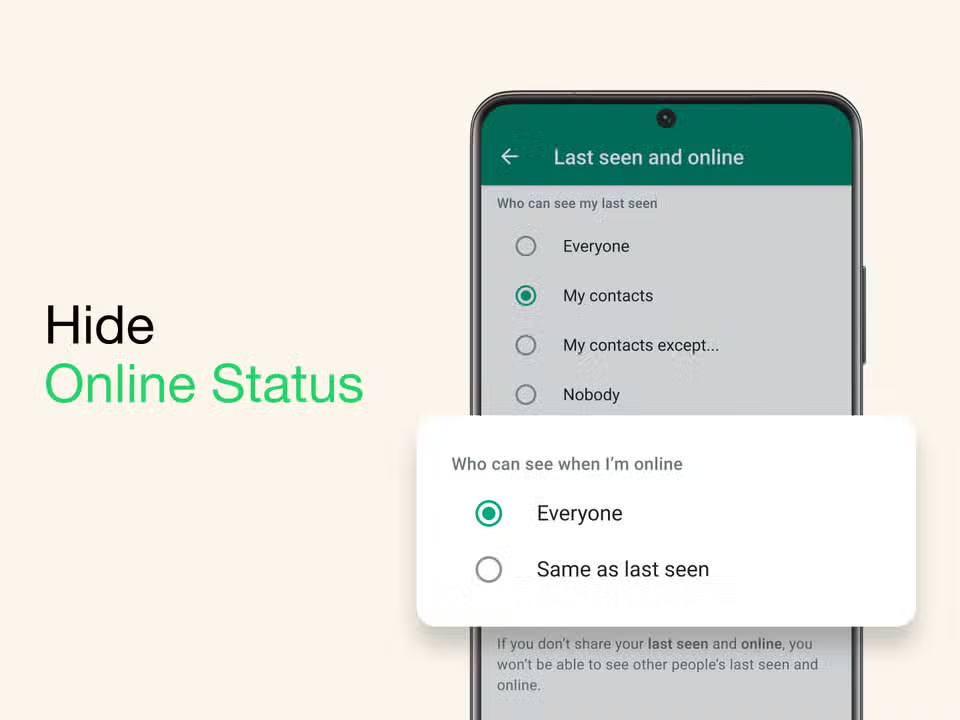
- Modify Privacy Settings: Modify the settings for “Last Seen,” “Online Status,” and “About” sections as desired.
- Save Changes: Tap on the “Done” button to apply the changes.
By following these steps, you can conceal your own contact information from others while still being able to access WhatsApp.
Frequently Asked Questions (FAQs)
- Q: Can I Conceal Contacts on Whatsapp Without Blocking Them?
A: Yes, by modifying their contact information, you can conceal a contact’s name and profile picture. - Q: How do I Conceal Conversations on Whatsapp?
A: You can archive or delete conversations to move them to a separate folder. - Q: Can I Unblock Contacts That Have Been Blocked on Whatsapp?
A: Yes, by following the steps outlined above, you can unblock contacts. - Q: How do I Conceal my Own Contact Information on Whatsapp?
A: By modifying your privacy settings, you can conceal your name and profile picture from others.
Conclusion
Concealing contacts or conversations on WhatsApp is a straightforward process that can help you manage your interactions with specific individuals. Whether you’re using an Android or iPhone device, the steps outlined above will guide you through the process of concealing contacts, conversations, and even blocking unwanted messages.


