
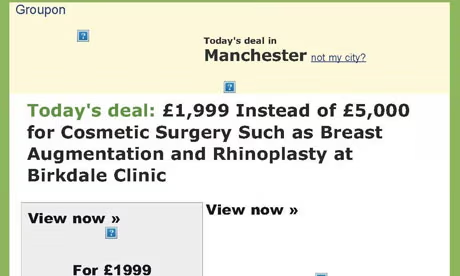
How to Stop Receiving Groupon Emails: A Step-by-step Guide
Are you tired of receiving numerous emails from Groupon every day? Do you want to stop getting these promotional emails, but don’t know how to do it? Look no further! In this article, we will guide you through the process of unsubscribing from Groupon’s email list and taking control of your inbox.
Why Do I Get So Many Emails From Groupon?
Groupon is a popular deal-of-the-day website that sends out promotional emails to its subscribers. These emails contain various deals and discounts on products and services, which can be interesting for some people. However, if you’re not interested in receiving these emails, it can get frustrating quickly.
Why Can’t I Unsubscribe From Groupon Emails?
If you’ve tried unsubscribing from Groupon’s email list before, you might have noticed that it’s not as easy as it sounds. The website doesn’t provide a clear unsubscribe button, and the process of removing your email address can be confusing. This is where we come in!
How to Unsubscribe From Groupon Emails on Computer
To stop receiving Groupon emails on your computer, follow these steps:
- Log in to Your Groupon Account: Go to the Groupon website and log in to your account using your email address and password.
- Click on “My Account”: Once you’re logged in, click on the “My Account” button at the top right corner of the page.
- Select “My Newsletter”: From the dropdown menu, select “My Newsletter”.
- Unsubscribe From Categories: You’ll see a list of categories, including Deal of the Day, Categories Deal, and Notifications Email. Unsubscribe from the ones you’re not interested in receiving emails for.
- Save Your Changes: Click on the “Save” button to save your changes.
How to Unsubscribe From Groupon Emails on App
If you want to stop receiving Groupon emails using the app, follow these steps:
- Open The Groupon App: Open the Groupon app on your device.
- Tap on “My Account”: Tap on the “My Account” button at the bottom of the screen.
- Select “My Newsletter”: From the dropdown menu, select “My Newsletter”.
- Unsubscribe From Categories: Unsubscribe from the categories you’re not interested in receiving emails for.
- Save Your Changes: Tap on the “Save” button to save your changes.
What If I Still Receive Emails After Unsubscribing?
If you still receive Groupon emails after unsubscribing, don’t worry! It’s possible that the email might have been sent before you unsubscribed or that there was a technical issue. In this case, try contacting Groupon’s customer support team for assistance.
How to Block Groupon Emails on Webmail or Mail Client
If you want to take matters into your own hands and block Groupon emails altogether, follow these steps:
- Check Your Email Provider: Check if your email provider (e.G., Gmail, Yahoo) has a built-in spam filter that can help block unwanted emails.
- Block The Sender’s IP Address: If you’re using a webmail client or email client, you can block the sender’s IP address to prevent future emails from being delivered.
Conclusion
Stopping receiving Groupon emails is easier than you think! By following these simple steps, you can take control of your inbox and avoid unnecessary promotional emails. Remember, if you have any issues or concerns, don’t hesitate to contact Groupon’s customer support team for assistance.
Frequently Asked Questions (FAQs)
- Q: Why do I Still Receive Groupon Emails After Unsubscribing?
A: It’s possible that the email might have been sent before you unsubscribed or that there was a technical issue. - Q: How Can I Contact Groupon’s Customer Support Team?
A: You can contact Groupon’s customer support team by logging in to your account, clicking on “My Account”, and selecting “Help” from the dropdown menu. - Q: Can I Block Groupon Emails on my Email Client or Webmail Provider?
A: Yes, you can block Groupon emails on your email client or webmail provider using their built-in spam filter or by blocking the sender’s IP address. - Q: Will Unsubscribing From Groupon Emails Affect my Account?
A: No, unsubscribing from Groupon emails will not affect your account in any way.


