
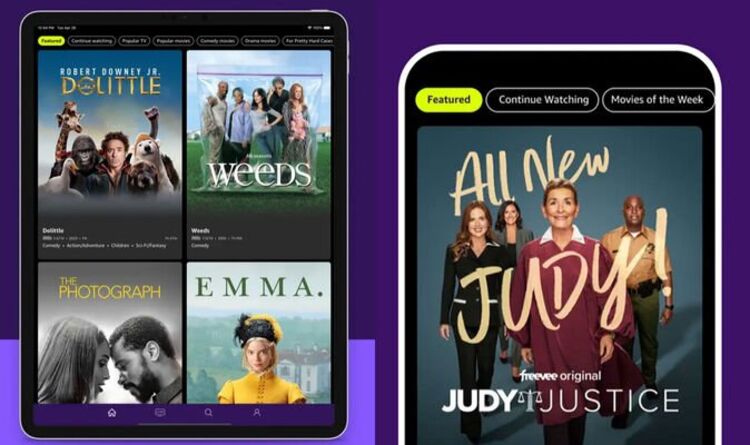
How to Watch TV on Ipad: A Comprehensive Guide
Are you tired of being confined to your living room to watch your favorite TV shows? Do you want to enjoy the convenience of watching TV anywhere, anytime? Look no further! In this article, we will guide you through the process of watching TV on your iPad.
The Best Apps For Watching TV on Ipad
There are several apps available that allow you to watch TV on your iPad. Here are some of the best ones:
Raiplay
- The official app of Rai, Italy’s public broadcasting service
- Allows you to watch all Rai channels, including Rai 1, Rai 2, and Rai 5
- Also features a rich catalog of on-demand content, including movies and TV shows
How to Use Raiplay
To use RaiPlay, simply download the app from the App Store, log in with your account (or create one for free), and start watching! You can also record programs using the “Record” option.
Mediaset Infinity
- The official app of Mediaset, a leading Italian media company
- Allows you to watch all Mediaset channels, including Channel 5, Italia 1, and Net 4
- Also features a rich catalog of on-demand content
How to Use Mediaset Infinity
To use Mediaset Infinity, download the app from the App Store, create a free account, and start watching! You can also record programs using the “Record” option.
Discovery+
- The official app of Discovery Italia
- Allows you to watch all Discovery channels, including Real Time, NINE, and DMAX
- Also features a rich catalog of on-demand content
How to Use Discovery+
To use Discovery+, download the app from the App Store, create a free account (or upgrade to a subscription for access to additional content), and start watching! You can also record programs using the “Record” option.
Now
- The official app of Sky Italia
- Allows you to watch all Sky channels, including Sky Sport A and Sky Cinema
- Also features a rich catalog of on-demand content
How to Use Now
To use NOW, download the app from the App Store, create an account (or upgrade to a subscription for access to additional content), and start watching! You can also record programs using the “Record” option.
Other Apps For Watching TV on Ipad
There are many other apps available that allow you to watch TV on your iPad. Some popular options include:
- Sky Go: The official app of Sky Italia, allowing you to watch all Sky channels and record programs.
- Superguidatv: A guide to the best TV shows and movies, including a channel list and program schedule.
- Siti For Watching TV on Ipad: Some Italian TV channels can be watched directly from their websites using an iPad’s web browser.
Conclusion
Watching TV on your iPad is easier than ever! With these apps and guides, you’ll never miss another episode of your favorite show again. So go ahead, download the app, create an account (if needed), and start watching!
Faqs
Q: How do I watch TV on my iPad?
A: You can use one of the many available apps, such as RaiPlay, Mediaset Infinity, Discovery+, or NOW.
Q: What are the best apps for watching TV on iPad?
A: Some popular options include RaiPlay, Mediaset Infinity, Discovery+, and NOW.
Q: Can I record programs using these apps?
A: Yes, some of these apps allow you to record programs using the “Record” option.
Q: Are there any other ways to watch TV on iPad?
A: Yes, some Italian TV channels can be watched directly from their websites using an iPad’s web browser.
Q: Do I need to create an account to use these apps?
A: Some of these apps require you to create a free account (or upgrade to a subscription for access to additional content).
Q: Can I watch TV on my iPad with poor internet connection?
A: No, some of these apps may not work properly or at all if your internet connection is poor.
Q: Are there any free options available?
A: Yes, many of these apps offer free versions or trials that you can use to watch TV on your iPad.


