
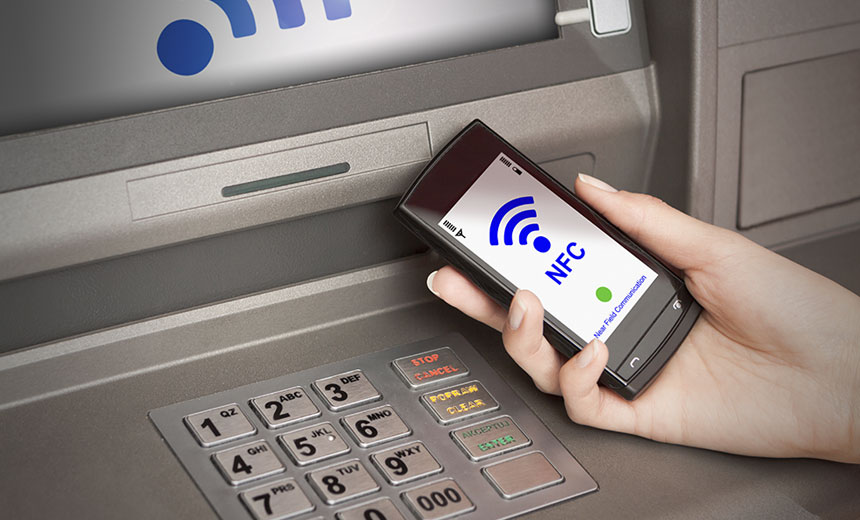
The Ultimate Guide to Disabling Contactless Payments on Your Bancomat
Are you concerned about the security of your contactless payments? Do you want to know how to disable this feature on your Bancomat card? Look no further! In this comprehensive guide, we will walk you through the process of disabling contactless payments on your Bancomat card, as well as discuss the safety and risks associated with this payment method.
What Are Contactless Payments?
Contactless payments are a type of transaction that allows you to pay for goods and services without inserting your card into a terminal or typing in your PIN. This payment method uses Near Field Communication (NFC) technology, which enables devices such as smartphones, smartwatches, or cards to communicate with each other wirelessly.
How Do Contactless Payments Work?
When you make a contactless payment, the device you are using (such as your card or smartphone) sends a signal to the terminal, which then processes the transaction. The data exchanged between the two devices is encrypted and secure, making it difficult for unauthorized parties to intercept.
Why Disable Contactless Payments on Your Bancomat?
While contactless payments are generally safe, there are some risks associated with this payment method. If your card is lost or stolen, a malicious individual could use it to make unauthorized transactions without needing your PIN. Additionally, if you forget your card in a public place, someone could potentially use it for small purchases.
How to Disable Contactless Payments on Your Bancomat
Disabling contactless payments on your Bancomat card is relatively straightforward. The process may vary depending on the bank and card issuer, but here’s a general step-by-step guide:
Step 1: Access Your Bank’s Website or Mobile App
To disable contactless payments, you need to access your bank’s website or mobile app. This can usually be done through their online platform or by downloading their mobile app.
Once logged in, navigate to the section of the website or app where you manage your cards. You may need to click on “Card Management” or something similar.
Step 3: Select Your Bancomat Card
Choose the specific Bancomat card you want to disable contactless payments for.
Step 4: Disable Contactless Payments
Look for an option labeled “Disable Contactless Payments” or “Turn off Contactless.” Click on this option to deactivate contactless transactions on your card.
Tips And Precautions
- Not all banks allow you to disable contactless payments, so it’s essential to check with your bank before attempting to do so.
- Disabling contactless payments does not affect the use of contactless payment methods through other devices like smartphones or smartwatches. To avoid using your card for these types of transactions, consider deleting the card from your account or disabling it within the app.
Conclusion
Disabling contactless payments on your Bancomat card is a simple process that can provide an extra layer of security against unauthorized transactions. While this payment method is generally safe, being aware of its potential risks and taking steps to protect yourself are crucial for maintaining financial security.
Frequently Asked Questions (FAQs)
- Q: Can I Still Use my Card For Contactless Payments if I Disable it on my Bancomat?
A: No, disabling contactless payments on your Bancomat card will prevent all types of contactless transactions using that specific card.
- Q: Will Disabling Contactless Payments Affect my Ability to Pay With my Smartphone or Smartwatch?
A: No, disabling contactless payments on your Bancomat card does not affect the use of contactless payment methods through other devices like smartphones or smartwatches.
- Q: How do I Reactivate Contactless Payments on my Bancomat Card if I Want to Enable Them Again?
A: You can usually reactivate contactless payments by following a similar process to disabling them, but check with your bank for specific instructions as this may vary.
- Q: What Happens if Someone Steals my Card And Makes Unauthorized Transactions Without Needing my Pin?
A: If you suspect that your card has been stolen or used for unauthorized transactions, immediately contact your bank’s customer service and report the incident. They will guide you through the process of blocking your card and taking necessary steps to secure your account.
- Q: Is it Possible For Someone to Intercept my Banking Data Using Contactless Payments?
A: No, the data exchanged during contactless transactions is encrypted and secure. Interception would require highly sophisticated equipment in close proximity (within a few centimeters) of the transaction, making unauthorized interception extremely difficult, if not impossible.
- Q: How do I Know if my Card Has Been Cloned or Stolen?
A: Be vigilant about your bank statements and credit reports. If you notice any suspicious transactions, report them to your bank immediately. Regularly checking your accounts can help you detect any potential issues early on.
- Q: What Should I do if I Forget my Bancomat Card in a Public Place?
A: Immediately notify your bank’s customer service and report the incident. They will assist you in blocking the card to prevent unauthorized transactions.
- Q: Will Disabling Contactless Payments Affect my Ability to Make Online Purchases or Use Digital Payment Methods?
A: No, disabling contactless payments on your Bancomat card does not impact your ability to make online purchases or use other digital payment methods.


