
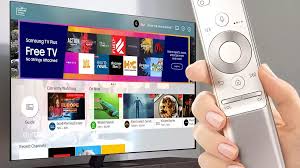
How to See Sky on Smart TV Without a Decoder
Are you tired of the hassle of installing a satellite dish or decoder to watch your favorite Sky channels? Do you want to enjoy live sports, movies, and TV shows on your Smart TV without any hassle? Look no further! In this article, we will guide you through the various ways to see Sky on your Smart TV without a decoder.
Sky Q Road Internet: A Game-changer
One of the most popular options is Sky Q Road Internet. This device allows you to access all Sky channels and content without the need for a satellite dish or decoder. With Sky Q Road Internet, you can enjoy live sports, movies, and TV shows on your Smart TV by simply connecting it to your internet connection.
Benefits of Sky Q Road Internet
- No need for a satellite dish or decoder
- Access to all Sky channels and content
- Live sports, movies, and TV shows at your fingertips
- Ability to pause and rewind live TV
- Compatible with most Smart TVs
How to Set Up Sky Q Road Internet
Setting up Sky Q Road Internet is relatively easy. Here are the steps:
- Register on the Sky website and order a Sky Q device.
- Connect the device to your internet connection using an Ethernet cable or Wi-Fi.
- Follow the on-screen instructions to set up your device.
- Choose your desired Sky package and enjoy live sports, movies, and TV shows on your Smart TV.
Cost of Activation
The cost of activation for Sky Q Road Internet is 9 euros per month. The monthly subscription fee starts from 14.90 Euros per month, depending on the package you choose.
Other Options: Sky Glass And Now
If you’re not interested in Sky Q Road Internet, there are other options available:
- Sky Glass: A new Smart TV produced by Sky that allows access to all Sky channels and content without a satellite dish or decoder.
- Now: A streaming platform that offers live sports, movies, and TV shows on demand.
Benefits of Now
- No need for a satellite dish or decoder
- Live sports, movies, and TV shows at your fingertips
- Access to a wide range of content, including Sky channels
- Compatible with most Smart TVs
How to Set Up Now
Setting up NOW is relatively easy. Here are the steps:
- Register on the NOW website and choose your desired package.
- Download the NOW app on your Smart TV or mobile device.
- Follow the on-screen instructions to set up your account.
Cost of Now Subscription
The cost of NOW subscription starts from 14.98 Euros per month, depending on the package you choose.
Conclusion
In conclusion, there are several options available to watch Sky on your Smart TV without a decoder. Sky Q Road Internet is a popular choice that offers access to all Sky channels and content without the need for a satellite dish or decoder. Alternatively, you can consider Sky Glass or NOW streaming platform. Whichever option you choose, make sure to follow the setup instructions carefully to enjoy live sports, movies, and TV shows on your Smart TV.
Frequently Asked Questions (FAQs)
- What is Sky Q Road Internet?
Sky Q Road Internet is a device that allows access to all Sky channels and content without a satellite dish or decoder.
- How Much Does Sky Q Road Internet Cost?
The cost of activation for Sky Q Road Internet is 9 euros per month, and the monthly subscription fee starts from 14.90 Euros per month.
- What Are The Benefits of Now Streaming Platform?
NOW offers live sports, movies, and TV shows at your fingertips, with access to a wide range of content, including Sky channels.
- How do I Set up Now on my Smart Tv?
To set up NOW on your Smart TV, download the NOW app and follow the on-screen instructions to create an account.
- What is The Cost of Now Subscription?
The cost of NOW subscription starts from 14.98 Euros per month, depending on the package you choose.
- Can I Watch Sky Channels With a Now Subscription?
Yes, with a NOW subscription, you can access all Sky channels and content, including live sports, movies, and TV shows.
- What is The Difference Between Sky Q Road Internet And Sky Glass?
Sky Q Road Internet requires an internet connection to access Sky channels, while Sky Glass is a standalone device that allows access to all Sky channels and content without an internet connection.
- Can I Watch Now on Multiple Devices at Once?
Yes, with a NOW subscription, you can watch live sports, movies, and TV shows on up to two devices at the same time.


