
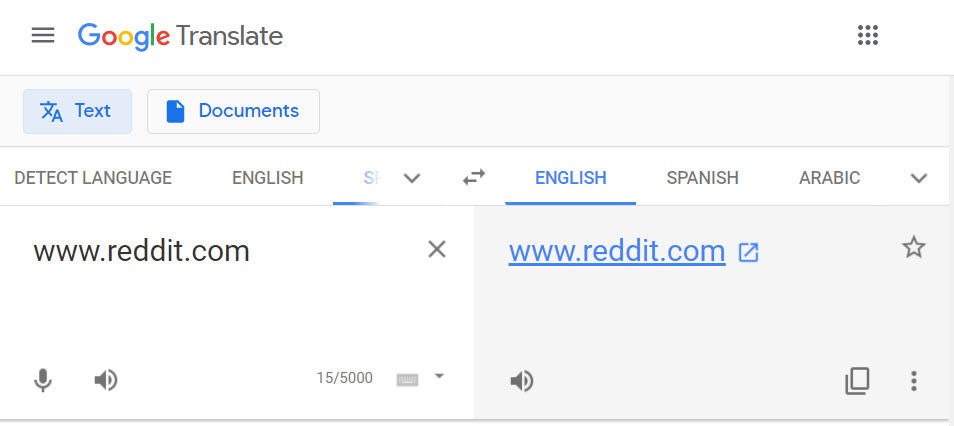
Unblocking Blocked Sites: A Step-by-step Guide
As we navigate the digital world, we often encounter websites that are blocked by our internet service providers (ISPs) or administrators. This can be frustrating, especially when we need access to a particular website for work or educational purposes.
In this article, we will explore various methods to unblock blocked sites, including using DNS servers, VPNs, web proxies, and browser ports. We’ll also discuss the pros and cons of each method and provide step-by-step instructions on how to implement them.
Types of Blocks
Before we dive into the solutions, let’s understand the types of blocks that can occur:
- Provider Block: When an ISP or provider blocks a website from their end.
- Regional Block: When a website is blocked in a specific region or country.
- Local Block (Firewall): When an administrator blocks a website at the local level.
Solving Provider Blocks
To unblock websites blocked by providers, you can try the following:
Using Dns Servers
You can change your DNS server to bypass provider blocks. Here’s how:
- Google Dns: Use Google’s primary DNS (8.8.8.8) And secondary DNS (8.8.4.4).
- Opendns: Choose OpenDNS’ primary DNS (208.67.222.222) And secondary DNS (208.67.220.220).
-
Cloudflare Dns: Utilize Cloudflare’s primary DNS (1.1.1.1) And secondary DNS (1.0.0.1).
To change your DNS server, follow these steps:
*   On Windows: Press the Windows key + R to open the Run dialog box. Type `ncpa.Cpl` and press Enter.
    *   Right-click on your active network connection (Wi-Fi or Ethernet) and select Properties.
    *   Select Internet Protocol Version 4 (TCP/IPv4) and click Properties.
    *   Choose Use the following DNS server addresses and enter the preferred DNS server address in both the Preferred DNS server and Alternate DNS server fields.

*   On macOS: Go to System Preferences > Network. Select your active network connection, then click on Advanced.
    *   Click on TCP/IP and select Using DHCP or Manual for the IP configuration method.
    *   Enter the DNS servers you want to use in the Preferred DNS server and Alternate DNS server fields.
By changing your DNS server, you can bypass provider blocks and access blocked websites.
Using Vpns
Virtual Private Networks (VPNs) can also help unblock blocked sites. Here’s how:
- Vpn Benefits: A VPN encrypts your internet traffic, protecting your privacy while accessing blocked sites.
-
Choosing a Vpn: Select a reputable VPN service that supports your region and device.
To use a VPN, follow these steps:
*   Download and install a VPN client or app on your device.
*   Sign up for an account with the VPN provider (if required).
*   Launch the VPN app and connect to a server in a different location (e.G., Outside your region).
*   Access the blocked website through the VPN connection.
Using a VPN can help you bypass regional blocks and access websites restricted by your ISP or administrator.
Solving Regional Blocks
To unblock websites blocked at the regional level, consider using:
- Vpns: As mentioned earlier, VPNs can bypass regional blocks.
-
Web Proxies: Web proxies are online services that allow you to access websites through a different server location.
To use web proxies, follow these steps:
*   Search for "web proxy" or "free web proxy" in your browser.
*   Choose a reputable web proxy service (e.G., ProxySite, Hide.Me, CroxyProxy).
*   Access the blocked website through the web proxy connection.
Web proxies can help you bypass regional blocks and access websites restricted by local authorities.
Solving Local Blocks (Firewall)
To unblock websites blocked at the local level, consider using:
- Web Proxies: As mentioned earlier, web proxies can bypass firewall blocks.
-
Browser Ports: Browser ports are portable browsers that run on a USB drive and allow you to access websites without installing software.
To use browser ports, follow these steps:
*   Download the Tor browser port from the official website.
*   Insert the USB drive into your computer or device.
*   Launch the Tor browser from the USB drive.
*   Access the blocked website through the Tor browser connection.
Browser ports can help you bypass local firewall blocks and access websites restricted by administrators.
Conclusion
In this article, we have discussed various methods to unblock blocked sites:
- Using Dns Servers: Changing your DNS server to bypass provider blocks.
- Using Vpns: Utilizing Virtual Private Networks to bypass regional or provider blocks.
- Using Web Proxies: Accessing websites through web proxy connections to bypass regional or firewall blocks.
-
Using Browser Ports: Running browser ports on a USB drive to bypass local firewall blocks.
By understanding the types of blocks and using these methods, you can regain access to blocked websites and maintain your online freedom.
Frequently Asked Questions (FAQs)
Q: Can I use VPNs to unblock all blocked sites?
A: Yes, VPNs can help you bypass regional or provider blocks. However, they may not work for local firewall blocks.
Q: Are web proxies safe to use?
A: Web proxies can be a good option for bypassing regional blocks. However, some web proxies may slow down your internet connection or compromise your privacy.
Q: Do I need to install software to access blocked sites through browser ports?
A: No, you don’t need to install software. Browser ports run on a USB drive and allow you to access websites without installing any software.
Q: Can I use VPNs with web proxies?
A: Yes, you can combine VPNs and web proxies for additional security and anonymity when accessing blocked sites.
Q: Will using these methods compromise my privacy?
A: Using DNS servers, VPNs, or browser ports may not compromise your privacy. However, some web proxies might leave strokes of the site accessed. Always choose reputable services to maintain your online safety.


