
The Ultimate Guide to Recharging Apple Pay: A Step-by-step Tutorial
As you’ve likely noticed, Apple Pay has become increasingly popular in recent years. More and more people are using this convenient payment system to shop online and offline. However, as with any service that relies on a digital wallet, it’s essential to keep the available credit topped up. In this article, we’ll explore how to recharge your Apple Pay account, including the various methods you can use.
What is Apple Pay?
Before we dive into the details of recharging Apple Pay, let’s quickly recap what this service entails. Apple Pay is a digital wallet that allows users to make payments using their iPhone, iPad, Apple Watch, or Mac. It’s essentially a contactless payment system that’s integrated with your device.
Burdening Pences on Apple Pay
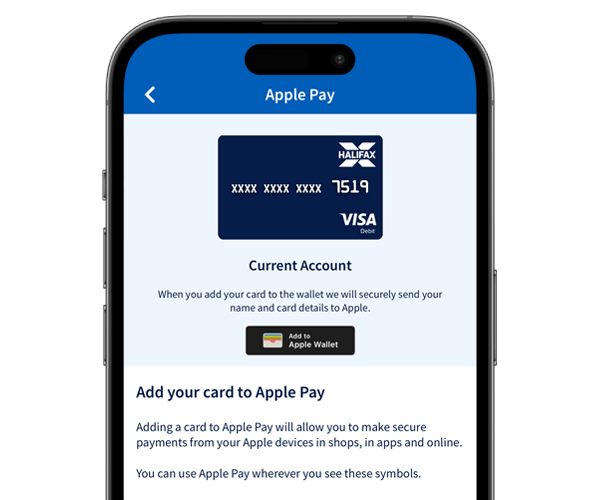
To recharge your Apple Pay account, you’ll need to associate a credit or debit card to the service. This can be done through the Wallet app, which is pre-installed on compatible devices. To do this:
- Launch the Wallet app.
- Tap the “+” button in the top-right corner of the screen.
- Select “Cards” from the menu.
- Choose the type of card you want to add (e.G., Credit or debit).
- Enter your card details, including the number, expiration date, and security code.
Recharging Apple Pay
Now that you’ve associated a card with Apple Pay, let’s explore how to recharge the account. There are several methods you can use:
Transfers From a Bank Account
You can transfer funds directly from your bank account to your Apple Pay account. This can be done through the Wallet app or by logging in to your banking website.
Transfers Via The Wallet App
- Launch the Wallet app.
- Tap on the “Apple Cash” card.
- Select the amount you want to transfer.
- Confirm the transaction.
Recharge Through a Banking Website
Alternatively, you can recharge your Apple Pay account by logging in to your banking website and making a transfer directly to your Apple Pay account.
Atm Withdrawals or Dot Sale Transactions
You can also recharge your Apple Pay account by withdrawing cash from an ATM or performing a dot sale transaction at a participating retailer.
Recharging Accounts Compatible With Apple Pay
In addition to recharging your Apple Pay account, you may also want to explore other accounts that are compatible with this service. One such option is Revolut, a digital banking platform that allows users to manage their finances across multiple currencies and accounts.
Revolut Integration With Apple Pay
Revolut has integrated its services with Apple Pay, making it possible to recharge your account directly from the Wallet app. To do this:
- Open the Revolut app.
- Tap on the “Apple Pay” icon.
- Select the amount you want to transfer.
- Confirm the transaction.
Recharging Telephone Accounts With Apple Pay
Unfortunately, at this time, it’s not possible to recharge your telephone account directly through Apple Pay. However, many phone providers offer alternative methods for recharging your account, such as online banking or mobile apps.
Conclusion
In conclusion, recharging your Apple Pay account is a straightforward process that can be completed using various methods, including transfers from a bank account, ATM withdrawals, and dot sale transactions. Additionally, compatible accounts like Revolut allow users to recharge their Apple Pay account directly through the Wallet app. We hope this guide has provided you with valuable insights into recharging your Apple Pay account.
Frequently Asked Questions (FAQs)
Q: How do I Associate a Card With Apple Pay?
A: To associate a card with Apple Pay, open the Wallet app and tap on the “+” button in the top-right corner. Select “Cards” from the menu and enter your card details.
Q: What Are The Methods For Recharging Apple Pay?
A: There are several methods for recharging Apple Pay, including transfers from a bank account, ATM withdrawals, dot sale transactions, and online banking through compatible accounts like Revolut.
Q: Can I Recharge my Telephone Account Using Apple Pay?
A: Unfortunately, at this time, it’s not possible to recharge your telephone account directly through Apple Pay. However, phone providers often offer alternative methods for recharging your account.
Q: What is Revolut, And How Does it Integrate With Apple Pay?
A: Revolut is a digital banking platform that allows users to manage their finances across multiple currencies and accounts. It has integrated its services with Apple Pay, making it possible to recharge your account directly through the Wallet app.
Q: How do I Transfer Funds From my Bank Account to my Apple Pay Account?
A: You can transfer funds directly from your bank account to your Apple Pay account by logging in to your banking website or using the Wallet app.


